Best 11 Zero Trust Security Solutions (2026)
We reviewed the leading zero trust security platforms on identity verification depth, the granularity of resource segmentation, and how well each supports phased implementation for organizations transitioning from perimeter-based architectures.
 Written by
Joel Witts
Written by
Joel Witts
 Technical Review by
Craig MacAlpine
Technical Review by
Craig MacAlpine
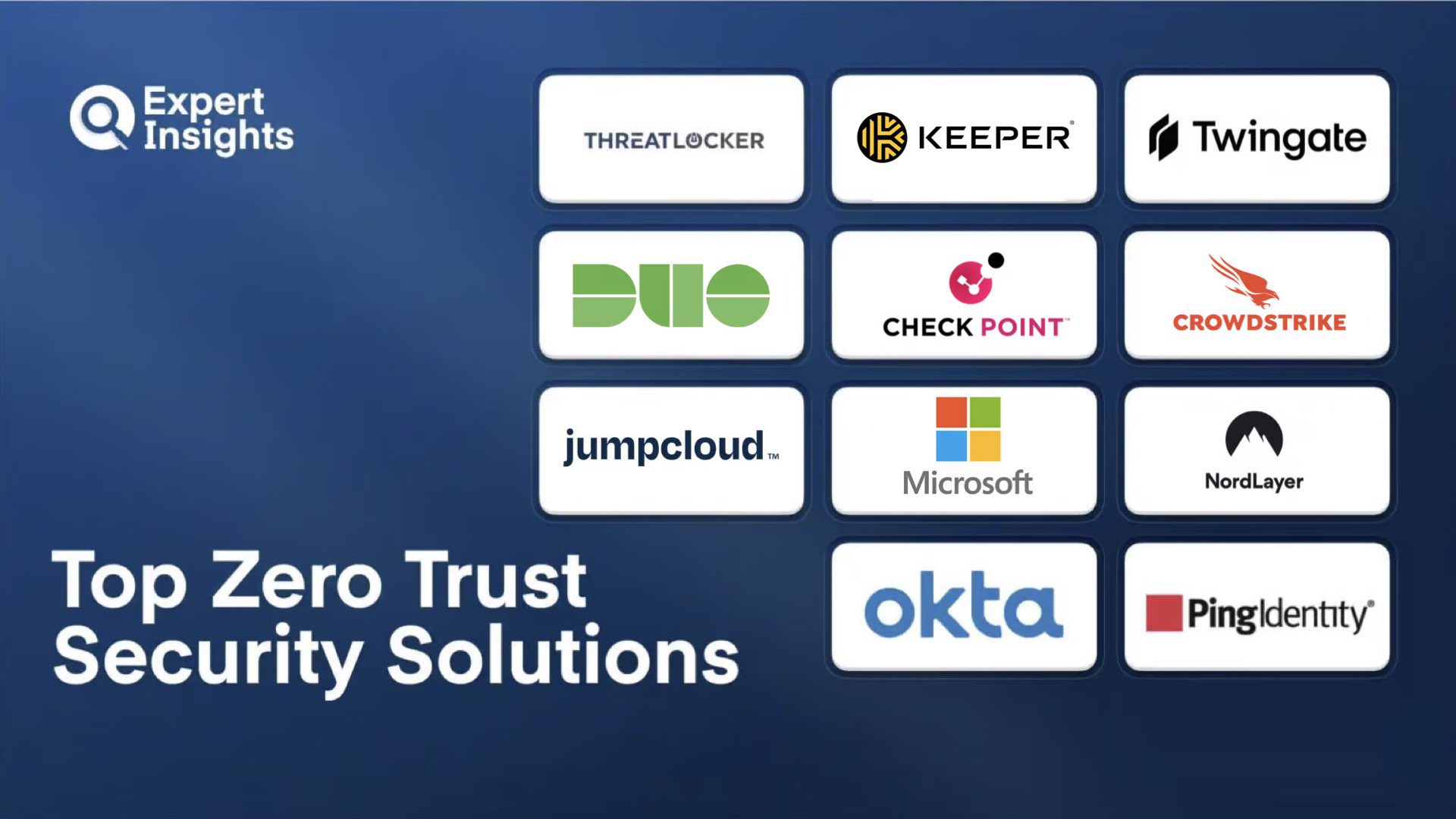
Zero Trust Security, also referred to as Zero Trust Networks or Zero Trust Architecture, is a security concept with one basic principle: don’t automatically trust anything to access your data, whether it’s a user trying to access an application, a network node, or a device trying to connect to the corporate network. In other words, trust must be established every time an access request is made, before access to any resource is granted.
The US National Institute of Standards and Technology (NIST) defines Zero Trust security as an “evolving set of cybersecurity paradigms that move defenses from static, network-based perimeters to focus on users, assets, and resources.” A Zero Trust Architecture uses Zero Trust principles to plan the deployment of industrial and enterprise workflows.
As such, the Zero Trust security solutions included in this list comprise a range of different technologies and processes that authenticate user access, segment and manage access to data, and continuously monitor and verify every request, all based on the core principle of “never trust, always verify.”
We’ve researched the top Zero Trust security solutions, considering key features including authentication methods, policies, and monitoring and reports. We’ve also considered pricing, target markets, and unique differentiating features that set each product apart from the competition.
What is Zero Trust Security?
Zero trust security is a framework that requires every user, device, and application to prove they should have access before being allowed to reach any resource. It removes the old assumption that anything inside your network is safe. Instead of trusting users because they are on the corporate network, zero trust verifies identity and device health every time access is requested and grants only the minimum level of access needed for the specific task.
Zero trust architecture replaces perimeter-based security with continuous verification across five pillars: identity, devices, networks, applications, and data. Authentication combines identity verification (via SAML, OIDC, or FIDO2) with device posture assessment (OS patch level, endpoint protection status, disk encryption) and contextual signals (location, time, behavioral patterns).
Policy enforcement operates on the principle of least privilege, granting access per-application and per-session rather than per-network segment. Micro-segmentation isolates resources from each other to prevent lateral movement after initial compromise. Continuous trust evaluation monitors session behavior and revokes access in real time when risk signals change. Implementation typically spans multiple product categories including identity and access management (IAM), endpoint detection and response (EDR), zero trust network access (ZTNA), privileged access management (PAM), and data loss prevention (DLP), coordinated through conditional access policies and security orchestration.
Zero Trust Security Solutions Compared
This table compares all 11 zero trust platforms across their primary approach and key capabilities.
| Product | Best For | Primary Approach | MFA | Device Posture | Micro-Segmentation |
|---|---|---|---|---|---|
|
ThreatLocker
|
Strict endpoint control
|
Endpoint Allowlisting
|
Yes
|
Yes
|
Yes
|
|
Keeper Security
|
Credential and privileged access mgmt
|
PAM / Vault
|
Yes
|
No
|
No
|
|
Twingate
|
Lightweight VPN replacement with IaC
|
ZTNA
|
Yes
|
Yes
|
Yes
|
|
Cisco Duo Premier
|
Push-based MFA in Cisco environments
|
MFA / ZTNA
|
Yes
|
Yes
|
No
|
|
Check Point Harmony SASE
|
Consolidated ZTNA and web security
|
SASE
|
Yes
|
Yes
|
Yes
|
|
CrowdStrike Falcon
|
AI-powered endpoint protection
|
EDR / XDR
|
Yes
|
Yes
|
No
|
|
JumpCloud
|
Consolidated identity and device mgmt
|
IAM / MDM
|
Yes
|
Yes
|
No
|
|
Microsoft Entra Private Access
|
Identity-driven ZT in Microsoft envs
|
IAM / ZTNA
|
Yes
|
Yes
|
Yes
|
|
NordLayer
|
Quick-deploy zero trust access
|
ZTNA
|
Yes
|
Yes
|
Yes
|
|
Okta Workforce Identity Cloud
|
Broad app integration with adaptive MFA
|
IAM
|
Yes
|
Yes
|
No
|
|
Ping Identity PingOne
|
Hybrid envs with SaaS and legacy apps
|
IAM
|
Yes
|
Yes
|
No
|
How We Tested
Expert Insights assessed each platform across authentication methods, access policy enforcement, device posture verification, network segmentation, reporting, deployment flexibility, and real-world customer feedback, evaluating how effectively each enforces the core zero trust principle of “never trust, always verify.” This guide was researched and written by Joel Witts, with technical review by Craig MacAlpine. Our editorial and commercial teams operate independently; no vendor can pay to influence our reviews. Read our full methodology
ThreatLocker

ThreatLocker
Best for organizations wanting strict endpoint control with deny-by-default policies
ThreatLocker is a zero trust endpoint protection platform that enforces deny-by-default policies across your environment. It blocks anything not explicitly approved, from executables to scripts to USB devices. We think this approach makes it one of the strongest options for organizations that want strict endpoint control with no room for unauthorized execution.
- Allowlisting engine defines what runs; everything else gets blocked, eliminating entire threat categories including zero-days
- Ringfencing restricts what approved applications can do once running, limiting lateral movement even if an app is compromised
- Storage controls handle USB, network share, and local file access policies
- Elevation control grants temporary permissions without full local admin rights
- Built-in EDR module for real-time detection and response
The onboarding experience gets consistent praise. Sales-to-deployment support is responsive and hands-on, which matters for a product that requires upfront policy tuning. Once policies are dialled in, day-to-day management is smooth. With that said, initial policy tuning demands significant effort in complex environments, and building allowlists across large device fleets comes with a learning curve.
We think ThreatLocker is well worth considering if your priority is strict endpoint control. It fits well for SMBs and mid-market teams managing remote endpoints who want to eliminate unauthorized execution entirely. The deny-by-default model requires upfront investment, but once configured it delivers a level of control that traditional antivirus and EDR approaches can’t match.
Strengths
Cautions

Keeper Security
Best for mid-sized organizations wanting zero trust over credentials and privileged sessions
Keeper Security combines an enterprise password manager with a full privileged access management platform, all built on zero-knowledge encryption. We think the combination of credential management and privileged access in one platform makes it a strong option for mid-sized organizations that want zero trust controls over credentials and sessions without deploying separate tools.
- Zero-knowledge architecture encrypts everything locally before it reaches Keeper’s servers
- Password vault supports MFA, FIDO2 passkeys, and biometric login
- KeeperPAM bundles session recording, browser isolation, and VPN-free privileged access
- Role-based enforcement policies for password complexity, sharing rules, and MFA requirements
- Secrets Manager handles API keys, database credentials, and certificates with automated rotation
Long-term users praise the vault’s reliability and the password generator. Support response times get positive mentions, with issues resolved within one to two business days. With that said, some customers report the vault search function can struggle to locate some records.
We think Keeper is a strong option for mid-sized organizations that want zero trust access controls for credentials and privileged sessions without deploying separate tools. The zero-knowledge encryption is a real differentiator, and KeeperPAM adds capabilities that many standalone password managers don’t offer.
Strengths
Cautions
Twingate
Twingate
Best for small to mid-sized teams wanting modern VPN replacement with IaC support
Twingate is a ZTNA solution that replaces traditional VPNs with application-level access controls and split tunnelling. It routes traffic directly to resources rather than backhauling through a central gateway, which keeps latency low. We think it is well worth considering for small to mid-sized teams wanting a modern VPN replacement with low setup effort and strong infrastructure-as-code support.
- Clean admin console; adding resources, creating groups, and managing policies takes minimal effort
- Terraform provider and Kubernetes Operator cover users, groups, connectors, and resources
- Device trust checks verify posture before granting access
- Cross-platform client on Windows, macOS, Linux, iOS, and Android with consistently positive usability feedback
- Split tunnelling ensures only corporate traffic routes through Twingate
Setup speed and daily usability get strong marks. Customers highlight how easy it is to onboard users and manage group-based resource access. The client app receives positive feedback across all operating systems, and the alias feature handles multiple networks with overlapping IP schemes well. With that said, enterprise MDM deployment reportedly can be complex for Intune, Jamf, and NinjaRMM, according to user reviews.
We think Twingate is well worth considering for small to mid-sized teams wanting a modern VPN replacement with low setup effort. The Terraform provider is a real differentiator if your team works with infrastructure-as-code, and the direct routing approach keeps performance strong.
Strengths
Cautions
Cisco Duo Premier

Cisco
Best for push-based MFA and zero trust access in Cisco environments
Cisco Duo Premier (formerly Duo Beyond) is a zero trust security solution that provides user verification, authentication, single sign-on, and multi-factor authentication, designed with zero trust principles in mind. It is fully integrated into Cisco’s existing zero trust security architecture, alongside Cisco’s other security solutions including Cisco SecureX, AnyConnect, and the Meraki and AirWatch platforms. We think the MFA experience is one of the smoothest in the market, and the tight Cisco ecosystem integration makes it a strong choice for organizations already running Cisco infrastructure.
- Push-based MFA replaces traditional passwords with smartphone notifications; FIDO2 support for hardware keys
- Duo Network Gateway allows VPN-less access to internal web applications from any device or browser
- Trusted Endpoints lets admins define which devices can connect with role-based controls based on device posture
- Device health checks cover OS patch levels, browser versions, and security agent status
- Passwordless authentication combining biometrics and security keys with adaptive policies
The setup process and daily user experience get high marks. Customers describe the interface as well-designed, and the push-based login flow as fast and frictionless. Reporting and monitoring tools give solid visibility into access events. Something to be aware of is that Premier-tier customer feedback is limited compared to Duo’s other tiers, and some reviews flag that advanced ZTNA features add complexity beyond simpler access needs.
We think Duo Premier is a solid choice for mid-to-large enterprises already in the Cisco ecosystem or those standardizing on a single identity and access platform. The push-based MFA is well-designed and drives high adoption rates. Deploying Duo requires that the Duo certificate is present on your organization’s trusted devices, which can be achieved through the Duo mobile app, integrations with Active Directory Domain Services, or manual installation on Mac, Windows, iOS, and Android devices.
Strengths
Cautions
Check Point Harmony SASE

Check Point Software Technologies
Best for consolidated ZTNA, web security, and threat prevention
Check Point Harmony SASE (formerly Perimeter 81) is a cloud-native platform bundling zero trust network access, secure web gateway, SD-WAN connectivity, and threat prevention into a single service. We think the consolidated approach works well for organizations wanting to combine remote access, web security, and branch connectivity without managing separate tools.
- Independent testing shows near 99% malware block rate for zero-day and advanced threat protection
- Secure web gateway adds URL filtering, SSL inspection, and application control
- On-device inspection reduces backhauling, keeping latency low for distributed teams
- Agentless deployment supports unmanaged devices for BYOD and contractor use cases
- Supports IPSec, OpenVPN, and WireGuard protocols; instant policy propagation across endpoints
Customers praise the centralized dashboard and the speed of cloud-based deployment. Remote users report solid performance with low latency. The solution’s support is highlighted as efficient and helpful. With that said, hybrid cloud and on-prem setup adds complexity during initial deployment, and logging and analytics lack depth for detailed troubleshooting.
We think Check Point Harmony SASE is well worth considering if you need to consolidate remote access, web security, and branch connectivity into one platform. The near 99% malware block rate is a strong selling point, and the agentless deployment option makes it practical for BYOD environments.
Strengths
Cautions
CrowdStrike Falcon

CrowdStrike
Best for AI-powered endpoint protection with managed threat hunting
CrowdStrike Falcon is a cloud-native endpoint protection platform combining AI-powered threat detection, real-time response, and managed threat hunting in a single lightweight agent. We think the single-agent approach is a real differentiator; you get antivirus, EDR, and threat intelligence without stacking separate tools.
- Single agent covers antivirus, endpoint detection and response, and threat intelligence
- Behavioral analysis and machine learning identify threats without relying solely on signatures
- CrowdStrike Query Language (CQL) enables threat hunting across environment telemetry
- Falcon OverWatch provides 24/7 managed threat hunting adding a human layer
- 100% detection and 100% protection in the 2025 MITRE ATT&CK evaluation
Support quality is a consistent highlight. Customers describe the team as fast, knowledgeable, and available around the clock. The centralized console and detection page get praise for organizing complex data clearly. Something to be aware of is that advanced features create a steep learning curve for newer staff, and the cloud-dependent agent can struggle in air-gapped or isolated network environments.
We think CrowdStrike Falcon is one of the strongest endpoint protection platforms on the market. The 100% MITRE ATT&CK scores, combined with the lightweight agent and managed threat hunting, make it well worth considering for any organization serious about zero trust endpoint security.
Strengths
Cautions
JumpCloud

JumpCloud
Best for small to mid-sized teams consolidating identity and device management
JumpCloud is an open directory platform that unifies identity, access, and device management into a single cloud-native console. It replaces the patchwork of Active Directory, scattered local accounts, and separate MDM tools with one platform. We think it is well worth considering for small to mid-sized teams, especially distributed workforces running mixed operating systems, who want to consolidate identity and device management without enterprise-grade complexity.
- Single console for identity, MFA, device management, and password vaulting
- Cross-platform agent handles Windows, macOS, and Linux endpoints from the same policy engine
- Conditional access policies enforce zero trust based on device compliance, user group, and network context
- Passwordless authentication using biometrics and FIDO2 hardware keys
- RADIUS and LDAP support cover legacy network authentication
Support gets consistently high marks. Responses are fast, knowledgeable, and practical. Customers highlight how much easier fleet management becomes once everything is centralized, and smaller organizations appreciate the free tier for up to 10 users and 10 devices. With that said, advanced configuration workflows can be complex with nested menus and multiple panel navigation.
We think JumpCloud is well worth considering if your identity and device management is scattered across multiple tools. It fits best for small to mid-sized teams, especially distributed workforces running mixed operating systems, who want centralized control without the overhead of traditional Active Directory.
Strengths
Cautions
Microsoft Entra Private Access

Microsoft
Best for identity-driven zero trust in Microsoft environments
Microsoft Entra Private Access is a ZTNA solution designed to replace traditional VPNs with identity-driven, per-application access controls. It plugs directly into Microsoft’s Entra identity platform, which means conditional access policies, device compliance, and risk signals all feed into every access decision. Microsoft have made a strong commitment to zero trust principles throughout their solutions, and many of the core features needed to execute an organization-wide zero trust policy are available across Microsoft 365 and Azure subscriptions. We think it is well worth considering for organizations already invested in the Microsoft ecosystem.
- Conditional access engine adapts based on user identity, device health, location, and risk signals per application
- Quick Access simplifies VPN migration by configuring broad private IP ranges and FQDNs with identity-based zero trust
- Per-app access supports TCP and UDP applications with microsegmentation at user, process, and device level
- Microsoft Authenticator smartphone app supports push notifications, biometric verification, and one-time passcodes
- Priced at $5 per user per month standalone, or included in the Entra Suite
Customers consistently praise the conditional access policies and MFA experience as low-friction but effective. SSO across Microsoft 365 and third-party apps reduces login fatigue, and admin reporting visibility gets positive marks. Something to be aware of is that the strongest value depends on existing Microsoft identity investment; organizations without Entra ID may find the migration effort significant.
We think Microsoft Entra Private Access is well worth considering if your identity infrastructure already runs on Microsoft Entra ID. The conditional access integration is a strong advantage, and the Quick Access feature makes VPN migration practical. The platform works best when paired with the broader Microsoft security stack, where signals from Defender, Intune, and Entra ID all contribute to access decisions.
Strengths
Cautions
NordLayer

Nord Security
Best for small to mid-sized teams wanting quick-to-deploy zero trust access
NordLayer is a ZTNA platform that replaces traditional VPN complexity with segmented, identity-based access to corporate resources. We think it works well for small to mid-sized teams that want to move to zero trust without a heavy deployment lift.
- User management is straightforward; adding, assigning, and removing users takes minutes
- Network segmentation restricts users to specific applications and data rather than exposing the full network
- Cross-platform support for Windows, macOS, Linux, iOS, and Android from a single dashboard
- Kill Switch cuts traffic if the encrypted tunnel drops to prevent data leaks
- IdP integrations with Azure AD, Google Workspace, Okta, and OneLogin
- CrowdStrike partnership integrates Falcon Go and Falcon Enterprise directly through the platform
Setup and day-to-day usability get strong marks. The interface is clean, login is fast, and switching between VPN connections works without friction. Documentation and onboarding support are highlighted as strengths. Something to be aware of is that advanced configurations require support requests rather than self-service, which can slow things down for teams wanting more control.
We think NordLayer is a good option for teams that prioritize ease of management over deep custom networking. If you need quick-to-deploy zero trust access without heavy infrastructure, this delivers.
Strengths
Cautions
Okta Workforce Identity Cloud

Okta
Best for organizations needing broad application integration with adaptive MFA
Okta is a market-leading identity and access management provider whose Workforce Identity Cloud helps organizations manage access to systems and achieve zero trust security. Okta provides a number of different products and feature sets, including Workforce Identity for secure remote access with SSO, adaptive MFA, and lifecycle management, plus a developer toolkit for building zero trust controls into custom applications. We think the breadth of integrations and the adaptive MFA make it a strong choice for organizations needing an identity platform that connects to nearly everything.
- 7,000-plus pre-built connections for fast SSO and MFA deployment across application stacks
- Universal directory consolidates user identities into one source of truth
- Automated lifecycle management handles onboarding and offboarding with least-privilege enforcement
- Phishing-resistant adaptive MFA adjusts authentication based on device, location, and risk signals
- Okta Integration Network provides pre-built integrations with leading identity, security, and IT tools
The SSO experience gets consistent praise. Having one secure portal for all tools improves both security and daily efficiency. Customers highlight how easy it is to organize applications by team or department and manage access at scale. With that said, admin settings spread across multiple panels make single-pane policy management harder, and configuration complexity increases misconfiguration risk without dedicated IAM staff.
We think Okta is a strong choice for organizations that need an identity platform connecting to nearly everything. The 7,000-plus integration catalog and automated lifecycle management are real differentiators, and the adaptive MFA adds context-aware security without creating login friction for end users.
Strengths
Cautions
Ping Identity PingOne for Workforce
Ping Identity
Best for hybrid environments mixing modern SaaS with legacy applications
PingOne for Workforce is a cloud-based identity and access management platform focused on adaptive authentication and SSO for enterprise environments. We think the integration flexibility is a real strength; the platform supports SAML, OAuth, and OpenID Connect, which makes it well suited to hybrid environments mixing modern SaaS with legacy and on-premises applications.
- Adaptive authentication engine adjusts based on device, location, and risk level without unnecessary friction
- SSO covers both cloud and on-premises apps through the same policy framework
- Automated provisioning and deprovisioning handle the full user lifecycle
- DaVinci no-code orchestration engine lets admins build identity workflows without writing code
- API security features protect machine-to-machine communication alongside user access
The SSO experience and security posture get strong marks. Customers highlight smooth SAML and OIDC integration, with clear metadata exchange guides that simplify application onboarding. Authentication reliability gets consistently positive feedback. Something to be aware of is that multiple admin interfaces across the Ping ecosystem complicate management, and smaller teams may find the initial configuration requires more time than expected.
We think PingOne for Workforce is well worth considering if your environment mixes modern SaaS with legacy and on-prem applications. The adaptive authentication and protocol flexibility are strong, and the DaVinci orchestration engine adds real value for teams building custom identity workflows.
Strengths
Cautions
Other Zero Trust Security Solutions Services
Beyond our top 11, these zero trust solutions are worth considering:
A cybersecurity architecture which drives secure access without the need for a VPN.
Secure access to internal apps without a VPN using identity and device posture.
Context-aware access to applications and data based on risk.
Delivers ZTNA and secure access via a unified SASE platform.
Cloud-native platform enforcing least-privilege access across users and apps.
Zero Trust Security Solutions Pricing
Zero trust solutions span multiple product categories with different pricing models. Identity platforms typically charge per user per month, endpoint tools charge per endpoint, and SASE platforms vary by user count and feature tier. The prices below reflect publicly available starting points where disclosed.
| Product | Starting Price | Billing | Link |
|---|---|---|---|
|
ThreatLocker
|
From ~$2/endpoint/month
|
Annual subscription
|
|
|
Keeper Security
|
From $2/user/month (Starter)
|
Annual subscription
|
|
|
Twingate
|
Free (Starter); from $5/user/month
|
Monthly / Annual
|
|
|
Cisco Duo Premier
|
Contact for quote
|
Annual subscription
|
|
|
Check Point Harmony SASE
|
From $10/user/month
|
Annual subscription
|
|
|
CrowdStrike Falcon
|
From $59.99/device/year (Falcon Go)
|
Annual subscription
|
|
|
JumpCloud
|
Free (up to 10 users); from $9/user/month
|
Monthly / Annual
|
|
|
Microsoft Entra Private Access
|
$5/user/month standalone; included in Entra Suite
|
Monthly / Annual
|
|
|
NordLayer
|
From $8/user/month
|
Monthly / Annual
|
|
|
Okta Workforce Identity Cloud
|
From $6/user/month (Starter Suite)
|
Annual subscription
|
|
|
Ping Identity PingOne
|
From $3/user/month (Essential)
|
Annual subscription
|
|
Zero Trust Security Solutions Checklist
These are the evaluation and operational steps we recommend when selecting and implementing zero trust security.
Zero trust spans identity, endpoints, network, applications, and data; trying to implement everything at once leads to stalled projects and wasted budget.
Some organizations benefit from best-of-breed tools per pillar, while others gain more from platforms that bundle multiple zero trust capabilities.
Solutions that only support managed devices or specific identity providers create gaps when third parties and BYOD users need access.
Mixed OS environments need posture checks that work consistently across Windows, macOS, Linux, iOS, and Android without creating policy blind spots.
Network-level access that grants broad reach after authentication undermines zero trust; verify that each user only reaches the specific resources they need.
Zero trust solutions that don't connect to your IdP, EDR, or SIEM create manual handoffs that slow response and reduce visibility.
Organizations that try to deploy zero trust across all resources simultaneously create more risk during the transition than they eliminate.
Complex admin interfaces with scattered settings increase misconfiguration risk and slow down day-to-day operations.
Regulated industries need detailed access logs and session records; verify the platform meets your compliance standards before deploying.
Per-user pricing across identity, endpoint, and network tools compounds quickly; model the full stack cost before committing to individual vendors.
The Bottom Line
Zero trust security is not a single product but a set of principles applied across identity, access, endpoints, and network segmentation. The solutions in this list take different approaches to zero trust, from strict endpoint allowlisting to identity-driven access controls to full SASE platforms. The right choice depends on where your biggest gaps are.
Organizations with strong identity infrastructure may benefit most from ZTNA and conditional access tools, while those with endpoint control concerns should look at deny-by-default platforms. For distributed workforces, cloud-native solutions with broad OS support and fast deployment will deliver the quickest time to value.
Zero Trust Security: Everything You Need To Know (FAQs)
The zero Trust model is a security strategy that recommends not trusting any users, devices, or systems within your network, until they have been authenticated to be genuine.
In practice, this means continuous authentication of internal users and devices to reduce potential security risks, alongside enforcing the principle of least privilege. This ensures that users and systems only have access to the specific applications they need for the prescribed function of their job role.
It’s important to note that Zero Trust is not a ‘type’ of security solution (although many vendors have evolved their product suites to fit the Zero Trust model and now advertise their solutions as ‘Zero Trust’ services) but is a philosophy for how to approach security and verify access. Zero Trust can only be achieved by using a combination of technologies, including continuous authentication, network segmentation, network access control, and user management. As such the above list covers solutions that span these categories and can help organizations on their Zero Trust journey.
Zero Trust architecture is becoming increasingly adopted by both vendors and organizations looking to improve endpoint security and control access. As cyber-crime has continued to become more advanced and targeted, many organizations have opted to adopt zero trust strategies to secure their network. Organizations are adopting more complex network environments with the rise of cloud applications. As users have shifted from the office to hybrid ways of working, the threat landscape has become much more dynamic.
All these factors, in addition to others, have led the traditional perimeter-based security approach – which assumes everything outside the network is a security risk, while everything inside is secure – to become outdated when faced with the complexity of the modern cyber-threat landscape.
This has led many analysts, governments, and regulatory bodies to recommend organizations look to a Zero Trust to improve resilience. After the Colonial Pipeline cyber-attack of May 2021, US President Joe Biden signed an executive order mandating that all federal agencies implement a “Zero Trust” architecture and urged private organizations to do the same.
Zero Trust Software is a broad term to describe solutions that enable organizations to implement a Zero Trust approach into their network security strategies. This can include multiple different features and tools, such as network microsegmentation, user privileges management, Zero Trust Network Access (ZTNA), and identity controls such as multi-factor authentication (MFA) and Single Sign-On (SSO) which ensures users are continuously verified and monitored.
The Zero Trust strategy we know today was designed in 2010 by John Kindervag, who was the Principal Analyst for global research firm Forrester. But the concept goes back almost 15 years earlier than that, when it was coined by Stephen Paul March in his doctoral thesis on computational cybersecurity.
Zero Trust networks were seen as the ideal, but difficult to execute and measure. Starting in 2009, Google began working on “BeyondCorp”, it’s implementation of the Zero Trust architecture, working alongside Forrester’s analyst.
In the following decade, Zero Trust security became increasingly prevalent, especially with the rise of smartphones, cloud-based technologies and software-as-a-service. By 2019, Gartner was recommending that businesses implement Zero-Trust solutions as a component of their security strategy.
Today, almost all of the leading IT providers have adopted a Zero Trust Security model for their solutions, and many cybersecurity vendors offer Zero Trust Security solutions for their enterprise and SMB customers.
The COVID-19 pandemic and the resulting move to home working for much of the world’s population has accelerated the need and business drive to implement Zero Trust Security. In Forrester’s ‘Zero Trust Security Playbook’, they recommended Zero Trust Security as the best way to unify network and security infrastructure, while protecting a remote workforce.
In the modern workplace, applications and data are not centralized in one location. Instead, people, devices and connections are spread out and each employee holds the key to multiple points of entry to your business data.
To ensure that only trusted users can access systems, security processes typically require users to verify their identity with a username and password, and perhaps a secondary form of identification, like a biometric scan or a randomly generated one-time passcode.
However, this alone is not enough to protect against data breaches. Social engineering attacks such as phishing and spear-phishing, and the increasing threat of data breaches from insiders, mean that you cannot assume anyone connected to your network is safe.
The average cost of being hit with a data breach in 2020 was $4.4 million USD according to the IBM, with 52% of data breaches caused by a malicious cyberattack.
Zero Trust Security solutions help to mitigate against data breaches, by allowing organizations to continuously monitor network activity and automatically detect suspicious user behavior, prompting users to give further verification if needed, or preventing them from accessing certain software.
Zero Trust solutions can also help you to better manage user permissions, as one of the central components of a Zero Trust security model is that users should only ever have access to the data they absolutely need to – and data should be as segmented as possible to avoid widespread data breaches.
As we mentioned previously, Zero Trust security solutions don’t necessarily refer to any specific types of technology, security tool, or type of product. Instead, it refers to a range of holistic technologies and processes, designed to help organizations reduce the risk of data breaches by managing user identities and minimizing individual access to data.
There are a range of cybersecurity technologies that can help organizations to implement a Zero Trust security solution. Products and technologies that are designed to help organizations to achieve these aims can be categorized as Zero Trust Security Solutions.
These technologies include multifactor authentication (MFA), VPNs, identity and access management, data encryption, privileged access management, user permissions and adaptive authentication for users.
These solutions are designed to govern user access, ensuring that only verified users can access your systems, and continuously validating their identity, rather than giving everyone with a password access to your systems. These solutions also help to monitor user traffic and behavior, and can help to segment your network – splitting access to different departments and individual users into groups to limit user access to sensitive data.
It’s likely that your organization is already using one or more of these technologies to govern access to data; they are critical to staying protected against sophisticated cybersecurity threats.
As implementing Zero-Trust Networks have been recommended widely across the security industry, many vendors have launched Zero Trust security solutions, designed to help organizations to implement the technologies they need to stay secure.
If you’re considering implementing a Zero Trust Security solution for your organization, there are a number of key features, you should look for.
User Authentication And Access Management
The first and one of the most important features is user authentication and access management. This compromises a broad set of features and technologies that allow you to continuously verify user permissions and prevent unauthorized users from gaining access to your data.
In a typical security environment, once a user has logged into their account, they would be able to access any data within it as long as they remained authorized to do so. With systems like adaptive authentication in place, user behavior is continuously monitored, and if any unusual activity is detected, users are prompted to verify their identity with additional factors, which can include biometric controls and one-time-passcodes. This is most commonly implemented as multifactor authentication.
This means if users attempt to access data when they are in unusual locations, outside of working hours, or on new devices, they will be asked for additional levels of verifications to limit the risk of data breaches and successful phishing attacks.
Policy Enforcement And Network Segmentation
The second important feature to look for is the ability to create policies and segment data to limit the risk of data loss. One of the central philosophies underpinning Zero Trust is segmenting data and access to that data – to limit the extent of data breaches in the case of unauthorized access.
Zero Trust solutions can help you to implement this, by allowing your admins to create systems, processes and policies to govern who has access to data, where data is stored, create groups and departments, and restrict access on an individual user level.
This is a crucial set of features to minimize the risk of phishing and account compromise. It limits the amount of data that any malicious users can access if they are able to breach you company accounts and gives your IT admins important control over data access and user privileges.
Reporting And Monitoring Of Traffic And User Behavior
The final feature to look for in Zero Trust security solution is an extensive range of reports and automated alerting when suspicious user behavior is detected. This is important both to proactively detect any signs of account compromise or malicious network activity.
It’s important that your Zero Trust security solutions provide detailed visibility into users, devices and components across your entire network environment, so you can better react to threats and track security risks.
The best solutions will provide detailed logs, reports and automate alerts that detail who has accessed data, alert you to suspicious behavior and give you the tools you need to better detect and respond to threats.
Despite the emergence of a number of technologies and solutions designed to help you shift to a Zero Trust security approach, it’s important to remember that Zero Trust is a process designed to work across your entire network infrastructure.
The US National Institute of Standards and Technology (NIST), in its 2020 standards for Zero Trust architecture, defines Zero Trust as an “evolving set of cybersecurity paradigms that move defenses from static, network-based perimeters to focus on users, assets, and resources.”
In their report, they outline that “Implementing a ZTA is a journey rather than a wholesale replacement of infrastructure or processes. An organization should seek to incrementally implement zero trust principles, process changes, and technology solutions that protect its highest value data assets.”
NIST outlines seven steps for organizations looking to implement Zero Trust Security solutions. These are:
- Identifying Actors on The Enterprise.
- Identifying Assets on The Enterprise.
- Identifying Key Processes and Evaluate Risks Associated with Executing Process.
- Formulating Policies for the ZTA Candidate.
- Identifying Candidate Solutions.
- Initial Deployment and Monitoring.
- Expanding the ZTA.
You can read NIST’s full 2020 report for establishing Zero Trust in your organization here: https://nvlpubs.nist.gov/nistpubs/SpecialPublications/NIST.SP.800-207.pdf
“It’s no secret that Zero Trust can be a journey and there is no magic switch to “turn it on” overnight. That being said, we recommend customers build a thoughtful plan before getting started with their Zero Trust approach.
“Similarly, implementing Zero Trust is not just about a product roadmap: it’s also about identifying use cases and prioritizing your deployment. For instance, we recommend customers first take stock of what is currently being accessed so they can identify what needs to be secured most urgently.
“This way, you can choose and prioritize sets of user groups and applications. Once you have this list, you can deploy sequentially – there is no need to try and boil the ocean at once. A phased approach like this – specific sets of users and applications across your core use cases – can also help you break down the change management aspect that is crucial to any large-scale IT project.”
We researched lots of Zero Trust solutions while we were making this guide. Here are a few other tools that are worth your consideration:
Network Security Resources
Further reading on network security from Expert Insights — buyers' guides, comparison articles, and platform-specific shortlists.


 Written By
Joel is the Director of Content and a co-founder at Expert Insights; a rapidly growing media company focused on covering cybersecurity solutions.
He’s an experienced journalist and editor with 8 years’ experience covering the cybersecurity space. He’s reviewed hundreds of cybersecurity solutions, interviewed hundreds of industry experts and produced dozens of industry reports read by thousands of CISOs and security professionals in topics like IAM, MFA, zero trust, email security, DevSecOps and more.
He also hosts the Expert Insights Podcast and co-writes the weekly newsletter, Cyber Weekly. Joel is driven to share his team’s expertise with cybersecurity leaders to help them create more secure business foundations.
 Technical Review
Craig MacAlpine is CEO and Founder of Expert Insights. Before founding Expert Insights in August 2018, Craig spent 10 years as CEO of EPA Cloud, an email security provider that rebranded as VIPRE Email Security following its acquisition by Ziff Davis, formerly J2Global (NASDAQ: ZD) in 2013.
Craig is a passionate security innovator with over 20 years of experience helping organizations to stay secure with cutting-edge information security and cybersecurity solutions.
Using his extensive experience in the email security industry, he founded Expert Insights with the singular goal of helping IT professionals and CISOs to cut through the noise and find the right cybersecurity solutions they need to protect their organizations.