Best 8 Atera RMM Alternatives for MSPs (2026)
We compared the leading Atera RMM alternatives on automation capabilities, monitoring depth, and how the pricing models compare for practices managing different volumes of endpoints and clients.
 Written by
Mirren McDade
Written by
Mirren McDade
 Technical Review by
Laura Iannini
Technical Review by
Laura Iannini
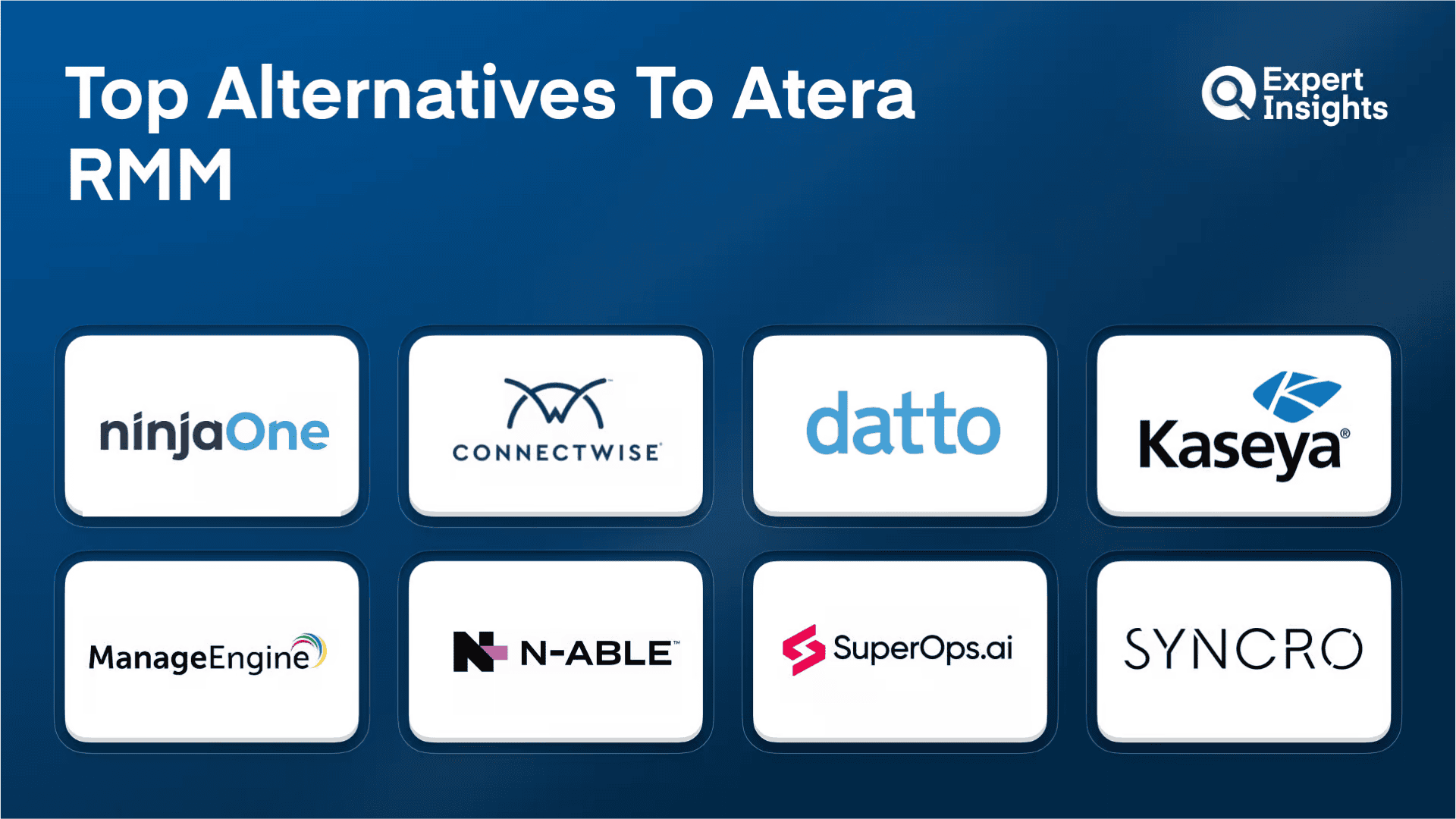
Atera consolidates RMM, PSA, and helpdesk in one platform with per-technician pricing, which appeals to growing MSPs avoiding per-endpoint costs.
While Atera is a popular solution, there are alternatives. Some platforms match Atera’s consolidation approach; others specialize deeper in specific functions. Some charge per-endpoint; others per-technician. Making the right choice depends on your client base size, service mix, and how much you value UI polish versus feature depth.
We evaluated eight RMM and consolidated platforms targeting MSPs and internal IT teams. We evaluated automation effectiveness, deployment speed, interface usability, and integration range. We reviewed customer feedback to understand scaling challenges and support quality.
What is IT Management?
Remote Monitoring and Management (RMM) software lets IT teams and Managed Service Providers (MSPs) monitor, manage, and maintain client devices and networks from a central console without being physically present. RMM platforms handle tasks like deploying software updates, monitoring device health, running automated scripts, and alerting technicians when something goes wrong. For MSPs, RMM is the operational backbone that makes it possible to manage hundreds or thousands of client endpoints efficiently.
RMM platforms deploy lightweight agents to managed endpoints (Windows, macOS, Linux) that report telemetry data to a central cloud or on-premises console. Agent-based monitoring tracks system health metrics (CPU, memory, disk, services), software inventory, patch status, and security posture in real time. Policy engines automate detection and response through conditional rules that trigger scripts, alerts, or remediation actions when thresholds are breached. Patch management automates OS and third-party application updates with approval workflows, staged rollouts, and rollback capabilities. Remote access provides both background command execution (PowerShell, bash) and interactive screen control for troubleshooting. Enterprise platforms add network topology mapping, EDR integration, and predictive analytics. PSA integration connects endpoint management to ticketing, billing, and contract workflows for MSP operations. Multi-tenant architectures provide per-client isolation with centralized management dashboards.
Atera RMM Alternatives Compared
This table compares the 8 Atera RMM alternatives we reviewed across their core capabilities.
| Product | Best For | Pricing Model | Built-in PSA | 3rd-Party Patching | EDR Integration |
|---|---|---|---|---|---|
|
NinjaOne
|
Automation and cross-platform support
|
Per-device
|
no
|
✓
|
no
|
|
ConnectWise RMM
|
Enterprise-scale with NOC services
|
Per-endpoint
|
Via ConnectWise Manage
|
7,000+ apps
|
no
|
|
Datto RMM
|
Datto/Kaseya ecosystem MSPs
|
Committed minimum
|
Via Autotask
|
Via Chocolatey
|
no
|
|
Kaseya VSA
|
Enterprise automation and broad device coverage
|
Contact for quote
|
Via Kaseya BMS
|
✓
|
✓
|
|
ManageEngine RMM Central
|
Deep network discovery and predictive analytics
|
Contact for quote
|
no
|
1,000+ apps
|
no
|
|
N-able N-central
|
Unified RMM and security
|
Per-device
|
no
|
✓
|
✓ (SentinelOne)
|
|
SuperOps
|
Unified PSA-RMM on shared data model
|
Per-technician
|
✓ (built-in)
|
Via Chocolatey/Winget
|
no
|
|
Syncro
|
Per-technician pricing with M365 management
|
Per-technician
|
✓ (built-in)
|
✓
|
no
|
How We Tested
Expert Insights independently evaluates RMM and IT management solutions. We evaluated 8 RMM platforms on automation capabilities, ease of deployment, interface design, integration options, and customer feedback. We assessed patching workflows, alert configuration, remote access responsiveness, and scripting flexibility. Read our full methodology
NinjaOne
NinjaOne
Best for MSPs and IT teams needing reliable automation with cross-platform support
NinjaOne is a cloud-based RMM and unified IT operations platform for MSPs and internal IT teams. It allows you to manage Windows, macOS, and Linux endpoints, servers, virtual machines, and network devices from one multi-tenant console. In our testing, we were impressed by NinjaOne’s automation capabilities; thanks to its conditional policies and hundreds of out-of-the-box scripts, the platform can handle numerous detection and response tasks without manual intervention. We think it’s well-suited to any MSP or IT team looking for a comprehensive, user-friendly remote IT management platform.
- Condition-based policies trigger scripts to fix stopped services, missed reboots, and open ports automatically
- Autonomous Patch Management covers Windows, macOS, Linux, and 8,800+ third-party apps, and Patch Intelligence AI pauses unstable updates
- The Overview dashboard color-codes devices that need attention, with click-through to endpoint detail
- NinjaOne Remote launches attended, unattended, or Quick Connect remote control sessions in two to three seconds
- Device Backup covers files, folders, and images across cloud, local, or hybrid storage, with MFA required for deletion
- Opens tickets from NinjaOne alerts automatically, and technicians can fix the issue from inside the ticket
- Per-device monthly pricing includes free unlimited onboarding, training, and support
We think NinjaOne works best for small to mid-market MSPs with lean IT teams who need reliable RMM without a steep learning curve.
We were impressed by the platform’s conditional policies and script library, which work together to handle most routine remediation actions without you having to intervene. We also liked the interface; it’s highly intuitive, and its modern design makes it easy for new technicians to get productive quickly. Something to be aware of is that NinjaOne has no software configuration management or threat detection capabilities; it improves security through visibility, patching, and backup. For threat detection, we recommend you add an EDR through one of its integrations.
Strengths
Cautions
ConnectWise RMM

ConnectWise
Best for MSPs needing 24/7 operational coverage without growing staff
ConnectWise RMM targets MSPs managing large, diverse endpoint fleets who want to offload routine operations rather than build everything in-house. We think it’s the right Atera alternative for MSPs that need 24/7 operational coverage without proportionally growing staff. The optional NOC services are the real differentiator here; they handle patching and remediation behind the scenes.
- NOC team maintains 1,200+ intelligent alerts and handles monthly Windows OS security update testing for all partners
- IntelliMon alerting engine consolidates related alerts into single actionable events
- Third-party patching expanded to over 7,000 applications including Slack, Webex, Notion, and Discord
- Auvik network monitoring integrated directly for network visibility with vulnerability scanning included by default
Users already in the ConnectWise ecosystem highlight the tight integration with ConnectWise Manage and PSA tools. Ticketing, documentation, and billing flow together without jumping between platforms. Something to be aware of is that the interface draws criticism for being clunky, particularly for newer users still learning the platform. The learning curve is steeper than lighter alternatives.
We think ConnectWise RMM makes the most sense if you plan to use the NOC services or are already invested in the ConnectWise ecosystem. The hands-off patching and remediation justify the platform for growing MSPs who need to scale without adding headcount. If you prefer full control over patching workflows or need modern UI polish, the interface friction may frustrate your team.
Strengths
Cautions
Datto RMM

Kaseya
Best for MSPs already invested in Datto backup or Autotask PSA
Datto RMM is a cloud-native RMM platform built for MSPs managing SMB client environments at scale. Now part of the Kaseya ecosystem, it integrates natively with Autotask PSA and the broader Datto product lineup. We think it’s a strong Atera alternative for MSPs already invested in Datto backup or Autotask who want ecosystem-wide integration without stitching together separate tools.
- Patch automation covers Windows, macOS, Linux, and third-party applications through Chocolatey integration
- Connects to 200+ third-party services with native Autotask PSA connectivity
- Datto Backup for Microsoft Entra ID protects identity data with rapid restoration of users, groups, and roles
- Cloud-native architecture eliminates infrastructure overhead
Users praise the platform’s reliability and note the interface has improved significantly over time. Support gets consistent positive mentions for responsiveness. Integration with other Datto products simplifies daily management tasks. Something to be aware of is that reporting tools can be time-consuming to configure for specific needs, and the feature density may overwhelm new users during initial onboarding.
We think Datto RMM fits best for MSPs already invested in the Datto or Kaseya ecosystem who want tight PSA integration out of the box. The Entra ID backup addition is a useful differentiator for MSPs managing Microsoft environments. If reporting is central to your client deliverables, budget time for configuration or alternative reporting tools.
Strengths
Cautions
Kaseya VSA

Kaseya
Best for midsized to large MSPs needing enterprise-grade automation across diverse device types
Kaseya VSA is an enterprise-grade RMM platform built for midsized to large MSPs and IT departments managing complex hybrid environments. We think it’s the right Atera alternative for organizations that need deep automation and broad device coverage across traditional endpoints, mobile devices, IoT, and virtual machines. It’s more complex than Atera, but the auto-remediation capabilities go considerably deeper.
- Auto-remediation workflows detect and resolve issues without technician involvement
- Patch management spans Windows, macOS, and third-party applications
- Asset and inventory tracking provides full visibility into hardware, software, and license status
- Omni network monitoring extends visibility to LAN and cloud infrastructure
- Version 9.5.22 added Windows Server 2025 support and enhanced EDR dashboard
Users describe VSA as dependable and intuitive once you know where things are. The platform has matured over years of development, and reliability is a consistent theme. Integration with other Kaseya modules creates a cohesive experience. Something to be aware of is that remote connection workflows require multiple clicks per session, which adds friction when connecting to dozens of machines daily.
We think Kaseya VSA makes sense for organizations needing enterprise-level automation and broad device support who can invest in proper onboarding. If you’re outgrowing Atera’s capabilities and need coverage across mobile, IoT, and virtual machines alongside traditional endpoints, VSA provides that breadth. Smaller shops or solo operators may find the complexity exceeds their requirements.
Strengths
Cautions
ManageEngine RMM Central

ManageEngine
Best for MSPs needing deeper network discovery and predictive analytics
ManageEngine RMM Central is an all-in-one RMM platform from Zoho Corporation targeting MSPs with distributed or international client bases. We think it’s a strong Atera alternative for MSPs that need deeper network discovery and predictive analytics than most RMM tools provide. The machine learning-powered reporting is the real differentiator here, surfacing network health issues before they become incidents.
- Layer 2 mapping and subnet scanning reveal network topology beyond agent-based discovery
- Cross-platform patching supports Windows, macOS, Linux, and over 1,000 third-party applications
- Over 8,000 pre-defined application templates for simplified software management
- Forecast Alerts predict resource utilization issues starting with disk utilization
- Over 100 pre-built analytics reports reduce custom dashboard building time
Users highlight the IT asset management module for providing single-pane visibility into hardware and software inventory. License tracking and unauthorized application detection help with compliance management. Something to be aware of is that initial asset discovery can run slowly on large networks, with some manual categorization needed during setup.
We think ManageEngine RMM Central fits MSPs managing diverse, geographically distributed clients who value predictive analytics and deep network discovery over fast deployment. If you’re moving from Atera because you need better visibility into undocumented client networks, the Layer 2 mapping and forecasting capabilities deliver real value. If your priority is fast deployment over depth, simpler alternatives may serve you better.
Strengths
Cautions
N-able N-central

N-able
Best for MSPs where security is part of the managed services offering
N-able N-central is a feature-rich RMM platform that bundles endpoint detection and response directly into the core product. We think it’s the right Atera alternative for MSPs where security is part of the managed services offering. Built for hybrid environments across Windows, macOS, Linux, and network devices, it supports both cloud and on-premises deployment depending on your compliance requirements.
- Integrated SentinelOne EDR eliminates the need for separate endpoint security tools
- N-central 2026.1 brings embedded AI guidance, more reliable device filtering, and clearer security risk visibility
- AI-assisted scripting accelerates device provisioning and routine maintenance
- Network topology mapping provides visual troubleshooting context
- Expanding Mac support approaching feature parity with Windows
Users praise the deep endpoint visibility and proactive alerting capabilities. Customizable monitoring thresholds help catch issues before they escalate. Microsoft 365 integration works smoothly for shops invested in that ecosystem. Something to be aware of is that the user interface draws criticism for navigation complexity and workflow inefficiency, which can slow initial adoption.
We think N-central fits best for MSPs who want unified RMM and security capabilities without managing separate EDR vendors. If your clients expect endpoint protection as part of endpoint management, this consolidation makes operational sense. The expanding Mac feature parity is a positive sign for MSPs managing mixed environments. For shops prioritizing interface polish over feature depth, the navigation learning curve is worth testing before committing.
Strengths
Cautions
SuperOps
SuperOps
Best for MSPs wanting unified PSA-RMM on a shared data model with strong support
SuperOps combines PSA and RMM into a single AI-native platform built for small to mid-sized MSPs. We think it’s the closest Atera alternative in terms of consolidation philosophy; both platforms aim to unify ticketing, endpoint management, and billing in one interface. Where Atera bundles remote access tools from third parties, SuperOps builds its PSA and RMM on a shared data model from the ground up.
- PSA and RMM share the same data model, eliminating sync friction between ticketing and endpoint monitoring
- Monica AI generates remediation scripts from plain language and rewrites technician communications
- Contracts 2.0 profitability command center for managing flexible contracts and understanding margins
- Reliable scripting across PowerShell, batch, and Mac/Linux with included ISL Online remote access
Users consistently highlight support as exceptional, with response times under 10 minutes reported frequently. The interface draws consistent praise for being intuitive and approachable. Technicians new to PSA or RMM tools ramp up faster than with legacy platforms. Something to be aware of is that workflows can feel cumbersome and require significant time investment to configure effectively. The Android app also lacks key functions available in the web interface.
We think SuperOps works best for MSPs ready to move away from legacy PSA and RMM combinations toward a unified modern platform. If you’re leaving Atera because of remote access reliability or AI limitations, SuperOps’ built-in remote access and Monica AI are worth evaluating. The support quality is a genuine differentiator in this space.
Strengths
Cautions
Syncro

Syncro
Best for MSPs wanting per-technician pricing with native Microsoft 365 management
Syncro combines RMM, PSA, and native Microsoft 365 multi-tenant management in one platform. We think it’s a strong Atera alternative for MSPs and internal IT teams who want predictable per-technician pricing with unlimited device monitoring. The pricing model is similar to Atera’s philosophy, but Syncro adds native M365 management that Atera doesn’t offer out of the box.
- Core plan at $129/technician/month (monthly) or $107.50 (annual) with unlimited RMM agents for Windows and Mac
- Native Microsoft 365 management provides multi-tenant visibility without separate admin portals
- AI-powered ticket classification automatically sorts and provides resolution suggestions
- 500+ script library and built-in Splashtop remote access reduce external dependencies
- Entra ID sync improvements handle clearing empty licenses and linking contacts to devices
Users praise the speed and visibility for day-to-day technical work. Troubleshooting and resolution happen faster when everything lives in one system. The platform represents strong value for small MSPs who need thorough functionality without enterprise pricing. Something to be aware of is that the interface can feel busy, and some tasks require extra clicks. Reporting capabilities could also be improved for better client-facing deliverables.
We think Syncro fits best for midsized MSPs and internal IT teams who want predictable per-technician costs regardless of device counts. The native M365 management is a real differentiator if that’s central to your client base. If you’re switching from Atera and managing Microsoft 365 environments heavily, the Entra ID sync and multi-tenant M365 visibility add genuine value.
Strengths
Cautions
Other Atera RMM Alternatives Services
While evaluating over 20 remote monitoring and management (RMM) platforms, we've identified a selection of additional vendors worth considering:
A mobile-optimized platform designed for streamlined system monitoring and management on the go.
A cloud-native RMM solution focused on patching, software deployment, and comprehensive endpoint oversight.
Delivers key features such as remote monitoring, asset tracking, patch management, and integrated ticketing.
Offers a suite of RMM capabilities including patch automation, remote access, and security-focused features.
Provides remote access tools alongside endpoint management, patching, and performance reporting capabilities.
Atera RMM Alternatives Pricing
RMM pricing models fall into three categories: per-device, per-technician, and committed minimum. The model you choose significantly affects cost as your practice scales.
| Product | Starting Price | Billing | Link |
|---|---|---|---|
|
NinjaOne
|
Contact for quote (per-device)
|
Monthly per device
|
|
|
ConnectWise RMM
|
Contact for quote (per-endpoint)
|
Annual
|
|
|
Datto RMM
|
Contact for quote (committed minimum + variable)
|
Annual
|
|
|
Kaseya VSA
|
Contact for quote
|
Annual
|
|
|
ManageEngine RMM Central
|
Contact for quote
|
Annual
|
|
|
N-able N-central
|
Contact for quote (per-device)
|
Annual
|
|
|
SuperOps
|
From $99/technician/month (base plan)
|
Annual
|
|
|
Syncro
|
From $129/technician/month (Core); $107.50 billed annually
|
Monthly or annual
|
|
Atera RMM Alternatives Checklist
These are the evaluation criteria we recommend when selecting an Atera RMM alternative.
Per-technician pricing rewards adding clients without cost increases per endpoint; per-device pricing rewards lean teams managing fewer total devices.
Automated patching that fails silently or requires constant babysitting defeats the purpose; test with real OS and third-party application mixes before committing.
Unified PSA-RMM platforms reduce sync issues but may lack the depth of dedicated PSA tools; your choice depends on how complex your billing and contract management needs are.
Some tools add friction with multiple clicks per session; others maintain low-latency connections even on poor networks. Test with your actual client scenarios.
Alert engines that flood your queue with duplicates create more work than they save; platforms that consolidate related alerts into single events reduce triage time.
PowerShell, bash, and batch scripting capabilities vary; verify the platform handles the automation scripts your team relies on without workarounds.
Client-facing reports that require export to another tool add overhead; evaluate whether the platform generates the reports your clients expect natively.
Device re-enrollment, script migration, and policy recreation all take time; factor the transition effort into your decision alongside ongoing operational benefits.
The Bottom Line
Your best RMM alternative depends on your MSP business model, team size, and which Atera limitations matter most.
If you want consolidation without Atera’s UI overhead, SuperOps or Syncro deliver modern platforms with lower learning curves.
If you need enterprise-grade automation, Kaseya VSA and Datto RMM provide depth.
If you value simplicity and responsive support above all else, NinjaOne remains hard to beat.
The key: match your platform choice to your service delivery model. A platform that’s perfect for an MSP managing 200 clients might overwhelm a solo operator, and what works for shops heavy on infrastructure management might lack features for services-focused businesses. Take the time to map your client base and requirements to the right tool rather than chasing feature counts.
RMM Solutions That Are Alternatives to Atera RMM: Everything You Need To Know (FAQs)
RMM software (also known as remote IT or network management software) allows managed service providers (MSPs) to oversee their clients’ IT systems and respond to issues remotely, without disrupting operations. With the ability to detect and address security threats off-site, RMM tools help MSPs reduce both travel expenses and response times, ultimately improving system uptime, strengthening security, and boosting client satisfaction.
These tools collect detailed information on network infrastructure, devices, and software, enabling real-time monitoring of system health. When a problem arises, the RMM software generates alerts or tickets, supplies actionable performance reports, and automates routine maintenance tasks like patching. By offloading these time-consuming processes to the RMM system, MSPs can focus on higher-value activities, such as strategic planning and client consultation, rather than day-to-day troubleshooting.
When an RMM solution is implemented, agents are installed on all the client endpoints, including workstations and servers, that the MSP needs to monitor. A centralized management console is set up on the MSP’s side to receive data from these agents. The agents continuously report back on system health and performance, providing real-time alerts whenever there’s a change or potential problem.
If an issue is identified, the RMM platform creates a ticket or alert and sends it to the MSP for resolution. Advanced RMM tools enrich these alerts with contextual details and categorize them by issue type and severity, helping MSPs quickly understand what’s happening, determine the appropriate response, and prioritize urgent problems—often before the client becomes aware of any disruption.
There are several key reasons why an MSP or IT service provider might choose to implement an RMM solution. First, RMM tools provide full remote visibility into client networks, regardless of where the MSP or their clients are located. This remote access capability means even smaller teams can effectively support multiple clients without needing to be physically present to address issues.
Second, RMM platforms offer powerful automation that simplifies how MSPs detect and resolve problems. By reducing reliance on manual processes, these tools help MSPs save time, increase efficiency, and support a larger number of users and endpoints—enabling them to grow their operations more effectively.
More than just enabling scale, RMM software helps MSPs deliver higher-quality support. With continuous, proactive monitoring, MSPs can spot potential issues early and respond quickly, minimizing disruptions and improving overall client satisfaction.
Lastly, leading RMM solutions streamline network management by offering a unified dashboard view. These platforms often integrate with tools like PSA systems, backup solutions, endpoint security, and patch management software. As a result, MSPs can manage all essential IT services from a centralized interface, simplifying day-to-day operations and improving oversight.
While each RMM solution offers a unique set of capabilities tailored to different client environments, there are core features that every high-quality RMM platform should include:
Real-Time Remote Monitoring
The platform should continuously collect and report data on the health and status of client systems, networks, and devices. This information needs to be delivered as close to real-time as possible, enabling MSPs to stay ahead of potential issues.
Remote Management and Secure Access
A strong RMM tool allows you to remotely manage and configure client systems, address issues, and access devices securely—eliminating the need for onsite visits. This functionality should extend to mobile device management for broader coverage.
Automation
Your RMM platform should support automation of routine IT tasks, such as device onboarding, patching, ticket creation, and alert notifications. Automating these processes frees up time and allows your team to focus on higher-priority incidents.
Comprehensive Reporting and Analytics
From a centralized dashboard, you should be able to generate detailed, customizable reports that give insight into client network performance, security posture, and system health, all at a granular level.
System Integrations
The RMM solution should integrate smoothly with your directory services to streamline user management, as well as with other essential tools like endpoint protection, ticketing platforms, and PSA software to ensure cohesive workflows.
IT Management Resources
Further reading on it management from Expert Insights — buyers' guides, comparison articles, and platform-specific shortlists.


 Written By
Mirren McDade is a senior writer and journalist at Expert Insights, spending each day researching, writing, editing and publishing content, covering a variety of topics and solutions, and interviewing industry experts.
She is an experienced copywriter with a background in a range of industries, including cloud business technologies, cloud security, information security and cyber security, and has conducted interviews with several industry experts.
Mirren holds a First Class Honors degree in English from Edinburgh Napier University.
 Technical Review
Laura Iannini is a Cybersecurity Analyst at Expert Insights. With deep cybersecurity knowledge and strong research skills, she leads Expert Insights’ product testing team, conducting thorough tests of product features and in-depth industry analysis to ensure that Expert Insights’ product reviews are definitive and insightful.
Laura also carries out wider analysis of vendor landscapes and industry trends to inform Expert Insights’ enterprise cybersecurity buyers’ guides, covering topics such as security awareness training, cloud backup and recovery, email security, and network monitoring. Prior to working at Expert Insights, Laura worked as a Senior Information Security Engineer at Constant Edge, where she tested cybersecurity solutions, carried out product demos, and provided high-quality ongoing technical support.
Laura holds a Bachelor’s degree in Cybersecurity from the University of West Florida.