Best 11 DevSecOps Tools for Development Teams (2026)
We reviewed the leading DevSecOps tools on how well they integrate into CI/CD pipelines, the depth of automated security checks at each pipeline stage, and whether developer-facing output drives faster fixes or just longer review queues.
 Written by
Joel Witts
Written by
Joel Witts
 Technical Review by
Craig MacAlpine
Technical Review by
Craig MacAlpine
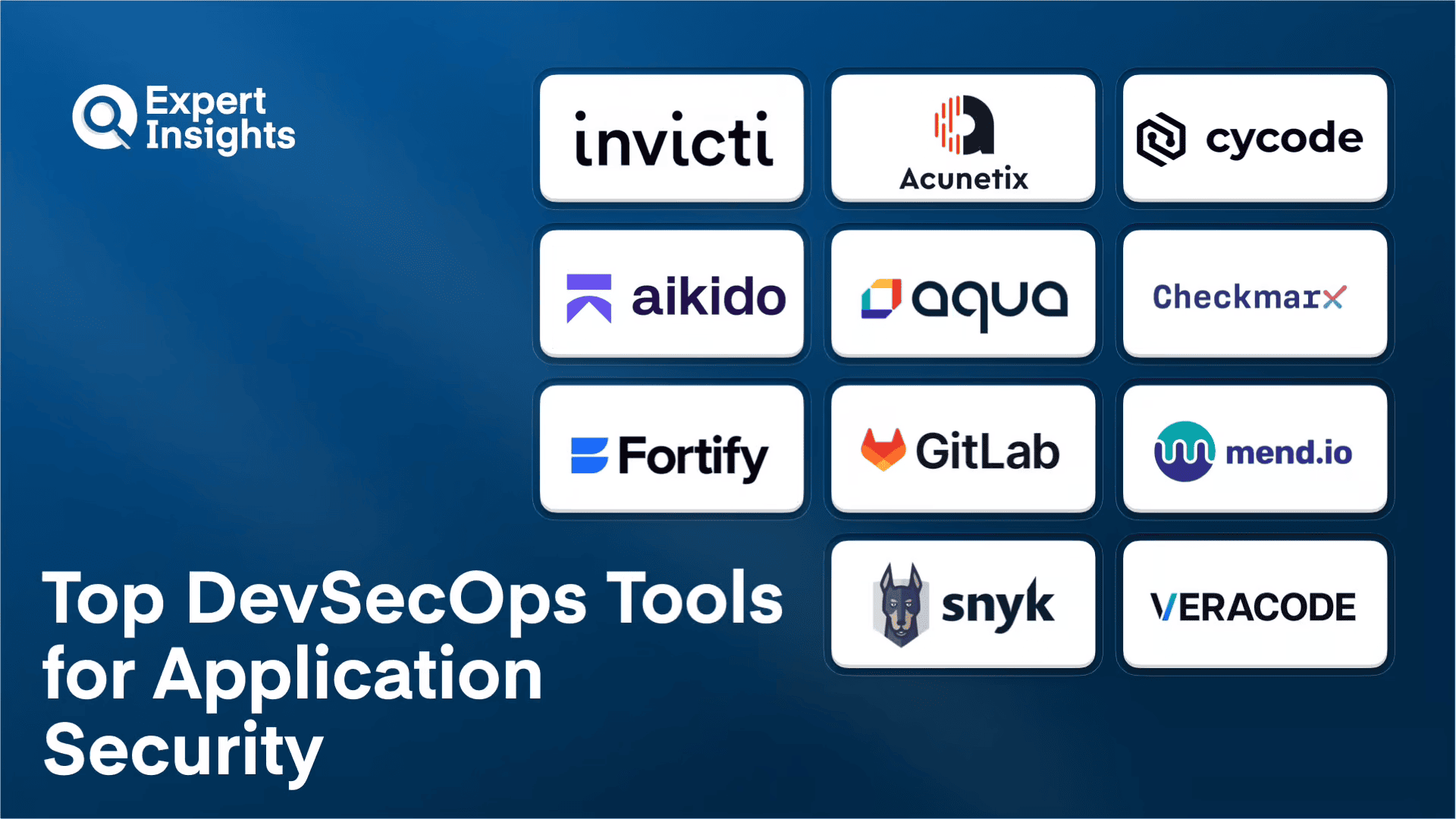
DevSecOps tools embed automated security testing directly into CI/CD pipelines, shifting vulnerability detection left to the point of code creation rather than discovering issues after deployment. DevSecOps is designed to eliminate the security review bottleneck at the end of development cycles. We reviewed the top tools and found Invicti, Acunetix, and Cycode to be the strongest on pipeline integration depth and developer-facing output quality.
Application security has shifted from a release-gate checkpoint to a continuous development concern. Modern DevSecOps tools embed security scanning directly into CI/CD pipelines, catching vulnerabilities before they reach production.
The challenge is choosing tools that integrate cleanly without slowing developer workflows. Teams need solutions that balance detection accuracy against noise, automate remediation where possible, and cover the full stack from source code to running containers.
We tested these DevSecOps tools across scanning accuracy, CI/CD integration depth, false positive rates, remediation automation, and developer workflow impact.
This guide gives you the testing insights and decision framework to match the right DevSecOps tools to your application security requirements.
What is DevSecOps?
DevSecOps is an approach to building software that makes security part of the development process from the very start, rather than something checked at the end. The name combines development, security, and operations. In practice, DevSecOps tools plug into the automated pipeline that teams use to build, test, and ship code, and they run security checks at each step. The idea is to catch and fix vulnerabilities while developers are still writing the code, when fixes are quick and cheap, instead of discovering problems after the application is already live.
DevSecOps embeds automated security testing into the CI/CD pipeline so checks run on every commit, build, and deployment rather than at a release gate. A typical toolchain layers several scan types: SAST on source code, SCA on open source dependencies, secrets detection, IaC scanning, container image scanning, and DAST against running builds, with results surfaced in the IDE and in pull or merge requests where developers already work.
The shift-left principle is that catching a vulnerability at commit time costs far less than remediating it in production. Effectiveness depends on detection accuracy, low false positive rates, and tight pipeline integration: scans must run incrementally on changed code, gate merges on critical findings without stalling releases, and route fixes to the right developer with clear guidance. Increasingly, platforms add Application Security Posture Management (ASPM) to correlate findings across tools and prioritize them by exploitability and business impact.
Application Security Solutions Compared
Here is how the top DevSecOps tools compare on best fit and core capabilities.
| Product | Best For | Type | SAST | SCA | Container Scanning | Native CI/CD |
|---|---|---|---|---|---|---|
|
Invicti
|
Proof-based web app scanning
|
DAST + IAST
|
No
|
No
|
No
|
Yes
|
|
Acunetix by Invicti
|
SMB web security
|
DAST + IAST
|
No
|
No
|
No
|
Yes
|
|
Cycode
|
Code-to-cloud ASPM consolidation
|
ASPM platform
|
Yes
|
Yes
|
Yes
|
Yes
|
|
Aikido Security
|
Code-to-cloud coverage for lean teams
|
Unified platform
|
Yes
|
Yes
|
Yes
|
Yes
|
|
Aqua Security
|
Container-native security
|
CNAPP
|
No
|
Yes
|
Yes
|
Yes
|
|
Checkmarx One
|
Enterprise AppSec with dedicated staff
|
AppSec platform
|
Yes
|
Yes
|
Yes
|
Yes
|
|
Fortify by OpenText
|
Managed AppSec with expert support
|
Managed AppSec
|
Yes
|
Yes
|
Yes
|
Yes
|
|
GitLab
|
Teams already on GitLab
|
DevOps platform
|
Yes
|
Yes
|
Yes
|
Yes
|
|
Mend.io
|
Open-source dependency risk
|
AppSec platform
|
Yes
|
Yes
|
Yes
|
Yes
|
|
Snyk
|
Developer-first security
|
AppSec platform
|
Yes
|
Yes
|
Yes
|
Yes
|
|
Veracode
|
Enterprises with compliance needs
|
AppSec platform
|
Yes
|
Yes
|
Yes
|
Yes
|
How We Tested
Expert Insights is an independent editorial team, and no vendor can pay to influence our reviews. We evaluated leading DevSecOps tools, assessing scanning accuracy, CI/CD pipeline impact, and developer workflow integration through hands-on testing and customer feedback. This guide was written by Joel Witts, Content Director, and technically reviewed by Craig MacAlpine, CEO and Founder of Expert Insights. Read our full methodology
Invicti

Invicti
Best for Development teams needing automated DAST and IAST
Invicti combines automated, continuous interactive and dynamic application security testing (IAST and DAST) for complete vulnerability coverage. By combining multiple testing methods, the platform catches vulnerabilities earlier in the SDLC, helping save money and time dealing with post-release security risks.
- Identifies and crawls all of your web assets, including web apps, services, APIs, and source code, covering all tech, frameworks, and languages
- Detects vulnerabilities during scans and sorts them by severity so teams can prioritize remediation on major threats
- Combines signature-based and behavior-based scanning for fast, accurate results that minimize false positives
- Integrates with tools across the SDLC to help manage vulnerabilities and alerts
- Automatically assigns vulnerabilities to developers with complete context, plus developer training with feedback loops
We recommend Invicti’s complete, automated application security testing platform for development teams looking to more effectively detect and remediate security vulnerabilities. The combination of IAST and DAST scanning catches vulnerabilities earlier in the SDLC, and the automated assignment of issues to developers with full context streamlines remediation.
Strengths
Cautions

Invicti
Best for Smaller teams needing simple, automated web app testing
Acunetix is a top solution for simple, automated web application security testing. The platform provides fast, accurate scanning that instantly reveals vulnerabilities. It can detect over 7,000 vulnerabilities, including never-before-seen threats.
- Automatically creates an inventory of all your websites, applications, and APIs, then continuously scans them for vulnerabilities
- Crawls places many vulnerability scanners don’t support, such as apps built with JavaScript, password-protected areas, and unlinked files
- Scans multiple environments at the same time, blending DAST and IAST for more complete coverage
- Remediation assistance highlights the severity of risks, points out the exact code that needs fixing, and supports developers with tickets
- Integrates with CI/CD pipelines, issue trackers, WAFs, and other tools, with detailed reports to track security scores over time
We recommend Acunetix as a powerful solution for web application security testing, vulnerability management, and more efficient threat remediation. The ability to detect over 7,000 vulnerabilities and crawl hard-to-reach areas makes it a strong choice for teams needing thorough web application scanning.
Strengths
Cautions

Cycode is an AI-native ASPM platform that consolidates application security into one place for DevSecOps teams. It combines proprietary scanning for SAST, SCA, IaC, secrets, containers, and CI/CD pipelines with over 100 third-party integrations through the ConnectorX marketplace. We think the flexibility to run native scanners or plug in existing tools makes this a strong DevSecOps choice for teams that need code-to-cloud visibility without ripping out their current toolchain.
- Risk Intelligence Graph maps risk across the entire software factory from source code to runtime, showing how vulnerabilities relate to each other across the SDLC
- ConnectorX integrates with over 100 third-party tools including Snyk, Wiz, and Checkmarx, so you can bring existing tools or use Cycode’s native scanners
- AI prioritization scores risks by exploitability and business impact
- Material Code Change Alerting flags significant codebase modifications in real time
- AI-powered secrets detection identifies exposed passwords, API keys, and tokens
- Developer remediation workflows integrate into IDEs, CLIs, and PR processes, with fast deployment across large repository environments
Deployment speed gets consistent praise. Teams highlight fast rollouts across large repository environments with minimal configuration. The customer success team earns strong marks, with support tickets typically resolved within 24 hours. GitLab self-hosted integration works well. Something to be aware of is that the API design differs from common patterns like GitHub-style integrations, creating a learning curve for custom integrations. Azure cloud deployment lags behind other environments.
We think Cycode fits best as the foundation of a DevSecOps program rather than just another scanner. The ability to run native scanners or integrate existing tools gives your team flexibility as the program evolves. If your priority is a single platform to consolidate findings and keep developers remediating in their existing workflows, this delivers strong value. For teams committed to a single scanning vendor without integration needs, the consolidation capabilities may be more than required.
Strengths
Cautions
Aikido Security

Aikido Security
Best for Startups and growing teams without dedicated AppSec staff
Aikido Security consolidates multiple DevSecOps tools into a single platform with nine-plus scanning capabilities including SAST, DAST, SCA, container scanning, cloud posture management, secrets detection, and malware scanning. The platform runs scans in temporary environments with read-only access, so source code never leaves your control. We think the all-in-one approach with transparent scanning engines and strong false positive filtering makes this a practical choice for startups and growing teams that want security without dedicated AppSec headcount.
- Nine-plus scanning types run from one interface with a modern dashboard that stays navigable rather than overwhelming
- Integration flexibility covers CI systems, container registries, IDEs, task management tools, and messaging apps without heavy configuration
- AI-powered false positive filtering surfaces real issues rather than burying teams in noise
- Openly names its scanning engines, including CloudSploit, Swyft, and a custom rules engine
- Zen in-app firewall provides runtime protection blocking SQL injection, command injection, and path traversal in real time
- Compliance automation covers SOC 2, ISO 27001, CIS, and NIS2 with direct Vanta and Drata integrations, plus SOC 2 Type II and ISO 27001:2022 certifications
Quick implementation through GitHub repository connections gets consistent praise. Tracking package updates and reviewing PRs stays straightforward for daily workflows. The AI false positive filtering earns praise for surfacing real issues. The clean UI and support responsiveness are frequently highlighted. Something to be aware of is that some users want more flexibility with AI remediation, specifically a way to copy fix prompts for their own AI agents rather than relying solely on built-in auto-fix. Advanced reporting and historical trend analysis are common feature requests.
We think Aikido fits well for teams building fast that need security tooling keeping pace without dedicated AppSec headcount. The nine-plus scanning types from one platform eliminates the integration headaches of stitching together point solutions. If your DevSecOps findings sit ignored because nobody trusts the scanner, the false positive filtering and deduplication solve that problem. For enterprise teams needing deep customization or extensive third-party tool consolidation, evaluate the current feature depth against your requirements.
Strengths
Cautions
Aqua Security

Aqua Security
Best for Teams running significant container and Kubernetes workloads
Aqua Security delivers a cloud-native application protection platform (CNAPP) covering supply chain security, vulnerability scanning, CSPM, and cloud workload protection from a single console. Founded in 2015, Aqua protects over 500 of the world’s largest enterprises and pioneered container-native security. We think the unified code-to-cloud approach makes this a strong DevSecOps choice for teams running significant container and Kubernetes workloads that need security embedded across the full development and deployment lifecycle.
- Supply chain security protects code, infrastructure, tools, and processes from vulnerabilities and supply chain attacks before reaching production
- Runtime protection defends against known and unknown threats at runtime, including prompt injection attacks for AI applications
- Cloud posture management delivers visibility across multi-cloud environments for risk prioritization and remediation
- Integrates agent and agentless technology, giving teams flexibility in how they deploy security monitoring
- Container and Kubernetes security with deep visibility into container images, registries, and orchestration
- Automated remediation workflows reduce manual triage, with PCI DSS and SOC 2 compliance support built in
The single console approach gets praise for giving security and DevOps teams a shared view of risk across the entire environment. Container and Kubernetes security capabilities are valued by cloud-native teams. Automated remediation reduces manual effort. The platform’s maturity in container security builds confidence. Something to be aware of is that pricing requires direct contact, limiting quick comparison with alternatives. The breadth-first approach may not deliver specialized depth in every security domain.
We think Aqua Security fits well for teams running significant cloud and container workloads that want unified visibility across the entire SDLC. The combination of supply chain security, runtime protection, and cloud posture management covers the full DevSecOps spectrum for cloud-native environments. If your environment is primarily on-premises or you need specialized depth in one specific security domain rather than broad coverage, evaluate whether the breadth-first approach matches your priorities.
Strengths
Cautions
Checkmarx One

Checkmarx
Best for Enterprise teams with dedicated AppSec staff
Checkmarx One is a cloud-native application security platform that unifies SAST, DAST, API scanning, SCA, container scanning, and IaC security in a single dashboard. The platform supports over 40 languages and frameworks with custom scan presets and query customization for precise control over detection rules. We think the breadth of coverage and customization depth make this a strong DevSecOps choice for enterprise teams with dedicated AppSec staff that can invest in configuration.
- Unified platform runs SAST, DAST, API scanning, SCA, container scanning, and IaC security from one dashboard, with Fusion scoring combining results into unified risk scores
- Custom scan presets and query rules give precise control over which risks to prioritize, reducing environment-specific noise
- Partial and incremental scans let teams check code early in development rather than waiting for full builds
- Shadow API detection catches undocumented endpoints creating hidden attack surface
- Codebashing adds secure coding training directly into the remediation workflow, with OAuth-based source control integration
- Cloud-native architecture means no infrastructure to manage, with compliance spanning CCPA, DORA, GDPR, HIPAA, ISO 27001, NIST, and SOC 2
The query customization and ability to select pertinent detection rules get consistent praise. Source code management integrations fit naturally into development environments. Broad compliance coverage simplifies audit preparation across multiple frameworks. The onboarding and customer success experience earn positive marks. Something to be aware of is that the platform can be complicated to maintain. The web interface navigation feels slower than expected for daily use. Some users find the platform requires dedicated AppSec staff to get full value.
We think Checkmarx One works well for enterprise DevSecOps teams with dedicated AppSec staff to configure and maintain it. The breadth of capabilities justifies the complexity for large organizations with diverse tech stacks. Incremental scanning and PR-level checks embed security into DevSecOps workflows without waiting for full builds. If you need a lighter-touch solution or lack AppSec headcount, the maintenance overhead may outweigh benefits.
Strengths
Cautions
Fortify by OpenText

OpenText
Best for Enterprise and government teams needing managed AppSec
OpenText Fortify on Demand delivers managed application security testing with SAST, DAST, and SCA backed by 24/7 expert support. Each customer gets a dedicated technical account manager who provides hands-on remediation guidance. We think the managed service model makes this a practical DevSecOps choice for enterprise and government teams that need continuous security monitoring without building internal AppSec capacity from scratch.
- Continuous code monitoring catches vulnerabilities early in the development cycle, with a dedicated support team providing remediation guidance
- SAST analyzes source code across 44-plus programming languages and over 350 frameworks
- DAST simulates attacks against running applications, and SCA covers open source component risks
- Automated scans generate reports highlighting risks by severity for straightforward prioritization
- CI/CD pipeline integration automates scans, with defects reporting out and tracking through existing workflows
- FedRAMP compliance makes it suitable for federal, state, and local government use, with on-premises and cloud deployment options
CI/CD pipeline integration gets praise for automating scans cleanly. Defect tracking through existing workflows runs without manual intervention. The combination of SAST and DAST coverage handles most enterprise scanning needs reliably across diverse tech stacks. The 24/7 expert support reduces the burden on internal teams. Something to be aware of is that cross-module analysis has limitations, with vulnerabilities spanning multiple applications not always surfacing as clearly as single-application issues. The UI can feel counter-intuitive for new users.
We think Fortify on Demand fits well for enterprise and government DevSecOps teams that need managed AppSec with strong support and FedRAMP compliance. The 24/7 expert backing with dedicated technical account managers reduces the burden on internal teams significantly. If your organization has strict requirements around code analysis infrastructure or government compliance, this checks the boxes. For teams wanting lightweight, self-service DevSecOps tooling, the managed service model may be heavier than needed.
Strengths
Cautions
GitLab

GitLab
Best for Teams already committed to GitLab for DevOps
GitLab is a complete DevSecOps platform that embeds 15-plus security controls directly into the same tool developers use for source control and CI/CD. Rather than bolting security on through separate tools, SAST, DAST, container scanning, secrets management, and API security all work natively within the platform. We think the embedded approach eliminates the integration headaches of multi-tool DevSecOps stacks and is the natural choice for teams already committed to GitLab.
- Security findings display directly in merge requests where developers already review code, eliminating context-switching to separate dashboards
- Fifteen-plus security controls including SAST, DAST, container scanning, dependency scanning, license compliance, and secret detection all run natively without add-ons
- Unified data store means security findings flow naturally into developer workflows
- Built-in container registry and package registry add convenience for teams standardizing on GitLab
- Inline code review keeps security checks and code reviews in one place for better collaboration
- Self-hosted options give organizations control when compliance requires it, with SOC 2 Type 2, ISO 27001, and GDPR coverage
The all-in-one approach gets consistent praise for keeping code, pipelines, issues, and deployments consolidated. CI/CD configuration stays straightforward, and the inline code review experience works well for collaboration. Self-hosted options are valued by compliance-focused organizations. Something to be aware of is that the platform can feel heavy for smaller projects with simpler security needs. Initial CI/CD runner and permissions setup takes time, especially for teams new to GitLab. UI performance can slow with large repositories or many concurrent pipelines.
We think GitLab fits best for DevSecOps teams already using it for source control and CI/CD. Adding security scanning to existing workflows costs less effort than integrating standalone tools, and developers are more likely to act on findings they see directly in merge requests. Security features require GitLab Ultimate tier, so factor in tier pricing. For organizations using other SCM providers, the migration cost may outweigh the integrated security benefits.
Strengths
Cautions
Mend.io

Mend.io
Best for Mid-sized to large teams adopting AI in development
Mend.io provides a unified application security platform that combines advanced protection for AI-generated code and AI components with SAST, SCA, automated dependency updates via Mend Renovate, and container security scanning.
- Secures both AI-generated code and embedded AI components, taking a forward-looking approach to modern software threats
- Integrates with AI coding tools to scan code as it’s written, identifying and auto-remediating vulnerabilities in real time
- Detects risks from AI models, agents, Model Context Protocol (MCP) servers, and retrieval-augmented generation (RAG) systems, with dynamic behavior analysis
- AI-driven remediation workflows embedded across Mend.io’s AppSec tools
- Single license covers SAST, SCA, container scanning, and AI security, supporting frameworks including SOC 2 and PCI DSS
In our testing, we really liked the clear dashboard for tracking scans, projects, and discoveries. Pricing is $1,000 per developer for teams under 20, with volume discounts available. We recommend Mend.io as a strong fit for both developers and security teams in mid-sized to large organizations adopting AI in software development, particularly those seeking AppSec coverage with streamlined operations.
Strengths
Cautions
Snyk

Snyk
Best for Teams needing broad coverage with strong developer experience
Snyk delivers application security across code, open source dependencies, containers, infrastructure as code, and cloud environments from a unified platform. The developer-first approach embeds security directly into workflows with IDE plugins, CI/CD integration, and real-time AI code scanning. We think the combination of broad coverage with strong developer experience makes this a practical DevSecOps choice for teams that need security findings developers will actually act on.
- IDE plugins surface vulnerabilities where developers write code, with CI/CD integration and container registry connections embedding security checks into existing pipelines
- SAST, SCA, container security, IaC scanning, and ASPM controls all run from a single console
- Real-time AI code scanning catches vulnerabilities with fix recommendations included
- Zero-day vulnerability detection draws on strong security intelligence, surfacing threats quickly
- Context-driven risk prioritization helps teams focus remediation efforts where they matter most
- Proprietary, actively maintained Snyk vulnerability database, with ISO 27001, ISO 27017, SOC 2 Type 2, and GDPR compliance support
CI/CD and container registry integrations get praise for embedding security checks naturally into existing workflows. Vulnerability details with clear severities and actionable fix guidance help security engineers work directly. The platform continues evolving with modern features that scale alongside organizational maturity. Something to be aware of is that new repositories require manual import rather than auto-discovery. Findings for deleted files persist in the platform, cluttering results. Open source scanning carries additional cost beyond base platform pricing. Result filtering could be more intuitive.
We think Snyk fits well for DevSecOps teams that need broad application security coverage with strong developer experience. The IDE and CI/CD integrations make it one of the more developer-friendly options in the category. If your environment has frequent repository changes, the manual import process adds overhead. The additional cost for open source scanning is worth factoring into total cost of ownership calculations. For teams wanting unified security with solid pipeline integration, this delivers mature capabilities.
Strengths
Cautions
Veracode
Veracode
Best for Established enterprises with compliance requirements
Veracode delivers AI-powered software security across the development lifecycle with SAST, DAST, SCA, IaC, and container scanning through a SaaS platform. Veracode Fix uses AI to analyze vulnerabilities and suggest code-level fixes directly, reducing back-and-forth between security and development teams. We think the automated remediation capabilities and unified dashboard make this a strong DevSecOps choice for established enterprises with compliance requirements and dedicated security staff.
- Veracode Fix uses AI to analyze vulnerabilities and suggest code-level fixes directly in developer workflows, accelerating vulnerability closure
- Static and dynamic analysis maintain strong reliability across diverse codebases, with DAST claiming a false positive rate of less than 1% for high-confidence findings
- Unified dashboard consolidates policy management, posture tracking, analytics, and compliance in one view
- Pipeline integration connects across SDLC tools, cloud platforms, and existing AppSec infrastructure without heavy configuration
- Pre-production and staging scanning catches issues before deployment
- European AWS instance in Frankfurt addresses EU data residency, with FedRAMP certification for regulated US government sectors and professional consulting services
The dashboard density for tracking security issues across applications gets consistent praise. Pipeline integration automates analysis cleanly. The platform centralizes findings from multiple scanning types effectively. Professional consulting and training services add real value. The support team earns positive feedback, with proactive pre-renewal outreach. Something to be aware of is that workflows can feel process-heavy rather than lightweight. Per-application licensing creates cost pressure as portfolios grow. Costs have increased faster than expected over multi-year engagements.
We think Veracode fits well for established enterprise DevSecOps programs with dedicated security staff to manage results interpretation and policy configuration. Veracode Fix delivers real value by accelerating the path from finding to fix. The data residency options and FedRAMP certification unlock regulated sectors where other platforms cannot compete. For teams running lean on security headcount or sensitive to licensing costs at scale, model the per-application pricing carefully before committing.
Strengths
Cautions
Application Security Pricing
DevSecOps pricing is largely quote-based, particularly for the enterprise platforms and managed services. Where a vendor publishes a starting figure, we have listed it below; expect costs to scale with the number of developers, applications, and scan types you license.
| Product | Starting Price | Billing | Link |
|---|---|---|---|
|
Invicti
|
Contact for quote
|
Not disclosed
|
|
|
Acunetix by Invicti
|
Contact for quote
|
Not disclosed
|
|
|
Cycode
|
Contact for quote
|
Not disclosed
|
|
|
Aikido Security
|
$300/month (free tier available)
|
Monthly or annual
|
|
|
Aqua Security
|
Contact for quote
|
Not disclosed
|
|
|
Checkmarx One
|
Contact for quote
|
Not disclosed
|
|
|
Fortify by OpenText
|
Contact for quote
|
Not disclosed
|
|
|
GitLab
|
Requires GitLab Ultimate: $99/user/month, billed annually
|
Annual
|
|
|
Mend.io
|
$1,000 per developer (teams under 20)
|
Annual
|
|
|
Snyk
|
Free tier; Team plan $25/developer/month (Enterprise contact for quote)
|
Monthly or annual
|
|
|
Veracode
|
Contact for quote (per-application licensing)
|
Annual
|
|
Application Security Checklist
These are the questions and operational steps we recommend working through when selecting and deploying a DevSecOps toolchain, whichever vendors you choose.
Tools that bury developers in noise get ignored, so favor proof-based scanning, IAST and DAST combinations, or expert validation that confirms findings are real.
Coverage should span source code, open source dependencies, APIs, and container images, because attackers target whichever layer is left unscanned.
The tool must fit your existing CI system with native plugins and configurable scan gates, or it will create the bottleneck shift-left is meant to remove.
Scanning only what changed keeps feedback fast on large repositories, so security checks do not stall every build with full rescans.
Security tools developers avoid provide no value, so findings need to appear where developers already work rather than in a separate dashboard.
Guidance that points to exact code or generates fix pull requests gets vulnerabilities closed, while vague category labels leave developers guessing.
Manual triage does not scale, so prioritization by exploitability and business impact, with automated PR generation, keeps remediation focused on real risk.
Findings that flow automatically into Jira, GitHub, or your ticketing system get actioned, rather than sitting in a security tool nobody opens.
Regulated environments often need on-premises, self-hosted, or in-region cloud so source code and findings never leave approved infrastructure.
Maintenance effort, AppSec staffing, add-on scan costs, and per-developer or per-application pricing all shape the real cost as your program scales.
The Bottom Line
DevSecOps tools have matured significantly, but no single platform covers every scenario equally well. Invicti and Acunetix lead for web application scanning with proof-based detection. Cycode consolidates application security into a single AI-native ASPM platform, and its ConnectorX marketplace means you can bring your existing scanners rather than replacing them. Aikido Security offers single-platform coverage for teams wanting consolidated tooling. Mend.io is a strong pick for open-source dependency and license management.
Choose based on your primary risk surface and your development team’s willingness to adopt new workflows. If container and Kubernetes workloads dominate your environment, Aqua Security embeds protection across the full code-to-cloud lifecycle. For teams already standardized on GitLab, the native security controls remove integration overhead entirely, and Snyk leads on developer experience for teams that want findings engineers will act on.
For enterprises with compliance mandates and dedicated security staff, Checkmarx One, Fortify by OpenText, and Veracode deliver the depth, managed support, and certifications regulated industries require. Review the individual sections to match coverage, deployment model, and pricing to your stack, then request demos from your shortlist.
Everything You Need To Know About DevSecOps Tools for Application Security (FAQs)
DevSecOps is the model in which developers and security teams and processes are closely integrated throughout the entire software development lifecycle. This includes ensuring security best practices and testing take place from initial planning stages, right through to live deployment and beyond, with the main goal of improving application security.
DevSecOps tools are critical in ensuring application security, as they help to automate and improve security workflows with a range of features, such as application security testing and vulnerability scanning, integration capabilities, and reporting. DevSecOps tools help to minimize security risks and vulnerabilities, while enabling teams to continue rapid development of projects by automatically highlighting potential risks.
When selecting DevSecOps tools for application security, several features are critical to ensure robust and effective security integration within the DevOps pipeline. Although a broad area compromising many different types of solution, some key features include:
- Integration Capabilities: DevSecOps tools should be highly versatile and integrate widely with other solutions and into your application development environments.
- Comprehensive Vulnerability Database: Tools should have access to an updated and comprehensive database of known vulnerabilities to ensure accurate detection.
- False Positive Management: Tools should have low false-positive rates and provide mechanisms to manage and tune detections to reduce noise.
- Customizability and Extensibility: Ability to customize rules, alerts, and policies to fit the specific needs of your organization. Extensibility through APIs or plugins to add new features or integrations.
- Interactive Reports and Dashboards: Detailed reports that offer insights into vulnerabilities, their severity, and remediation guidance. Visual dashboards for a quick overview of security postures.
- Automated Remediation: Some tools offer automated patches or fixes for identified vulnerabilities.
- Regular Updates and Support: Continuous updates to stay aligned with the latest security threats and vulnerabilities. Reliable customer support for troubleshooting and guidance.
- Compliance and Policy Enforcement: Ability to define and enforce security policies across the development lifecycle. Features to help organizations stay compliant with industry regulations.
DevSecOps tools for application security include a wide range of solutions that help to identify and fix security vulnerabilities in software.
Here is a breakdown of the key categories of solutions within this broad umbrella:
- Static Application Security Testing (SAST): Analyze code for design flaws that could lead to security vulnerabilities.
- Dynamic Application Security Testing (DAST): Scan running applications for vulnerabilities and imitates how a hacker would interact with your application or API.
- Application Security Orchestration and Correlation (ASOC): Correlates data security from various sources to provide deeper insights and automations.
- Interactive Application Security Testing (IAST): Analyze web application runtime behavior, working in the background during tests to observe interactions, behavior and data and providing detailed insights.
- Container Security: Protect containerized applications from security vulnerabilities and misconfigurations.
- Open-source vulnerability Scanning: Analyze open source components are compared against known vulnerability databases to identify issues and suggest remediation actions.
- Compliance Management: Help organizations to comply with security standards and regulations.
- Image Scanning: Identify vulnerabilities in container images and suggest remediation actions.
Application Security Resources
Further reading on application security from Expert Insights — buyers' guides, comparison articles, and platform-specific shortlists.


 Written By
Joel is the Director of Content and a co-founder at Expert Insights; a rapidly growing media company focused on covering cybersecurity solutions.
He’s an experienced journalist and editor with 8 years’ experience covering the cybersecurity space. He’s reviewed hundreds of cybersecurity solutions, interviewed hundreds of industry experts and produced dozens of industry reports read by thousands of CISOs and security professionals in topics like IAM, MFA, zero trust, email security, DevSecOps and more.
He also hosts the Expert Insights Podcast and co-writes the weekly newsletter, Cyber Weekly. Joel is driven to share his team’s expertise with cybersecurity leaders to help them create more secure business foundations.
 Technical Review
Craig MacAlpine is CEO and Founder of Expert Insights. Before founding Expert Insights in August 2018, Craig spent 10 years as CEO of EPA Cloud, an email security provider that rebranded as VIPRE Email Security following its acquisition by Ziff Davis, formerly J2Global (NASDAQ: ZD) in 2013.
Craig is a passionate security innovator with over 20 years of experience helping organizations to stay secure with cutting-edge information security and cybersecurity solutions.
Using his extensive experience in the email security industry, he founded Expert Insights with the singular goal of helping IT professionals and CISOs to cut through the noise and find the right cybersecurity solutions they need to protect their organizations.