Best 7 Backup Solutions for Microsoft SharePoint Online (2026)
We reviewed the leading SharePoint Online backup solutions on site, library, and item-level recovery granularity, how well each handles versioned content, and the restoration speed that determines how long SharePoint is unavailable after a loss event.
 Written by
Joel Witts
Written by
Joel Witts
 Technical Review by
Craig MacAlpine
Technical Review by
Craig MacAlpine
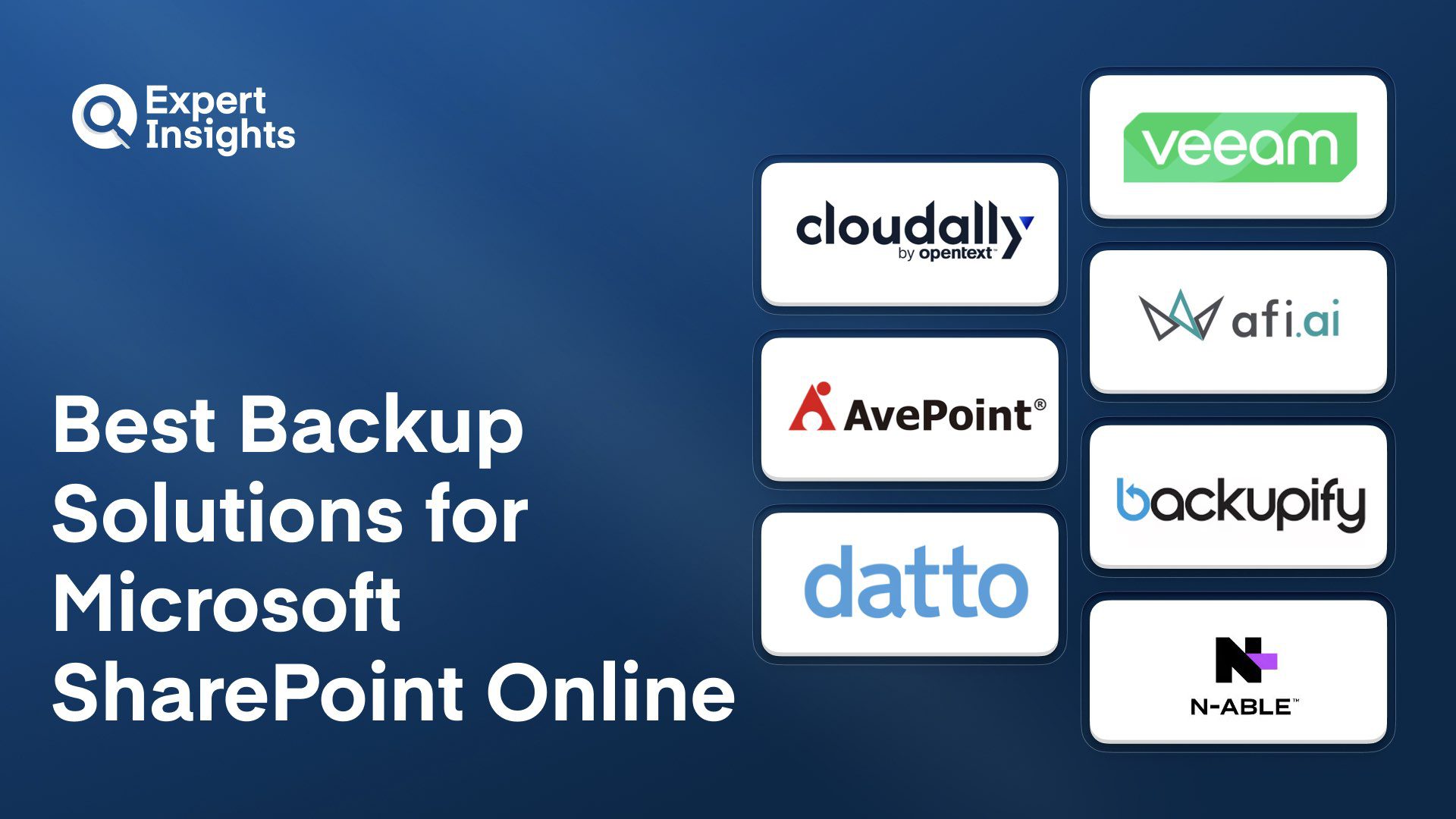
SharePoint Online data is not comprehensively protected by Microsoft’s retention policies; site collections, libraries, and items permanently deleted beyond the recycle bin recovery window may be unrecoverable without third-party backup. Third-party SharePoint Online backup solutions provide granular site, library, and item-level recovery that Microsoft’s native tooling does not deliver. We reviewed the top solutions and found Veeam, Backupify for Microsoft 365, CloudAlly Backup for SharePoint, and AFI Microsoft 365 Backup to be the strongest on recovery granularity and versioned content restoration.
Microsoft 365’s native retention keeps your SharePoint data for 30 days after deletion. That window closes fast once ransomware hits or a user deletes content by accident. The wrong backup solution costs you data you can’t recover, compliance audits that fail, or hours of manual restoration when you should be defending your environment.
Choosing a backup tool is straightforward enough. Choosing one that actually restores the specific file or folder you need without touching everything else is where it gets complicated. Some platforms require hours of setup before your first backup. Others generate pricing surprises when you scale across multiple sites or tenants. You need something that integrates with your M365 environment, recovers quickly when incidents happen, and doesn’t create administrative overhead that distracts your team.
We evaluated seven SharePoint Online backup solutions across different deployment models: standalone organizations, MSP environments, and enterprises managing both cloud and on-premises SharePoint. We evaluated backup frequency, recovery granularity, feature set completeness, pricing transparency, and the actual experience teams report in production environments.
This guide identifies which solutions work best for your specific scenario, whether you’re protecting a single tenant or managing dozens of client environments.
What is Microsoft SharePoint Online Backup?
SharePoint Online backup is third-party protection for the sites, libraries, lists, and files in your SharePoint environment. Microsoft keeps the service running, but under the shared responsibility model, protecting your content against accidental deletion, ransomware, or a bad change is your job, and native retention only holds deleted items for about 30 days. A backup solution takes automated, independent copies of your SharePoint data, including permissions, metadata, and version history, so you can restore a single document, a library, or an entire site collection long after Microsoft's recycle bin has emptied.
SharePoint Online backup platforms connect through Microsoft Graph and SharePoint APIs to capture site collections, document libraries, lists, pages, and their permissions, metadata, and version history on a schedule that defines the recovery point objective. Copies are encrypted and stored on the vendor's cloud, a hyperscaler such as AWS, or customer-controlled storage, with independence from Azure removing the single point of failure that affects Azure-hosted backups during a tenant outage. The capability that separates serious tools is recovery granularity: restoring a single item, a library, or a full site non-destructively to the original or an alternate location, while preserving permissions and versioned content. Mature platforms add immutability for ransomware resilience, behavior-based ransomware detection, and broad M365 coverage so SharePoint is protected alongside Exchange, OneDrive, and Teams. For MSPs, multi-tenant management matters; for regulated buyers, check SOC 2, ISO 27001, HIPAA, and GDPR coverage.
SharePoint Online Backup Solutions Compared
Here is how the 7 platforms compare on the capabilities that matter most for SharePoint Online backup.
| Product | Best For | Backup Frequency | Granular Item Restore | Immutable Backups | Storage Independent of Azure |
|---|---|---|---|---|---|
|
Veeam Data Cloud
|
Granular recovery and access controls
|
Every 24 hours; every 10 minutes on Premium
|
Yes
|
Yes
|
No
|
|
CloudAlly Backup for SharePoint
|
Fast deployment and broad compliance
|
Daily (3x add-on)
|
Yes
|
Yes
|
Yes
|
|
AFI Microsoft 365 Backup
|
Broad coverage and granular policy control
|
Up to 3x daily
|
Yes
|
No
|
Yes
|
|
AvePoint Backup and Restore for SharePoint and Office 365
|
Enterprise hybrid SharePoint environments
|
Up to 144/day
|
Yes
|
Yes
|
No
|
|
Backupify for Microsoft 365
|
Hands-off, low-maintenance protection
|
3x daily
|
Yes
|
No
|
Yes
|
|
Datto M365 Backup
|
MSP multi-tenant management
|
3x daily
|
Yes
|
Yes
|
Yes
|
|
N-able SharePoint Backup
|
MSPs on the N-able platform
|
Up to 6x daily
|
Yes
|
No
|
Yes
|
How We Tested
We evaluated seven SharePoint Online backup solutions across various deployment scenarios: standalone environments, MSP multi-tenant deployments, and hybrid on-premises and cloud configurations. We combined hands-on testing with market research and customer feedback to validate vendor claims against real-world performance. This guide was written by Joel Witts, Content Director at Expert Insights, with technical review by Craig MacAlpine, CEO and Founder, and is updated quarterly. Read our full methodology

Veeam
Best for organizations prioritizing granular recovery and strong access controls
Veeam Data Cloud for Microsoft 365 is Veeam’s fully managed backup and recovery service for SharePoint, Exchange, OneDrive and Teams, with Entra ID protection available in the Advanced plan. Veeam says it protects more than 25 million Microsoft 365 users. We scored the solution 9/10 in our hands-on review, and were particularly impressed by the granular RBAC implementation and bulk restore capabilities across SharePoint and broader M365 workloads.
- Strongest RBAC implementation we’ve tested, with granular custom roles that let you assign separate admins per workload (e.g., one for SharePoint, another for Teams)
- Bulk data restoration with granular recovery options, e.g., to restore only missing or changed items or exclude drafts
- Customizable data retention periods, with options from one day to indefinite retention and the ability to set different policies for different workloads
- Immutable backups with 256-bit encryption, MFA and role-based access controls
- Opt-in threat detection in the Advanced and Premium plans flags possible ransomware activity in SharePoint, OneDrive and Teams backups, using metadata rather than scanning file contents
In our testing, we were particularly impressed with how intuitive the platform is, as well as its highly customizable RBAC and bulk restore capabilities, which are the strongest we’ve tested in the M365 backup category. Veeam says every customer, regardless of organization size, gets a named sales engineer during onboarding. Standard (Flex) backups run once every 24 hours. Premium adds Express backups for Exchange, OneDrive and SharePoint; for SharePoint and OneDrive, 10-minute restore points are kept for two weeks, then weekly points for another 50 weeks. Standard backups are stored in Veeam-managed Azure, so assess how that fits your outage scenarios.
We think Veeam is a strong fit for mid-market and enterprise organizations prioritizing granular recovery and strong access controls. Organizations with simpler requirements that don’t need this depth will find lighter alternatives sufficient.
Strengths
Cautions

OpenText
Best for organizations needing fast, reliable backup with broad M365 coverage
OpenText CloudAlly Backup is one of the fastest M365 backup solutions to deploy, with backups running within minutes of initial setup. We scored the solution 9/10 in our hands-on review and were particularly impressed by the restore speed and self-service recovery capabilities for SharePoint and broader M365 data.
- Backs up SharePoint site collections, OneDrive artifacts, shared mailboxes, resource mailboxes, and public folders with metadata captured alongside the data
- Active Directory integration automatically discovers and backs up new users without manual enrollment
- Unlimited storage by default at $3 per user per month with self-service recovery for end users
- Backup data sits on AWS infrastructure, independent of Microsoft Azure
- ISO 27001, HIPAA, and GDPR compliance with global data center options for data residency
In our testing, CloudAlly restored a 3.8GB Exchange mailbox in under one hour with no corruption, outperforming several higher-priced alternatives. The end-user self-service recovery experience is arguably the strongest we’ve tested. The platform indexes email body content and attachments for search, giving it the strongest search capabilities of any product we reviewed. Backup data is stored on AWS, which avoids the Azure single point of failure risk. With that said, there’s no ransomware or malware scanning at all, and backup frequency is limited to once per day by default. A three-times-daily option is available as a paid add-on at $6 per user per year.
We think CloudAlly fits organizations needing fast, reliable SharePoint backup with compliance certifications and broad M365 coverage without managing multiple tools. The unlimited storage, strong search, and self-service recovery are real strengths at $3 per user per month. MSPs should model the billing structure carefully before committing across client portfolios.
Strengths
Cautions
AFI Microsoft 365 Backup

Afi
Best for technically proficient teams wanting broad coverage and granular control
Afi Microsoft 365 Backup covers SharePoint alongside Exchange, OneDrive, Teams (including 1:1 chats), Entra ID, Copilot, and Power Platform from a single console.
- Up to three daily backups for SharePoint with keyword search that’s strong across all backed-up data
- Copilot and Power Platform backup support, rare differentiators that put Afi ahead on coverage
- Fully customizable retention controls at the per-resource level with unlimited retention by default
- Point-in-time recovery with perpetual versioning restores individual items or rolls back to earlier dates
- BYOK and AES-256 encryption protect data at rest and in transit, with heuristic-based ransomware detection labeling clean recovery points
We were impressed by the coverage and granular policy controls. Afi supports Copilot and Power Platform backup, which puts it ahead of most alternatives. Deleted user data remains fully archived and restorable into another mailbox. The keyword search capability is strong, on par with the best options we tested. With that said, there’s no bulk recovery for multiple users; each must be restored one at a time, which is a gap for ransomware recovery scenarios. Storage is capped at 50GB pooled per licensed user, and backups stop after 30 days if that limit is exceeded.
We think Afi is technically capable for SharePoint protection. Technically proficient teams wanting granular policy controls and broad coverage will find a lot to like.
Strengths
Cautions
AvePoint Backup and Restore for SharePoint and Office 365

AvePoint
Best for enterprises with complex hybrid SharePoint environments
AvePoint Cloud Backup is an enterprise-grade platform with the broadest M365 coverage we’ve tested, including SharePoint, Exchange, OneDrive, Teams (including 1:1 chats), Dynamics, Azure, PowerBI, Power Platform, and Entra ID. We scored the solution 9/10 in our hands-on review and were impressed by the depth of governance capabilities and restore speed for large SharePoint environments.
- Restores individual documents up to entire SharePoint farms while preserving metadata, permissions, and version history intact
- Cloud Backup Express delivers up to 144 backup snapshots per day with restore speeds up to 2TB per hour for SharePoint and OneDrive
- Behavior-based ransomware detection monitors mass encryption, bulk deletion, and suspicious admin activity, with color-coded restore snapshots
- BYOK encryption, bring-your-own-storage, and 21 data residency locations support strict compliance
- Self-service recovery lets end users, help desks, or admins restore content to any location including file shares
Put simply, AvePoint offers a depth that very few M365 backup services we’ve reviewed come close to matching. The System Auditor retains three years of admin actions, and the automated weekly offboarding detection for departed employees is a practical governance feature. Granular RBAC with customizable security policies by group is strong. The Job Monitor provides searchable, filterable, exportable logs for full visibility. With that said, there’s no keyword search of email body content or attachments, and a full mailbox restore took over two hours for a 5GB mailbox in our testing. Deployment took about one hour and the container configuration has a significant learning curve.
We think AvePoint fits enterprises with complex SharePoint environments spanning on-premises and cloud that need granular restore with self-service capabilities. The 144 daily backup snapshots, 2TB per hour restore speed, and metadata preservation during restores are real differentiators. The 500-user minimum and $4 per user per month pricing mean smaller teams should weigh the setup investment against simpler alternatives.
Strengths
Cautions
Backupify for Microsoft 365

Kaseya
Best for IT teams wanting reliable, low-maintenance SharePoint protection
Backupify, now part of the Kaseya ecosystem and being consolidated under the Datto SaaS Protection brand, is a cloud backup solution for M365 that runs automated backups three times daily on Datto’s private cloud infrastructure. It covers SharePoint Online, Exchange, OneDrive, and Teams from a single console. We think this is a practical option for IT teams wanting reliable, low-maintenance SharePoint protection without ongoing management overhead.
- Automated backups every eight hours for SharePoint Online, covering primary sites, group sites, and Teams sites
- On-demand backups let you capture data before major changes
- Granular recovery restores individual documents or pages without touching the rest of your environment, with folder structures and site templates intact
- Dashboard uses simple red, yellow, and green indicators to flag backup health at a glance
- SOC 2 Type II compliance and AES 256-bit encryption, with implementation in about 10 to 15 minutes per environment
Customers consistently praise reliability, with the product working quietly in the background without generating support tickets. Something to be aware of is that there’s no M365 SSO integration. The folder hierarchy display makes finding specific files harder than expected during restores. Backup scheduling is limited to three times daily with no time customization.
We think Backupify fits IT teams that want SharePoint backup running in the background without ongoing management. The 10-to-15-minute setup and simple health indicators are real time-savers. Organizations needing granular scheduling or modern SSO should evaluate whether the trade-offs fit their operations.
Strengths
Cautions
Datto M365 Backup

Kaseya
Best for MSPs prioritizing simplicity and straightforward pricing
Datto M365 Backup (also known as Datto SaaS Protection), part of the Kaseya ecosystem, is built specifically for MSPs managing M365 environments at scale. It combines backup with phishing prevention, covering Exchange, Calendar, OneDrive, SharePoint, and Teams under one platform. We think this is a solid option for MSPs prioritizing simplicity and straightforward pricing over feature depth.
- Three daily backups with flexible recovery options for different incident types
- Pairs backup with threat detection, protecting against both cyber threats and everyday accidental deletions
- Works out of the box with minimal configuration, which matters when onboarding multiple client tenants
- Multi-tenant console manages all client environments from one dashboard, with 24/7 support
- Recent updates added Exchange online archive mailbox backup support
MSPs consistently highlight the simplicity. The platform handles backup effectively without unnecessary complexity. Pricing stays straightforward, which helps MSPs manage margins across client accounts. Something to be aware of is that occasional backup failures occur without clear explanations of root cause. Troubleshooting often requires Datto support rather than self-service resolution.
We think Datto M365 Backup fits MSPs prioritizing simplicity and speed over feature depth across multiple client environments. The straightforward pricing and quick deployment let you standardize without customization overhead. MSPs needing detailed self-service troubleshooting should be aware of the support dependency.
Strengths
Cautions
N-able SharePoint Backup

N-able
Best for MSPs already using the N-able platform
N-able Cove Data Protection manages SharePoint backups alongside server and workstation files from a centralized MSP dashboard. It extends SharePoint protection beyond Microsoft’s native 30-day recovery window with up to six daily backups and one-year retention. We think this is a solid option for MSPs already using N-able’s platform who want integrated SharePoint backup with proven reliability.
- Up to six daily backups for SharePoint with retention extending to a full year
- Centralized console provides at-a-glance status views and one-click drilldowns for monitoring backup health across client environments
- Restores handle folders, subdirectories, and permissions quickly when incidents occur
- Cloud-native architecture prevents endpoint deletion of backups, which matters during ransomware incidents
- Automated reporting helps demonstrate compliance during audits
MSPs praise real-world reliability, with teams reporting successful recovery during major crises with minimal downtime. Support responds quickly when issues arise. Something to be aware of is that the platform leans toward an all-or-nothing approach for device backups, which limits granularity for environments needing specific folder or file-type protection. Disaster recovery requires your own hardware rather than instant cloud VM spin-up.
We think N-able Cove Data Protection fits MSPs already using the broader N-able platform who want SharePoint backup integrated with existing tools. The reliability track record and dashboard performance are real strengths. MSPs needing granular backup selection or instant cloud DR should evaluate alternatives.
Strengths
Cautions
SharePoint Online Backup Pricing
SharePoint Online backup is usually priced per user per month, with a few vendors publishing transparent rates and others quoting by environment. The figures below reflect published starting prices where vendors disclose them; expect final pricing to vary with user count, retention, and add-ons such as higher backup frequency.
| Product | Starting Price | Billing | Link |
|---|---|---|---|
|
Veeam Data Cloud
|
$2.63/user/month (Foundation, 251+ users)
|
Per user, billed annually
|
|
|
CloudAlly Backup for SharePoint
|
$3/user/month
|
Monthly or annual
|
|
|
AFI Microsoft 365 Backup
|
Contact for quote
|
Per user, subscription
|
|
|
AvePoint Backup and Restore for SharePoint and Office 365
|
$4/user/month (500-user minimum)
|
Per user, subscription
|
|
|
Backupify for Microsoft 365
|
Contact for quote
|
Per user, via Datto/Kaseya
|
|
|
Datto M365 Backup
|
Contact for quote
|
Per user, via MSP partners
|
|
|
N-able SharePoint Backup
|
Contact for quote
|
Via MSP partners
|
|
SharePoint Online Backup Checklist
Once you've shortlisted a SharePoint Online backup platform, these are the steps we recommend to make sure your sites and content are protected and recoverable.
Once-daily backups leave up to 24 hours of exposure, while hourly or five-minute intervals matter for sites that change constantly.
Most recoveries are a single file or library, so confirm you can restore one without overwriting current content or the whole site.
SharePoint content is only fully recovered when its permissions and versions come back intact, not just the files.
Protecting SharePoint alongside Exchange, OneDrive, and Teams from one console closes the gaps that separate tools leave open.
Backups held in Azure share the same outage and tenant-compromise risk as production, so storage independence removes a single point of failure.
Immutable copies an attacker cannot delete, plus point-in-time restore to a clean state, are your core ransomware defense.
Quick out-of-the-box setup and a multi-tenant console matter most for MSPs onboarding many client environments.
Regulated environments need reports demonstrating what is backed up and recovered, plus enforced retention policies.
Confirm how cost behaves as you add sites, tenants, or users, since some models generate surprises mid-contract.
A backup is only proven once you have restored from it, so rehearse recovery regularly to confirm RPOs and RTOs hold.
The Bottom Line
No single backup solution handles every scenario equally well. Your choice depends on backup frequency requirements, team capacity for configuration, and whether you manage multiple tenants.
If data resilience matters most, Veeam Data Cloud provides effective and highly customizable role-based access controls.
If you’re an MSP managing multiple client environments, Datto M365 Backup combines simplicity with multi-tenant design. Three daily backups and straightforward pricing help standardize across clients.
If your organization has complex hybrid SharePoint environments spanning on-premises and cloud, AvePoint Backup and Restore handles the complexity with granular restore and self-service recovery. Initial setup time is justified by enterprise environments managing large-scale governance.
If you need simple, low-maintenance protection with minimal ongoing administration, Backupify for Microsoft 365 delivers three daily automated backups with granular recovery.
Evaluate your specific RPO and RTO requirements alongside team capacity before deciding. The right backup solution stays operational while you focus on security strategy.
Everything You Need to Know About Backup For Microsoft SharePoint Online (FAQs)
We recommend that organizations looking to backup SharePoint online should work with a dedicated third-party backup provider. There are several M365 backup solutions available that cover SharePoint data alongside other Microsoft 365 services, such as Microsoft Outlook, Teams, Exchange Online, and OneDrive.
Backup solutions for Microsoft 365 typically integrate to the M365 via API. This provides access to your entire Microsoft 365 data set which can then be securely backed up using continuous or scheduled cloud-to-cloud backups. Essentially, this means a snapshot of your M365 environment is regularly taken and securely stored in a third-party cloud service. Most services automate regular backups up to several times a day to ensure up-to-date versions of files are created. As new employees join, they will be automatically identified, and their data will be added to the backup.
Backup solutions for M365 typically provide a management console where admins can manage all data backups and users, with audits and logs to enforce secure access and compliance policies.
In the case of a data loss incident, you can quickly restore SharePoint data from the backups taken to your live Microsoft environment. This is achieved via granular data search and recovery features so you can restore specific users, files, mailboxes, sites and more, without wiping data already in the live environment.
When comparing a backup solution for Microsoft SharePoint Online, consider the following features:
- Comprehensive Coverage: Comprehensive backup for all SharePoint data, as well as other M365 apps such as Teams, Exchange Online, Calendar etc
- Automated Backups: Automated or on-demand backups for users and groups at regular intervals
- Data Encryption: Ensure backed up data is encrypted and stored in a trusted data storage platform
- Fast Restoration: Data should be quick to recover without wiping any live sites or documents
- Granular Recovery: Granular search and recovery options within the admin console
- Backup Policies: Ability to manage backup policies for different users, groups, and sites
- Compliance: Clear compliance with regulatory standards with reporting and auditing
Most backup and recovery solutions for SharePoint offer a fairly similar feature-set, but the granular use cases are where differences start to emerge. All of the services on this list offer a modern user interface with secure backups. Most also are compliant with all major data protection regulations such as GDPR.
However, organizations with granular industry specific compliance regulations such as HIPAA compliance may require varying retention periods for different data types and a substantial or unlimited storage capacity. We also recommend security features such as encryption, role-based access, and MFA for added to the backup solution itself.
Backup And Recovery Resources
Further reading on backup and recovery from Expert Insights — buyers' guides, comparison articles, and platform-specific shortlists.


 Written By
Joel is the Director of Content and a co-founder at Expert Insights; a rapidly growing media company focused on covering cybersecurity solutions.
He’s an experienced journalist and editor with 8 years’ experience covering the cybersecurity space. He’s reviewed hundreds of cybersecurity solutions, interviewed hundreds of industry experts and produced dozens of industry reports read by thousands of CISOs and security professionals in topics like IAM, MFA, zero trust, email security, DevSecOps and more.
He also hosts the Expert Insights Podcast and co-writes the weekly newsletter, Cyber Weekly. Joel is driven to share his team’s expertise with cybersecurity leaders to help them create more secure business foundations.
 Technical Review
Craig MacAlpine is CEO and Founder of Expert Insights. Before founding Expert Insights in August 2018, Craig spent 10 years as CEO of EPA Cloud, an email security provider that rebranded as VIPRE Email Security following its acquisition by Ziff Davis, formerly J2Global (NASDAQ: ZD) in 2013.
Craig is a passionate security innovator with over 20 years of experience helping organizations to stay secure with cutting-edge information security and cybersecurity solutions.
Using his extensive experience in the email security industry, he founded Expert Insights with the singular goal of helping IT professionals and CISOs to cut through the noise and find the right cybersecurity solutions they need to protect their organizations.