Best 9 Backup-as-a-Service (BaaS) Solutions For Business (2026)
We reviewed 9 BaaS platforms on recovery speed, retention policy depth, and how well each handles ransomware scenarios. Here's what we found.
 Written by
Joel Witts
Written by
Joel Witts
 Technical Review by
Laura Iannini
Technical Review by
Laura Iannini
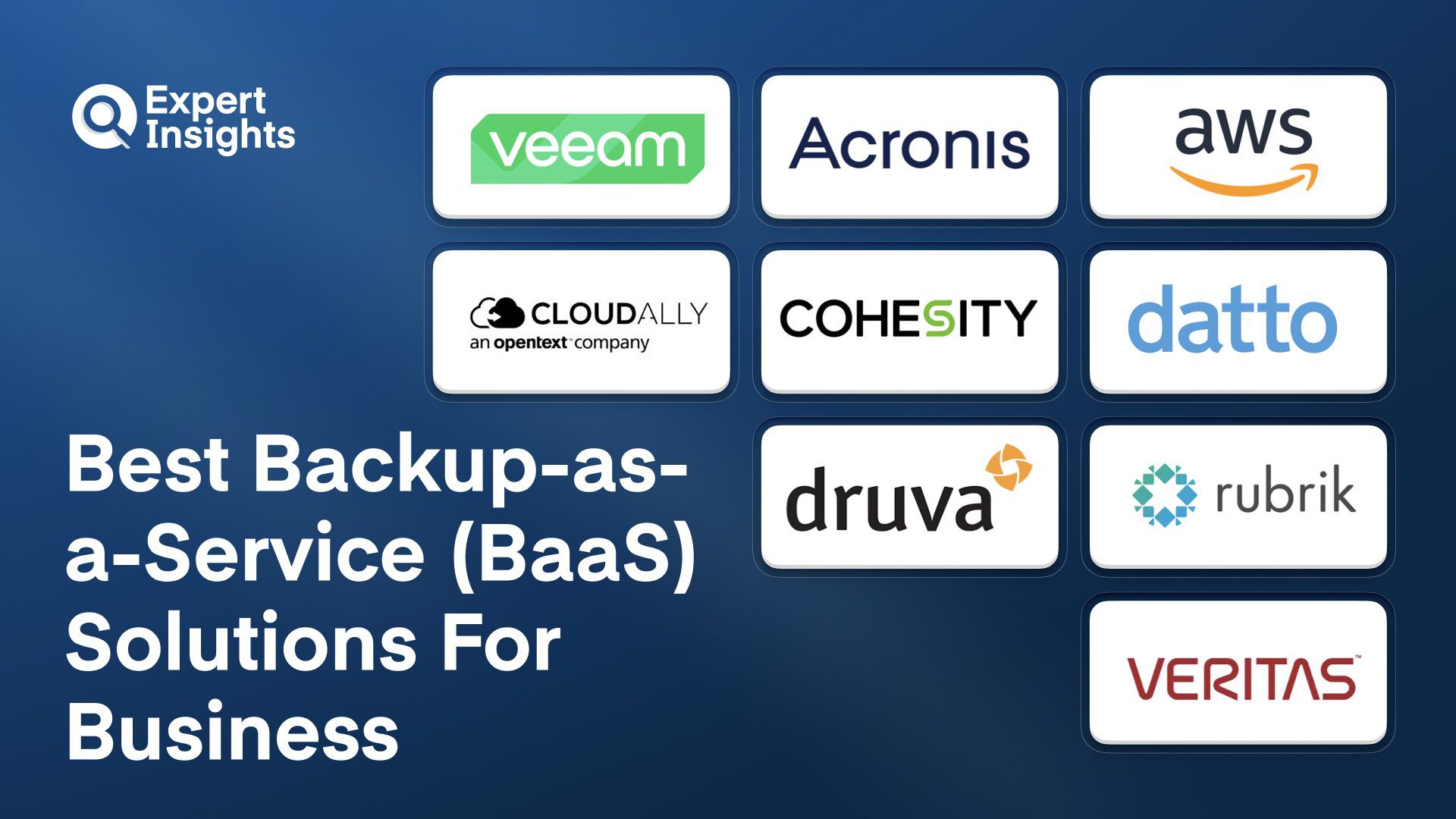
Backup-as-a-Service (BaaS) is a cloud-delivered model in which a third-party provider manages backup infrastructure, storage, and recovery on behalf of the customer. Ransomware that destroys backup infrastructure before encrypting production data is a known attack pattern, and BaaS protects against it by keeping backup management off-premises. We reviewed the top BaaS platforms and found Acronis Cyber Protect Cloud and AWS Backup to be the strongest options for most organizations.
Ransomware changed everything about backup strategy. You can’t just have files in the cloud anymore. You need verified recovery, immutable backups, and speed when seconds matter. The market fragmented accordingly. Cloud-native solutions, hardware appliances, unified platforms handling endpoints and SaaS, managed services through partners. Pick wrong, and you’re either paying for features you don’t use or missing critical coverage during the attack that actually matters.
The real problem isn’t finding a backup solution. It’s finding one that fits your infrastructure type, covers your specific workloads, supports your recovery time objectives, and doesn’t add operational burden that your team can’t handle. Some solutions compete on simplicity for teams without backup expertise. Others target enterprises with complex multicloud requirements. Still others focus on specific workloads like Microsoft 365 or Salesforce. Get the fit wrong, and you’re either dealing with gaps when recovery matters or managing too much complexity during maintenance.
We evaluated 9 backup-as-a-service solutions, evaluating each for recovery speed, ransomware protection, workload coverage, ease of management, and pricing. We reviewed customer feedback and deployment patterns to identify where vendor claims diverge from operational reality. What we found: the gap between promised recovery times and actual performance under pressure can be substantial. Several platforms that look comparable in feature lists behave very differently when you actually need them.
This guide gives you the testing insights and decision framework to choose a backup solution that verifies recovery works before disaster strikes.
What is Backup-as-a-Service (BaaS)?
Backup-as-a-Service is cloud-delivered data protection. Instead of buying backup servers and storage and managing them yourself, a provider runs the backup infrastructure for you. Your data is copied automatically to the provider's cloud on a schedule you set, and you restore files, mailboxes, or entire servers through a web console. You pay a subscription based on users, workloads, or storage consumed. Because the backup environment sits outside your network, ransomware that hits your production systems cannot easily destroy your backups at the same time.
BaaS platforms capture data through lightweight agents or agentless API integrations, then deduplicate, compress, and encrypt it (typically AES-256 in transit and at rest) before writing to provider-managed cloud storage. Policy engines apply schedules, retention rules, and storage tiering across workloads, while immutability is enforced through object-lock storage, logically air-gapped vaults, or multi-party deletion approval. Recovery options range from granular item-level restores to instant virtualization, where a protected server boots directly from its backup image. Mature platforms verify recoverability automatically, using boot screenshots or restore scans, and apply ML-based anomaly detection to flag mass encryption events that indicate ransomware. When evaluating architectures, measure recovery time objectives (RTO) and recovery point objectives (RPO) per workload, and check whether SaaS data in M365, Google Workspace, and Salesforce is covered natively or needs a separate tool.
Backup-as-a-Service Solutions Compared
Here is how the 9 platforms compare on delivery model and the core protection capabilities that matter for BaaS.
| Product | Best For | Type | Immutability | Anomaly Detection | M365/SaaS Backup | DR/Instant Recovery |
|---|---|---|---|---|---|---|
|
Veeam Data Cloud
|
Partner-delivered managed backup
|
Managed service
|
Yes
|
Yes
|
Yes
|
Yes
|
|
Acronis Cyber Protect Cloud
|
MSPs consolidating backup and security
|
SaaS platform
|
Yes
|
Yes
|
Yes
|
Yes
|
|
AWS Backup
|
AWS-first environments
|
Cloud-native
|
Yes
|
No
|
No
|
No
|
|
CloudAlly for Microsoft 365
|
M365 backup with unlimited retention
|
SaaS
|
No
|
No
|
Yes
|
No
|
|
Cohesity DataProtect
|
Enterprises with hybrid infrastructure
|
Hybrid platform
|
Yes
|
Yes
|
Yes
|
Yes
|
|
Datto SIRIS
|
MSPs and mid-market with complex infrastructure
|
Appliance + cloud
|
Yes
|
Yes
|
No
|
Yes
|
|
Druva Data Resiliency Cloud
|
Infrastructure-free endpoint and SaaS protection
|
SaaS
|
Yes
|
Yes
|
Yes
|
Yes
|
|
Rubrik Backup and Recovery
|
Enterprise ransomware defense
|
Hybrid platform
|
Yes
|
Yes
|
Yes
|
Yes
|
|
Veritas Alta Backup as a Service
|
Complex multi-platform enterprises
|
SaaS
|
Yes
|
Yes
|
Yes
|
Yes
|
How We Tested
We assessed 9 backup-as-a-service platforms against five core criteria: recovery speed and verification, ransomware protection, workload coverage, management complexity, and total cost of ownership. We combined hands-on testing with market research and customer feedback to validate vendor claims against real-world performance. This guide was written by Joel Witts, Content Director at Expert Insights, with technical review by Laura Iannini, Cybersecurity Analyst, and is updated quarterly. Read our full methodology

Veeam
Best for organizations wanting managed backup through service provider partners
Veeam delivers backup and disaster recovery services through its Cloud and Service Provider partner network, covering M365, public cloud workloads, virtual machines, and on-premises infrastructure. The universal licensing model simplifies billing across different workload types. We think this is a strong option for organizations wanting reliable, consistent backup performance across hybrid infrastructure with established service provider partnerships.
- Fully managed: Veeam handles maintenance, updates, and security patches for you
- Application-aware backups capture complete application state rather than just file-level snapshots, ensuring restores come back clean without corrupted transactions
- Policy-based automation handles protection workflows consistently with minimal manual intervention
- Immutable backup options and detailed audit logs address compliance requirements for data integrity
- Universal licensing model simplifies billing across workload types and platforms
- Agent installation requires just a few clicks to protect new systems
- Partners undergo thorough verification to ensure technical competency
Customers consistently praise the reliability of Veeam’s backups, and its performance during restoration when needed. Veeam’s sales approach also gets positive feedback for being straightforward about product capabilities without overpromising. Veeam also offers a names sales engineer for all customers, regardless of organization size, to support during onboarding and deployment.
We think Veeam is a strong fit for organizations wanting reliable backups across hybrid infrastructure, with flexible delivery through managed service providers. The universal licensing and verified partner ecosystem deliver value for teams wanting managed backup without having to build internal expertise.
Strengths
Cautions
Acronis Cyber Protect Cloud
Acronis
Best for MSPs and mid-market teams consolidating backup and security
Acronis Cyber Protect Cloud combines backup and endpoint security in a single agent for servers and endpoints, so you don’t need separate tools for data protection and threat defense. It covers ransomware, malware and data loss scenarios from one console, alongside cloud-to-cloud backup for Microsoft 365 and Google Workspace. We think it’s a strong option for MSPs and mid-market organizations looking to consolidate backup and security.
- One agent delivers backup, vulnerability assessment, patch management and behavioral threat detection, plus continuous data protection on Windows
- AI-based anti-malware and anti-ransomware, tied to the same recovery infrastructure
- Windows backup images can be scanned for malware before a safe recovery, with the security add-on
- Cloud disaster recovery for servers and VMs, and separate Microsoft 365 and Google Workspace backup that can run up to six times a day depending on license
- Multi-tenant console handles MSP operations across client environments
Customers highlight single-agent deployment as a major advantage, reporting measurable reductions in downtime and operational overhead compared with running separate tools. The platform handles physical, virtual, cloud and mobile workloads without needing different management approaches. Licensing gets complicated when adding advanced modules like XDR, and dashboard navigation gets mixed feedback when switching between security and backup functions.
We think Acronis Cyber Protect Cloud fits MSPs and mid-market organizations consolidating backup and security budgets. The single-agent approach reduces agent sprawl and simplifies vendor management. Organizations already running separate backup and endpoint tools should weigh the cost savings and simpler operations.
Strengths
Cautions
AWS Backup

Amazon Web Services
Best for Organizations running AWS-first infrastructure
AWS Backup is a centralized backup service for AWS workloads, automating protection across EC2, RDS, S3, EBS, EKS, FSx, and other native services from a single console. It targets organizations already running infrastructure in AWS who want policy-based backup management without third-party agents. We think this is the natural choice for AWS-first environments wanting native integration without additional tooling.
- Policy-based backup plans apply schedules, retention periods, and compliance rules across accounts and regions through AWS Organizations
- Automatic encryption, with backups stored in isolated vaults that prevent accidental deletion
- Logically air-gapped vaults with multi-party approval, added in 2025, protect against account compromise scenarios
- Point-in-time recovery provides granular restore options for databases and file systems
- Audit Manager tracks backup coverage and policy adherence across your AWS footprint for compliance reporting
- EKS backup support without agents or add-ons, added in recent updates
Customers consistently praise the ease of setup and native AWS integration. The centralized dashboard gets positive feedback for tracking backup jobs and restore activity across services. Something to be aware of is that costs can climb higher than third-party alternatives as data volume grows. The EC2 restore process requires manual reattachment of elastic IPs and security configurations.
We think AWS Backup fits organizations whose infrastructure already lives in AWS and want native policy-based protection without additional tools. The 2025 addition of air-gapped vaults with multi-party approval strengthens the ransomware defense story. If your environment spans multiple cloud providers, dedicated multi-cloud backup tools offer broader coverage.
Strengths
Cautions
CloudAlly for Microsoft 365

OpenText
Best for MSPs and mid-market organizations needing M365 backup with unlimited retention
OpenText CloudAlly Backup (formerly CloudAlly) automates backup for M365 workloads including Exchange, SharePoint, OneDrive, Teams, and public folders from a single console. It covers data types that Microsoft’s native retention doesn’t protect, including shared mailboxes, resource mailboxes, and Teams conversations. We think this is a practical option for MSPs and mid-market organizations needing reliable M365 backup with unlimited retention and compliance certifications.
- Backs up shared mailboxes, resource mailboxes, public folders, and Teams data beyond standard user accounts
- Restores go directly into user mailboxes in labeled folders for organized recovery
- Storage flexibility supports Amazon S3, Azure, and Google Cloud Platform as restore targets
- AES-256 encryption at rest and in transit, with storage in global data centers you choose based on compliance requirements
- ISO 27001, HIPAA, and GDPR compliance certifications included
- Bulk activation simplifies employee onboarding and offboarding at scale
Customers praise the ability to restore specific files or entire mailboxes quickly. Granular recovery works well, with individual emails restored directly into user mailboxes. Something to be aware of is that the mailbox billing structure is confusing and makes cost forecasting difficult. Auto-archiving of deleted mailboxes takes too long, creating situations where clients receive backup failure notifications before the system processes deletions.
We think CloudAlly fits MSPs and mid-market organizations needing M365 backup with unlimited retention that covers the data types Microsoft’s native tools miss. The broad workload coverage across Exchange, SharePoint, OneDrive, and Teams addresses the core protection gap. MSPs should model the billing structure carefully before committing.
Strengths
Cautions
Cohesity DataProtect

Cohesity
Best for Enterprises consolidating backup across hybrid infrastructure
Cohesity DataProtect is a data protection platform built for hybrid and multi-cloud environments, consolidating backup, recovery, and ransomware defense into one system. Following Cohesity’s merger with Veritas’ enterprise data protection business in December 2024, the combined entity is now the world’s largest data protection software provider. We think this is a strong option for enterprises with complex hybrid infrastructure wanting to eliminate backup silos under unified management.
- Helios provides single-pane-of-glass management covering physical appliances, cloud deployments, and backup-as-a-service
- Instant recovery from fully hydrated snapshots, with no waiting for data rehydration during restores
- Handles VMware, M365, databases, and AWS workloads without separate management tools
- Immutable backups and AI-driven anomaly detection provide ransomware defense beyond basic snapshots
- SLA-driven policies automate protection without manual intervention
- Strong deduplication and compression reduce secondary storage costs
Customers praise the straightforward setup and intuitive interface. VM backups and restores run reliably, with test recoveries working without issues. Support is accessible through built-in chat for quick resolution. Something to be aware of is that the platform doesn’t automatically detect disabled user accounts, requiring manual removal from protection groups after repeated email alerts. Initial setup complexity requires careful planning for enterprise-scale deployments.
We think Cohesity DataProtect fits enterprises with hybrid infrastructure needing consolidated backup across on-premises and cloud environments. The instant recovery from fully hydrated snapshots and unified Helios management are real differentiators. The pricing runs higher than basic backup tools, but operational efficiency justifies the cost for complex deployments.
Strengths
Cautions
Datto SIRIS

Kaseya
Best for MSPs and mid-market organizations needing verified recovery
Datto SIRIS is a backup and disaster recovery platform built for MSPs and IT teams managing physical and virtual infrastructure. It combines local backup appliances with cloud replication for fast recovery during hardware failures or full site outages. We think this is one of the strongest options for MSPs needing verified recovery with instant virtualization capabilities.
- Instant virtualization runs servers directly from backup appliances when primary infrastructure goes down
- Automated screenshot verification confirms every backup is bootable without manual testing
- Immutable cloud storage with Cloud Deletion Defense auto-restores backups if someone tries to delete them
- Mandatory two-factor authentication, not optional
- Multi-tenant dashboard lets MSPs monitor multiple devices and clients from one view
Customers consistently praise recovery speed and backup reliability. The web dashboard gets positive feedback for making it easy to check backup status across clients. Direct access to technical support rather than tiered call centers gets high marks. Something to be aware of is that local storage fills up faster than expected if retention policies aren’t tuned properly. The interface can feel overwhelming initially when managing advanced settings across multiple devices.
We think Datto SIRIS fits MSPs managing diverse client environments and mid-market companies with complex infrastructure. The instant virtualization and screenshot verification give you confidence that recovery actually works before you need it. The pricing runs higher than basic backup tools, but verified recovery and live disaster support justify the investment.
Strengths
Cautions
Druva Data Resiliency Cloud

Druva
Best for Organizations eliminating backup infrastructure for endpoints and SaaS
Druva Data Security Cloud (the current branding for Druva Data Resiliency Cloud) is a SaaS-native data protection platform covering endpoints, M365, Google Workspace, Salesforce, and cloud workloads from a single console. Built entirely on AWS with no infrastructure to manage, it eliminates hardware, patching, and capacity planning. We think this is a strong option for organizations wanting to eliminate backup infrastructure while consolidating endpoint and SaaS protection under unified policies.
- Runs entirely as SaaS with no hardware to manage and no agents to maintain across platforms
- Cyber resiliency dashboard provides real-time visibility into data anomalies and restore scan results
- Automated backup scheduling, data deduplication, and policy-based management reduce operational overhead
- End-to-end encryption and ransomware protection, with SOC 2, HIPAA, and FedRAMP compliance certifications
- Unified dashboard monitors backups, manages policies, and executes restores across all protected workloads
Customers consistently praise the intuitive interface and straightforward setup. Support gets strong marks for responsiveness and technical depth, with teams helping customize solutions around specific business requirements. Something to be aware of is that initial backups and large dataset restores can be slow due to cloud upload speeds. Role-based access controls and reporting customization lack granularity for detailed compliance workflows.
We think Druva fits organizations eliminating backup infrastructure and consolidating endpoint plus SaaS protection under one platform. The cloud-native architecture and cyber resiliency dashboard are real differentiators. Teams needing on-premises control or fast recovery for very large datasets should evaluate hybrid alternatives.
Strengths
Cautions
Rubrik Backup and Recovery

Rubrik
Best for Enterprises prioritizing automated ransomware defense
Rubrik Security Cloud (the current branding for Rubrik Backup and Recovery) is a unified data protection platform managing backups across on-premises, cloud, and hybrid environments through policy-driven automation. Immutable architecture prevents backup modification or deletion, providing strong ransomware defense. We think this is one of the strongest options for enterprises needing automated ransomware defense alongside fast recovery across complex infrastructure.
- SLA domain policies automate protection across VMs, databases, applications, and files regardless of location, eliminating traditional backup scheduling complexity
- Immutable architecture prevents backup modification or deletion at the storage layer
- Fast recovery times restore data in minutes rather than hours
- API-first design integrates with existing tools and workflow automation
- Cloud storage integration provides flexibility for long-term retention and disaster recovery
- ML-powered threat analytics detect anomalies across stored data
Customers consistently praise the ease of use and reliability. Backup and restore operations complete quickly with minimal manual intervention. Support responds effectively when issues arise, and deployments run smoothly when working directly with the vendor. Something to be aware of is that the interface isn’t intuitive for everyone, particularly around integration with applications like Exchange 2019. Documentation for open-source environments needs improvement. Scaling costs run high with additional capacity.
We think Rubrik Security Cloud fits enterprises prioritizing fast recovery and automated policy management across hybrid infrastructure. The immutable architecture and ML-powered threat analytics are real differentiators for security-conscious teams. Smaller organizations and budget-conscious teams should evaluate whether the investment matches their requirements.
Strengths
Cautions
Veritas Alta Backup as a Service
Cohesity
Best for Enterprises with complex multi-platform environments
Veritas Alta Backup as a Service, now part of the combined Cohesity-Veritas organization following the December 2024 merger, is a fully hosted data protection platform covering physical, virtual, and multi-cloud workloads. It combines the security features of Veritas NetBackup with cloud-native delivery, eliminating infrastructure management overhead. We think this is a solid option for enterprises with complex multi-platform environments requiring proven backup technology without infrastructure ownership.
- Handles diverse workload types across on-premises, cloud, and SaaS environments with application-consistent backups
- Granular restore down to individual items
- Air-gapped recovery vaults with immutability maintain virtual air gaps between production and backup storage
- Deduplication and compression reduce storage requirements and network overhead
- Machine learning drives automated service updates, security patches, and anomaly detection without manual intervention
- Centralized management across data centers eliminates tool sprawl for multi-site deployments
Customers praise the reliable recovery capabilities and long-term dependability, with some reporting 15-plus years of consistent performance across changing infrastructure. Fast recovery times and single-click file restoration simplify operations during data loss incidents. Something to be aware of is that configuration and initial setup complexity require experienced IT professionals. The learning curve is steep for teams without backup domain expertise. Licensing costs run high when adding storage capacity.
We think Veritas Alta fits enterprises with complex, multi-platform environments requiring proven backup technology without infrastructure ownership. The air-gapped recovery vaults and long-term reliability are real differentiators. Organizations without experienced backup administrators should factor in the setup complexity and learning curve before committing.
Strengths
Cautions
Backup-as-a-Service Pricing
Most BaaS platforms are quote-based, with pricing driven by protected workloads, storage consumed, and retention requirements. Enterprise platforms in particular rarely publish list prices. The figures below are verified starting points where vendors publish them; expect final pricing to vary with volume, contract length, and partner agreements.
| Product | Starting Price | Billing | Link |
|---|---|---|---|
|
Veeam Data Cloud
|
Contact for quote
|
Via service providers
|
|
|
Acronis Cyber Protect Cloud
|
Contact for quote
|
Per workload, per GB, or bundled plans
|
|
|
AWS Backup
|
From $0.05/GB-month (warm storage)
|
Pay-as-you-go
|
|
|
CloudAlly for Microsoft 365
|
From $3/user/month
|
Monthly or annual
|
|
|
Cohesity DataProtect
|
Contact for quote
|
Subscription
|
|
|
Datto SIRIS
|
Contact for quote
|
Via MSP partners
|
|
|
Druva Data Resiliency Cloud
|
Contact for quote
|
Consumption-based credits
|
|
|
Rubrik Backup and Recovery
|
Contact for quote
|
Subscription
|
|
|
Veritas Alta Backup as a Service
|
Contact for quote
|
Subscription
|
|
Backup-as-a-Service Checklist
Once you've chosen a platform, these are the deployment and configuration steps we recommend to get reliable recovery in place from day one.
Recovery targets determine the platform tier, replication options, and backup frequency you actually need, so set them first.
Ransomware operators target backup infrastructure first; backups that cannot be modified or deleted are your last line of defense.
A compromised backup admin account lets attackers delete your recovery points before they encrypt production systems.
If backups and production workloads share the same cloud, a single outage or account compromise can take down both.
Untuned retention fills local appliances and inflates cloud bills, a problem customers report on several platforms we reviewed.
A backup that has never been restored is unverified; testing is the only way to know your RTOs hold under pressure.
Native retention in SaaS suites is not a backup, and many infrastructure-focused platforms do not protect these workloads.
Backup-layer anomaly alerts often surface ransomware activity early, but only if someone is actually monitoring them.
Disabled accounts, new VMs, and decommissioned servers drift out of protection groups, creating silent coverage gaps and wasted licenses.
Per-GB and consumption pricing looks cheap at the start, but recovery operations and data growth can multiply costs quickly.
The Bottom Line
No single backup solution fits every organization. Your choice depends on infrastructure type, workload mix, and acceptable recovery time objectives.
If verified recovery and disaster recovery speed matter, Datto SIRIS delivers instant virtualization and screenshot verification. Multi-tenant portal works well for MSPs.
If consolidating backup and endpoint security simplifies your stack, Acronis Cyber Protect Cloud merges both functions in one agent.
If eliminating backup infrastructure appeals to your team, Druva Data Resiliency Cloud handles endpoints and SaaS workloads from a single cloud interface. Accept cloud-only performance characteristics.
If you manage hybrid infrastructure across on-premises and multiple cloud providers, Cohesity DataProtect unifies management across all environments.
If ransomware defense is your priority, Rubrik Backup and Recovery delivers immutable architecture with minutes-level recovery. Policy-driven automation reduces complexity. Scaling costs run high.
Read the individual reviews above to dig into recovery capabilities, workload coverage, and the trade-offs that matter for your infrastructure.
Everything You Need To Know About Backup As-A-Service Solutions (FAQs)
Backup as-a-Service (BaaS) solutions are managed platforms that securely store regular data backups for your organization. Data is stored in a secure, third-party repository. This is typically cloud-based, but can be on-premises, or in a hybrid storage configuration. Data backups can be broad and could cover anything from backups of Microsoft 365 data, endpoint devices, files and images, or even entire network infrastructures, application workloads and data sets. Data stored in a BaaS solution should be regularly backed up, with the frequency of backups determined by your specific organization requirements.
It’s critical that all organizations have a robust disaster recovery and continuity plan, of which data backup has an integral part. Data loss or application outages can be hugely expensive, time consuming and lead to severe business disruption. Data loss can also lead to compliance violations in regulated industries, which can again be very expensive and damaging to brand prestige. With cyber-crime such as ransomware on the rise, having a comprehensive backup plan in place is very important for teams of all sizes.
BaaS has many benefits over running your own backups internally. It is typically more cost effective than running your own data storage, much easier to support and manage, and often solutions have expert support teams on hand to help you recover data when required. As third party tools, they are also more resilient to attacks like ransomware, which could impact your entire network, and jeopardize internal recovery plans. Typically, pricing is based on data storage usage, or on a per-user level.
Backup-as-a-Service tools integrate with applications, endpoints, and web accounts. This integration process will vary based on specific accounts and services being set up. For a typical cloud application, such as backing up Microsoft 365, the integration will take place via an API, and can be as quick as just a few minutes. Once the initial integration has taken place, admins must decide where the data will be stored and configure policies around how often backups will be taken. For some backup services, there may be more granular policies, such as specific apps or user groups.
Once the initial deployment process has been finalized, the BaaS service will take regular backups of your organization’s data. Backups may be full backups of all data, differential (just covering changes since the last full backup was taken), or incremental (only covering data that has changed since the last backup). Data is typically stored in a secure, encrypted repository and cannot be accessed unless restored. This is typically in the cloud, but could also be on-premises, or hybrid.
If a disaster occurs, admins should be able to quickly retrieve and restore data from the backup service. An important consideration to make is the granularity of the backups. For example, when restoring Microsoft 365 data, you may wish to restore just one user group or file structure. In the case of a ransomware incident, you may wish to restore a full network backup, before the point of the malware infection.
When choosing a BaaS solution, it’s important to consider your organization’s use cases and compliance requirements for storing data. Key questions to consider concern where your data needs to be stored, how frequently backups need to be made, and cloud vs on-premises storage options.
Key features to consider when choosing a data backup as-a-service solution include:
- Backup Frequency: Consider how often you need to back up your data, daily, weekly, hourly, etc. Also consider how much data is backed up every time, for example full daily backups, vs. incremental updates.
- Deployment: Ease of deployment for your applications and files is a key consideration. Deployment plans should be clear and straightforward, with confidence your original data will be kept secure at all stages.
- Recovery Plans: It’s important to have a clear disaster recovery plan in case things do go wrong. Ensure that backups are easily accessible and can be quickly rolled out when needed. Consider granular recovery options, for example if a specific file group needs to be restored.
- Security and Encryption: Ensure your backup provider is a reputable vendor with strong security controls, such as 256-bit encryption, multi-factor authentication, and user-based access controls.
- Data Compliance: It’s important to demonstrate compliance with general regulations such as GDPR. Organizations in regulated industries may also need to cover industry specific data protection protocols such as PCI-DSS. Ensure your backup provider meets your data compliance requirements.
- Data Storage Options: Consider your data storage requirements. Enterprise backup and data protection solutions may offer a range of cloud and on-premises storage options. It’s also important to consider where data will be stored geographically. For example, European businesses may wish to ensure cloud data is stored within EU-based servers.
Backup And Recovery Resources
Further reading on backup and recovery from Expert Insights — buyers' guides, comparison articles, and platform-specific shortlists.


 Written By
Joel is the Director of Content and a co-founder at Expert Insights; a rapidly growing media company focused on covering cybersecurity solutions.
He’s an experienced journalist and editor with 8 years’ experience covering the cybersecurity space. He’s reviewed hundreds of cybersecurity solutions, interviewed hundreds of industry experts and produced dozens of industry reports read by thousands of CISOs and security professionals in topics like IAM, MFA, zero trust, email security, DevSecOps and more.
He also hosts the Expert Insights Podcast and co-writes the weekly newsletter, Cyber Weekly. Joel is driven to share his team’s expertise with cybersecurity leaders to help them create more secure business foundations.
 Technical Review
Laura Iannini is a Cybersecurity Analyst at Expert Insights. With deep cybersecurity knowledge and strong research skills, she leads Expert Insights’ product testing team, conducting thorough tests of product features and in-depth industry analysis to ensure that Expert Insights’ product reviews are definitive and insightful.
Laura also carries out wider analysis of vendor landscapes and industry trends to inform Expert Insights’ enterprise cybersecurity buyers’ guides, covering topics such as security awareness training, cloud backup and recovery, email security, and network monitoring. Prior to working at Expert Insights, Laura worked as a Senior Information Security Engineer at Constant Edge, where she tested cybersecurity solutions, carried out product demos, and provided high-quality ongoing technical support.
Laura holds a Bachelor’s degree in Cybersecurity from the University of West Florida.