Best 11 Endpoint Security Solutions for Business (2026)
We reviewed the leading endpoint security platforms on the breadth of threat detection, how well each handles the range of device types in modern enterprise environments, and the management overhead that security teams face at scale.
 Written by
Joel Witts
Written by
Joel Witts
 Technical Review by
Craig MacAlpine
Technical Review by
Craig MacAlpine
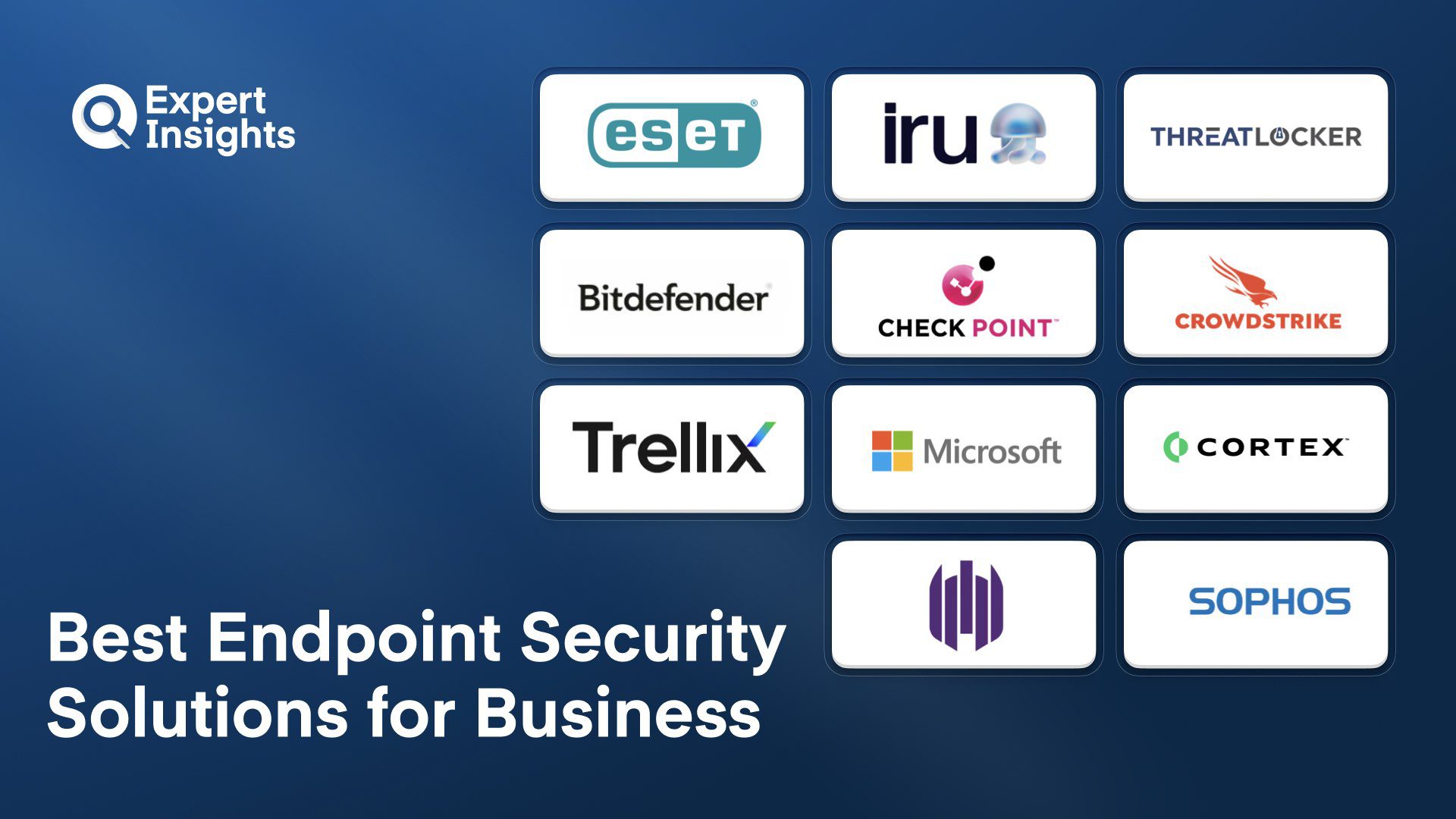
Endpoint protection solutions protect your corporate devices from malware, malicious applications, and investigate security incidents and alerts. They differ from commercial anti-virus software as they allow admins to manage all devices and perform investigation and remediation against threats. This allows admins to easily respond to security incidents and alerts.
Cyberattacks against business devices are on the rise. For this reason, it’s absolutely crucial that your organization, whether a Fortune 500 company or a 5-person team, has an effective cybersecurity plan in place to detect and stop attacks. An important part of this should be implementing strong endpoint security on all of your company devices, with a management portal that allows you to monitor and update your endpoints from anywhere.
However, the endpoint security market is extremely crowded and there are hundreds of vendors with technologies to stop threats from reaching your corporate devices. Some are aimed at large organizations, while others are better suited to smaller and mid-sized organizations.
To help your organization find the endpoint security solution that works best for you, here’s our list of the top endpoint protection platforms. We’ll cover their top features, target markets, pricing, and customer feedback.
What is Endpoint Security?
Endpoint security is software that protects the devices your employees use every day, including laptops, desktops, phones, tablets, and servers, from cyberattacks. It goes beyond traditional antivirus by giving your IT team a central console to manage security policies, monitor threats, and respond to incidents across every device in your organization. When a threat is detected, endpoint security tools can automatically quarantine the device, block the malicious process, and alert your team.
Modern endpoint protection platforms (EPP) combine signature-based detection with behavioral analysis, machine learning, and threat intelligence to catch both known malware and zero-day attacks. Agents installed on each endpoint monitor process execution, file system activity, network connections, and memory operations in real time. When suspicious behavior is detected, the platform can terminate processes, quarantine files, isolate the endpoint from the network, and in some cases roll back changes to a pre-attack state.
Enterprise platforms add centralized policy management, vulnerability assessment, device control (USB, Bluetooth, network), application allowlisting, and full disk encryption. Many now integrate endpoint detection and response (EDR) and extended detection and response (XDR) capabilities that provide deeper investigation tools, MITRE ATT&CK mapping, and cross-telemetry correlation across endpoints, email, identity, and cloud workloads.
Endpoint Security Solutions Compared
A high-level comparison of the 11 endpoint security platforms reviewed in this guide.
| Product | Best For | Type | Behavioral AI/ML | Ransomware Rollback | MDR Available |
|---|---|---|---|---|---|
|
ESET PROTECT Core
|
Cross-platform coverage with low overhead
|
EPP
|
Yes
|
Yes
|
Yes
|
|
Iru Endpoint Detection & Response
|
Endpoint security and device management from a single agent
|
EDR + MDM Platform
|
Yes
|
No
|
No
|
|
ThreatLocker Protect
|
Zero Trust application allowlisting
|
Zero Trust EPP
|
Yes
|
No
|
Yes
|
|
Bitdefender GravityZone SBS
|
Small businesses without security staff
|
EPP
|
Yes
|
Yes
|
No
|
|
Check Point Harmony Endpoint
|
Consolidated endpoint security
|
EPP + EDR + XDR
|
Yes
|
Yes
|
No
|
|
CrowdStrike Falcon EPP
|
Cloud-native detection and hunting
|
EPP + EDR
|
Yes
|
No
|
Yes
|
|
Trellix Endpoint Security Suite
|
Enterprise SOC with integrated EDR
|
EPP + EDR + XDR
|
Yes
|
No
|
Yes
|
|
Microsoft Defender for Endpoint
|
Microsoft 365 environments
|
EPP + EDR
|
Yes
|
No
|
No
|
|
Palo Alto Cortex XDR
|
Cross-telemetry correlation
|
XDR
|
Yes
|
Yes
|
No
|
|
SentinelOne Singularity Endpoint
|
Autonomous remediation with rollback
|
EPP + EDR
|
Yes
|
Yes
|
Yes
|
|
Sophos Intercept X
|
Mid-market prevention-first protection
|
EPP
|
Yes
|
Yes
|
Yes
|
How We Tested
Expert Insights evaluated 11 endpoint security platforms based on threat detection quality, management console experience, deployment flexibility, and target market fit. We assessed detection across malware, ransomware, fileless attacks, and advanced persistent threats using independent testing results from AV-Comparatives and SE Labs. This guide was researched and written by Joel Witts and technically reviewed by Craig MacAlpine. Read our full methodology

ESET
Best for cross-platform coverage with minimal performance impact
ESET is a market-leading vendor in endpoint security and antivirus software, known for their powerful yet lightweight cybersecurity solutions. ESET PROTECT Core is their cloud-based endpoint protection solution, designed to protect organizations of all sizes against known and zero-day threats such as malware, ransomware, and fileless attacks. The solution offers multilayered protection, which admins can control with a single centralized management console. ESET PROTECT Core is available as a standalone product and as part of ESET PROTECT Enterprise, which also includes file server security, disk encryption, a cloud sandbox, and EDR.
- Machine learning and crowdsourced threat intelligence detect and prevent targeted malware and ransomware attacks
- Behavioral monitoring of all executed apps based on known behaviors and reputations
- Fileless threat detection by scanning malicious file processes in endpoint memory
- Web browser protection prevents malicious downloads and enables URL blacklisting
- Cross-platform support for Windows, Mac, Linux, and Android with built-in MDM for iOS and Android
- Admin console available in 21 languages with localized support in 38 languages
ESET PROTECT Core is praised for being lightweight; it performs as well as any solid anti-malware engine without the need for extra hardware and without slowing down corporate systems. We think ESET PROTECT Core is a strong solution for organizations with a global workforce, as well as those with a large number of BYOD devices in their fleet. The cloud-based platform is scalable and flexible, and the multilanguage support makes it particularly well suited for diverse environments.
Strengths
Cautions

Iru
Teams that want endpoint security and device management from a single agent
Iru (formerly Kandji) is an endpoint security and management platform. One lightweight agent handles device management, EDR and patch management. Identity and compliance can also be managed from the same console.
Iru brings together AI-enhanced file analysis, backed by Iru’s in-house security research team and global threat feeds, with real-time behavioral detection on Mac. Both run through the same lightweight agent that handles Iru’s device management, and behavioral detections monitor process chains and command-line activity to catch novel attacks early and contain them before they can spread.
On Mac, detection is built on Apple’s Endpoint Security Framework and backed by Iru’s in-house research team, with behavioral analysis watching process chains and command-line activity. On Windows, Iru detects malware and potentially unwanted programs and alerts on them. Iru also includes an integrated identity suite, with integrations for leading identity providers, and compliance automation built on pre-built policy templates and reports.
Rolling out detection takes two steps: add EDR to the Library of deployable items, then attach it to a Blueprint, the policy template each device follows. Every device on that Blueprint starts running it. You then choose how Iru responds to each of three threat types, malware, potentially unwanted programs and malicious behavior. For each one you can either block it automatically or log and alert only, which lets you run a pilot before switching on enforcement.
- Protect Mode terminates malicious processes and quarantines files, while Detect Mode reports activity without acting on it, which suits pilots and sensitive user groups
- Malware response, potentially unwanted programs, and malicious behavior are each configured separately, so you can protect on one and detect on another
- On Mac, device isolation contains a compromised machine from the console, with partial or complete network cut-off and one-click release
- Support for custom allow and block lists based on hash or path, with blocked items triggering a detection and quarantine
- Accessory and storage access controls govern removable media and network volumes
- Amazon S3 integration sends EDR events and tenant activity logs to your own bucket, feeding existing SIEM and alerting workflows
- EDR deploys to already-enrolled devices as a Library Item in a Blueprint, through the existing agent
- On Mac, detection is built on Apple’s Endpoint Security Framework, which is why the agent stays lightweight
- AI-generated detection summaries give recommended next steps and follow-up actions alongside each detection
- Identity provider built into the platform for user management and authentication policy, with optional sync from Okta or Entra ID
- Audit evidence for eleven frameworks is generated from the device and identity data Iru manages, on the same platform
We recommend Iru to businesses of any size or sector, and especially to teams running Mac and Windows with lean IT departments that want detection from the agent already managing their devices, on a platform that is easy to run without giving up control.
It’s very easy to deploy security policies. You create a Library item, add it to a Blueprint (the template each device follows), and it reaches every device on that Blueprint at the next check-in. Detections are easy to manage with an AI-written summary and recommended next steps, which Iru built for administrators who have picked up security without a security background.
We found the console simple to use, and deploying a security policy to a group of devices is straightforward. Iru started life as Kandji managing Apple devices, and its customers are still mainly Mac and iOS fleets with a smaller number of Windows machines, but Windows and Android are growing quickly.
Pricing starts at a 50-license minimum and is sold in blocks of 25, so it suits fleets of 50 devices and above. Startups with fewer than 50 employees can take advantage of discounted pricing and lower license counts in exchange for buying product bundles.
Strengths
Cautions

ThreatLocker
Best for Zero Trust application allowlisting
ThreatLocker Protect is a Zero Trust endpoint security solution that gives organizations granular control over applications and content on their endpoints. We think the deny-by-default approach is one of the strongest prevention-first models available, blocking threats before they execute rather than detecting them after the fact.
- Learning Mode analyzes all applications, executables, and processes to build bespoke policies based on your environment
- Granular application controls with complete customization over what software can run
- Ringfencing controls what access an application has once running, limiting files, internet, and other app access
- Elevation Control enables users to run certain apps as local administrator without full admin privileges
- Storage Control audits all file and media access with policies for physical media like USBs
- Network Control provides full visibility and control of network traffic with dynamic port access
Deployment is straightforward, with install options including Microsoft Software Installer or via an RMM. The admin console is intuitive, well designed, and easy to use. We think ThreatLocker Protect is a strong fit for SMBs, MSPs, and enterprises that want tight application control on their endpoints. The combination of allowlisting, Ringfencing, and Network Control delivers layered prevention that most traditional endpoint tools can’t match.
Strengths
Cautions
Bitdefender GravityZone Small Business Security
Bitdefender
Best for small businesses without dedicated security staff
Bitdefender GravityZone Small Business Security is an endpoint protection platform delivering both protection and automated threat detection and response. Bitdefender uses machine learning for behavioral monitoring and attack prevention, stopping threats that traditional endpoint protection technologies miss. The platform terminates malicious processes, quarantines threats, and recovers encrypted files without waiting for manual intervention, which matters when nobody is watching dashboards full time. Bitdefender can be delivered via the cloud or on-premises.
- Machine learning layered with behavioral analysis catches malware, ransomware, and fileless attacks
- Ransomware protection includes tamper-proof backups and blocks abnormal encryption behavior
- Entire endpoint suite managed from one admin console with email event alerts
- Patch management, web threat protection, and application and device controls included
- Lightweight agents with minimal end-user performance impact
- Modular add-ons let you expand coverage over time without switching platforms
Customers call out the balance between protection and performance. MSPs appreciate the RMM integrations and ability to customize policies per client. The centralized portal handles multi-device management well, and most find installation painless. Some users flag the dashboard as occasionally confusing, with specific settings like scan exclusions taking digging to find. Customers also note that initial setup feels complex for non-technical users.
We think GravityZone fits small businesses without dedicated security staff that need automated protection with room to grow. Bitdefender’s large R&D team helps keep it on top of new and emerging threats, and the modular approach means you’re not paying for features you don’t need yet. If you need a polished admin interface or the simplest possible onboarding, factor in the dashboard learning curve.
Strengths
Cautions
Check Point Harmony Endpoint

Check Point Software Technologies
Best for consolidating endpoint security functions into a single agent
Check Point Harmony Endpoint consolidates antivirus, EDR, XDR, DLP, full disk encryption, and VPN into a single agent. We think this is a strong fit for enterprise organizations that want to reduce tool sprawl across endpoint protection functions, especially those already in the Check Point ecosystem where the broader Harmony suite adds SASE, SWG, and email security.
- Over 60 AI engines analyze threats before execution, catching zero-day and behavioral threats
- Covers Windows, macOS, Linux, servers, VDI, browsers, and mobile from one console
- GenAI governance controls with real-time policy enforcement and shadow AI usage discovery
- DLP recognizes over 700 predefined data types with OCR-based detection in images
- Anti-ransomware includes rollback capabilities
- Patch management, URL filtering, and anti-phishing included
Customers praise the centralized management and layered protection approach. The dashboards and reports are customizable, and deployment options are flexible. Teams appreciate not juggling separate tools for EPP, EDR, and XDR. Some users report the agent can be resource-heavy, with forensic scans impacting CPU on certain endpoints. Customers also note that the breadth of features creates a learning curve for teams new to the platform.
We think Harmony Endpoint fits mid-market and enterprise teams that want consolidated endpoint security with strong AI-driven detection. The GenAI governance controls address a risk most competitors haven’t caught up with yet. If agent performance on older hardware matters or you need a simpler solution, the resource footprint and complexity may be concerns.
Strengths
Cautions
CrowdStrike Falcon Endpoint Protection Platform

CrowdStrike
Best for cloud-native detection with deep threat hunting
CrowdStrike Falcon is the cloud-native endpoint platform that set the standard for modern EDR. CrowdStrike provides a suite of endpoint protection options under the Falcon name, with different tiers for enterprise, small, and mid-sized customers, each with unique detection and response capabilities. The platform runs a single lightweight agent across Windows, macOS, Linux, iOS, and Android that catches threats signature-based tools miss. CrowdStrike is one of the most rapidly growing vendors in the endpoint security market.
- AI-powered detection handles malware, ransomware, and fileless attacks with automated remediation
- Continuous deep endpoint visibility with real-time identification of unauthorized systems and applications
- CrowdStrike Query Language makes complex investigations accessible without extensive training
- Managed detection and response and managed threat hunting from experienced cybersecurity analysts
- Modular add-ons for XDR, EDR, MDR, and Identity Threat Detection as your program matures
- Fast deployment with a lightweight agent that runs without dragging down system performance
Customers consistently praise the centralized console and real-time detection. Support gets high marks for responsiveness and availability. The dashboard organization makes navigation straightforward, and detection pages provide detailed breakdowns in a single view. Some users note that onboarding and offboarding takes time, and the console synchronization could be faster. Customers also report that advanced features overwhelm new users initially, and air-gapped environments face challenges since the platform requires internet connectivity.
We think Falcon fits mid-market and enterprise teams with mature security operations that will use the visibility and hunting capabilities. As a cloud-based endpoint solution, CrowdStrike is a good option for organizations looking for powerful endpoint security delivered as a service, with flexible pricing options and fast deployment. The detection quality and cloud-native architecture justify the premium pricing for organizations that can absorb the cost. Budget carefully and verify your air-gapped requirements before committing.
Strengths
Cautions
Trellix Endpoint Security Suite

Trellix
Best for enterprise SOC teams needing integrated EDR and telemetry
Trellix Endpoint Security Suite (formerly McAfee Enterprise) is enterprise-grade endpoint protection combining EDR, XDR, and MDR capabilities with AI-powered detection for large organizations managing hundreds or thousands of endpoints. McAfee’s enterprise security business merged with FireEye to form Trellix in 2022, carrying forward McAfee’s focus on automation and machine learning for endpoint defense. Trellix won the SE Labs ‘Top Product’ award for AV-Test Corporate Endpoint Protection in 2025.
- Single agent integrates host firewall, USB device control, exploit protection, signature-based AV, static and dynamic analysis, behavioral detection, and EDR
- Machine learning and generative AI assist investigations, reducing manual analyst workload
- Endpoint telemetry feeds managed SOC teams with consistent file, process, and behavioral data
- Real-time EDR and forensic investigation with automated correlation and MITRE ATT&CK mapping
- Supports Windows, macOS, and a wide range of Linux distributions
Customers value the coverage and centralized management. Endpoint telemetry supports SOC operations well, and threat detection handles malware and phishing effectively. Independent testing scores reinforce the detection capabilities. Some users flag deployment as complex, with settings that can confuse even experienced administrators. Customers also note that the platform works alongside Trellix Agent and ePO, so you’re managing an ecosystem rather than a standalone product.
We think Trellix fits large enterprises with mature security operations and dedicated staff to manage the complexity. The telemetry depth and SOC integration deliver real operational value, with strong automated threat detection and response suited to organizations looking for a powerful EDR platform. Smaller teams should evaluate carefully, as the power comes with significant operational overhead.
Strengths
Cautions
Microsoft Defender for Endpoint

Microsoft
Best for organizations already running Microsoft 365
Microsoft Defender for Endpoint is the natural endpoint security choice for organizations already deep in the Microsoft ecosystem. The platform provides behavioral-based antivirus, post-breach detection, automated investigation and response, and a unified incident response console that correlates alerts across endpoints, Office 365, Azure, and Active Directory. We think it makes little sense to pay for a separate solution when this level of protection comes bundled with M365 E3 and E5 licensing. Defender for Endpoint works natively with Windows but is also available across macOS, Linux, iOS, and Android.
- Next-gen antivirus with automated investigation that reduces manual triage burden
- Vulnerability management, network protection, and EDR in one package
- Incident response console provides centralized visibility across endpoints, email, cloud apps, and identities
- Integration with Defender XDR and Microsoft Copilot for unified threat correlation
- Deep telemetry across Windows environments supports complex threat hunting
- Stable agents deploy smoothly with minimal friction
Customers praise the baseline protection and real-time threat detection. The single alert console simplifies management, and extensive documentation supports implementation. Agents deploy without the headaches common to enterprise security tools. Some users find the platform confusing to navigate, with live response limitations and user isolation requiring more clicks than it should. Customers also note that advanced EDR features require P2 licensing tied to M365 E5.
We think Defender for Endpoint delivers the most value when you’re already running M365 E3 or E5. The included licensing eliminates incremental security spend, making it a good option for Microsoft-heavy organizations that want to manage their endpoints without a third-party tool. If you need advanced EDR, confirm you’re on E5 or budget for the upgrade. For non-Microsoft environments, evaluate the platform gaps on macOS and Linux.
Strengths
Cautions
Palo Alto Cortex XDR

Palo Alto Networks
Best for correlating endpoint, network, and cloud telemetry
Palo Alto Cortex XDR correlates endpoint, network, and cloud telemetry to detect and respond to advanced threats from a single platform. We think the alert grouping and incident scoring are the genuine differentiators here. Instead of drowning analysts in individual alerts, Cortex XDR deduplicates and clusters related events into actionable incidents, which significantly reduces mean time to resolution.
- Behavioral analytics and machine learning catch fileless attacks and zero-day exploits
- MITRE ATT&CK mapping for faster root cause analysis
- Unified console pulls telemetry from endpoints, network, and cloud into one view
- Host isolation and SIEM/SOAR integrations support automation playbooks
- 99% in both threat prevention and detection in the 2025 AV-Comparatives EPR evaluation
Customers highlight the investigation workflow as a strength. SIEM and SOAR integrations support automation playbooks well, and the platform scales for large enterprise environments. Detection handles sophisticated threats effectively. Some users struggle with UI complexity, noting that navigation takes time to master despite strong underlying capabilities. Customers also report that policy tuning and detection customization involve a learning curve.
We think Cortex XDR fits mid-sized and enterprise teams with dedicated security analysts who can use the deep investigation capabilities. If you’re already running Palo Alto firewalls or SASE, this extends that investment with tight integration. The UI complexity is the trade-off for the depth.
Strengths
Cautions
SentinelOne Singularity Endpoint

SentinelOne
Best for autonomous threat remediation with ransomware rollback
SentinelOne Singularity Endpoint delivers autonomous AI-driven protection across endpoints, servers, and mobile devices. We think the automated threat remediation with ransomware rollback is the headline capability. The platform detects, isolates, remediates, and rolls back changes without waiting for analyst intervention, which matters for teams without 24/7 SOC coverage.
- Static and behavioral detection work together to catch threats in real time
- Attack storylines connect alerts from different sources into clear narratives without manual correlation
- Ransomware rollback recovers encrypted files without restoring from backup
- Automatic discovery of unmanaged endpoints on your network closes visibility gaps
- Device policy controls cover network, USB, and Bluetooth access from the same console
- Integration with the broader Singularity suite adds identity and cloud risk management through Purple AI
Customers praise the unified visibility across endpoint, network, and cloud in one console. The intuitive interface and third-party tool integrations get high marks. Alert enrichment with threat intelligence helps prioritize real threats over noise, and ticketing system integrations enable fast response. Some users report VDI deployments have caused friction. Customers also note that administration can get complex at scale.
We think SentinelOne fits organizations wanting autonomous protection that scales from small deployments to hundreds of thousands of endpoints. The attack storylines and ransomware rollback are genuine differentiators. If you run significant VDI environments, test thoroughly before committing.
Strengths
Cautions
Sophos Intercept X

Sophos
Best for mid-market teams wanting prevention-first protection with optional MDR
Sophos Intercept X is a prevention-first endpoint platform powered by deep learning AI that focuses on stopping threats before they execute. The platform aims to simplify endpoint protection for organizations, making it easier to secure Windows, Mac, and Linux systems against malware and malicious web traffic, with admin controls over web content, applications, devices, and data. We think this is a strong fit for mid-market teams that want solid protection working out of the box with optional managed detection and response for teams that need expert backup without building a full SOC. The platform can be deployed as a cloud-based console or on-premises.
- Deep learning models, behavioral analysis, and anti-exploit capabilities catch threats early
- CryptoGuard blocks both local and remote ransomware encryption attempts and auto-restores affected files
- Adaptive Attack Protection automatically hardens defenses when it detects hands-on-keyboard activity
- Unified cloud console manages hybrid deployments, remote users, and cloud infrastructure
- Strong default policies and click-to-fix health checks reduce configuration burden
- MDR and incident response services available as add-ons
Customers praise the centralized management through Sophos Central. Adaptive Attack Protection and CryptoGuard get consistent positive mentions. The platform covers hybrid deployments, remote users, and cloud infrastructure from one place. Support has been helpful when needed. Some users flag that alert management and searchability across assets could be easier in the console. Customers also note that finding specific settings requires familiarity with the interface.
We think Intercept X fits mid-market and enterprise organizations that want prevention-first protection without heavy administrative overhead. The CryptoGuard ransomware defense and Adaptive Attack Protection are genuine differentiators. Sophos provides one single admin console from which all endpoints can be managed, making it a practical option for organizations that value simplicity alongside strong threat protection. If you need tight integration with non-Sophos tools or deep alert search capabilities, evaluate those gaps.
Strengths
Cautions
Other Endpoint Security Services
We researched lots of endpoint security solutions while we were making this guide. Here are a few other tools worth your consideration.
A threat detection engine that identifies and blocks known and unknown threats in real-time.
A unified security platform that brings together prevention, detection, access control, and response.
ML, behavioral analysis, and app controls that remediate binary and scripted threats, phishing, and security incidents.
Ideal for SMBs, Norton offers protection against malware and zero-day exploits against PCs, Macs, iOS, and Android.
Protects organizations against malware, ransomware, phishing attacks, and zero-day exploits.
Powerful protection for Windows, macOS, and Linux devices with high detection rates against script-based exploits.
Endpoint Security Pricing
Endpoint security pricing varies based on endpoint count, feature tier, and contract length. Several platforms offer tiered licensing with different capability sets. The prices below reflect publicly available starting points where possible.
| Product | Starting Price | Billing | Link |
|---|---|---|---|
|
ESET PROTECT Core
|
Contact for quote
|
Annual
|
|
|
Iru
|
Contact for quote
|
Annual
|
|
|
ThreatLocker Protect
|
Contact for quote
|
Annual
|
|
|
Bitdefender GravityZone SBS
|
From $22.75/device/yr (10 devices)
|
Annual
|
|
|
Check Point Harmony Endpoint
|
Contact for quote
|
Annual
|
|
|
CrowdStrike Falcon EPP
|
From $59.99/device/yr (Falcon Go)
|
Annual
|
|
|
Trellix Endpoint Security Suite
|
Contact for quote
|
Annual
|
|
|
Microsoft Defender for Endpoint
|
From $3/user/mo (Plan 1)
|
Annual
|
|
|
Palo Alto Cortex XDR
|
Contact for quote
|
Annual
|
|
|
SentinelOne Singularity Endpoint
|
From $69.99/endpoint/yr (Core)
|
Annual
|
|
|
Sophos Intercept X
|
Contact for quote
|
Annual
|
|
Endpoint Security Checklist
These are the configuration and operational steps we recommend when evaluating and deploying endpoint security platforms.
Modern attacks use fileless techniques and living-off-the-land binaries that signatures miss; verify your shortlisted platforms use behavioral analysis and machine learning.
Automated quarantine, process termination, and rollback handle threats at 3 AM when nobody is watching dashboards.
Your endpoints likely span Windows, macOS, Linux, and mobile; confirm the platform protects all of them from a single console.
Native integrations with your SIEM, identity provider, or firewall vendor reduce operational overhead and improve investigation speed.
Lightweight agents matter; run a proof-of-concept to verify the agent doesn't slow down end-user devices or older hardware.
Enterprise platforms with deep investigation capabilities require skilled analysts; mid-market teams should consider solutions with strong defaults.
Cloud-only platforms require internet connectivity, which may not suit organizations with data residency or air-gap requirements.
Advanced EDR, XDR, and managed detection capabilities are often locked behind higher-tier licenses; budget for the tier that matches your requirements.
Most platforms require initial policy tuning to reduce false positives and align detection sensitivity with your environment.
If your team can't staff a full SOC, MDR services from the vendor or a third party provide expert monitoring and response.
The Bottom Line
The right endpoint security solution depends on your organization’s size, existing vendor stack, and the maturity of your security operations. Cloud-native platforms offer fast deployment and minimal infrastructure overhead, while on-premises options suit organizations with specific data residency or air-gap requirements. Prioritize detection quality, automated response capabilities, and management simplicity that matches your team’s capacity.
Everything You Need To Know About Endpoint Protection (FAQs)
Any physical device connected to your network is described as an ‘endpoint’ in cybersecurity. This can include PCs, laptops, cell devices, virtual machines, servers, and routers. Internet-of-things (IoT) devices are also endpoints – this includes cameras, smart speakers, lights, security hardware, smart refrigerators, toys, and even smart televisions.
Essentially, any device that can connect to your network and transfer or receive data is considered an endpoint device. Any of these devices has the potential to become compromised and pose a risk to the wider network. However, most security solutions for the enterprise focus on protecting endpoints and user devices, such as laptops, PCs, and smartphones, rather than IoT devices. This is because these web browsing workstations are the most targeted vectors in most organizations when it comes to malware and ransomware.
Endpoint protection (EPP) software is a cybersecurity solution that protects your endpoint devices (PCs, mobiles, laptops, tablets, routers, etc.,) against malware, phishing, harmful files, and suspicious activity.
EPP solutions are typically deployed via a software agent, which is installed directly onto the end user’s device and managed by admins from a central dashboard. From here the admins can configure policies, respond to incidents, and track endpoints connected to the network.
These solutions are deployed directly onto every individual endpoint on the network. This enables them to scan the device locally for malware, suspicious activity, and other cyber threats. They can also encrypt files and ensure that only approved applications are installed on the device.
Traditionally, endpoint security tools would use a signature-based system to detect malware and prevent it from being installed. Signature-based detection systems compare files and URLs with known malware examples to prevent users from downloading malicious documents or visiting harmful web pages. While this provides fast and effective protection against known risks, there is the risk that unknown and emerging malware strains can slip through, leaving you vulnerable to new security incidents.
For this reason, many leading endpoint security tools today use a heuristic system based on ML engines, alongside (or in place of) signature-based detection. Heuristic endpoint protection platforms use a confidence-based philosophy to assess files and judge whether it is likely to be malicious, even if the code has never been seen before. As many cybersecurity companies operate massive threat intelligence platforms with hundreds of millions of data points collected every day, week, or month, it does not take long for these AI systems to become effective at catching highly advanced malware strains, with very low false positive rates.
Many endpoint security vendors now combine endpoint security with endpoint detection and response (EDR) and extended detection and response (XDR) capabilities. These services provide greater remediation and investigation features, often utilizing machine learning to enable faster identification and resolution of detected threats. They also often integrate with third-party tools for more in-depth reporting across your security stack. You can view our guide to the top XDR solutions here.
EDR solutions are an evolution of endpoint security that continuously monitors end-user devices to detect and respond to advanced threats. While endpoint protection platforms traditionally scan user devices periodically (as well as scanning new files and web downloads), EDR solutions continuously scan for suspicious activity, recording, and analyzing endpoint behaviors at the system level. EDR solutions can automatically block malicious endpoint activity and provide high levels of contextual data and remediation actions for IT admins.
Many endpoint security vendors now offer EDR capabilities built into their core endpoint solutions, or offer these features as additional, tightly integrated products. We’ve put together a separate list of the top endpoint detection and response solutions here.
XDR tools are an evolution of EDR solutions. They are SaaS-based solutions that provide threat detection and incident response across the entire network, not just your endpoints. This improves your overall security posture.
We’ve put together a separate guide to choosing the best XDR solutions here.
MDR refers to EDR solutions that are managed by a security vendor directly on behalf of the organization. Tasks such as incident investigation, alert triaging, threat hunting, and remediation are outsourced to the vendor, saving valuable time for IT admins and SOC teams. This can make security more accessible to SMBs with a lack of internal resources, and can bolster the efforts of larger security teams with external expertise. You can read our guide to the top 10 managed detection and response solutions here.
Endpoint security is typically deployed as a software agent which is downloaded to end user-devices. These work on the device locally, so scanning and threat assessments can take place even when the device is offline.
A key component of endpoint security is the management console, which allows admins to monitor, control, and track all the endpoint devices with the software agent installed. This admin console can be deployed in the cloud, on-premises, or a hybrid approach, depending on your organization’s preferences.
There are many considerations to make when choosing a solution, such factors include price, features, and compatibility with the devices your workforce uses. Some important factors to consider when choosing the right solution include:
- Features: How developed is the solution’s feature-set, and does it meet the challenges facing your organization?
- Scalability: What is the cost for your organization, and can it scale with your teams’ growth?
- Performance: Does the solution impact on the performance of machines? Is it easy to manage for end users?
- Integrations: Does it integrate with the devices your workforce is already using? What about other security tools?
- Support: Is the solution regularly updated? Does it have an in-depth knowledge base?
Planning out your organization’s requirements around these questions can be a strong way to identify the best endpoint protection solution for your organization.
To protect endpoint devices against malware, there are many key features enterprise that solutions should provide for teams. This includes:
- Anti-virus and anti-malware detection engines to prevent harmful malware
- Analysis of inbound and outbound traffic to prevent malicious downloads
- Data loss prevention (DLP) features, such as data encryption and file upload prevention
- Application and device control policies, to prevent users installing certain apps and services
- Reporting and alerting so admins can quickly identify compromised devices
- Tools to identifiy and detect suspicious activity such as zero day vulnerabilities
- Automated and effective response capabilities to reduce the need for human led remediation
- Robust incident response capabilities and the ability to identify complex attack patterns
The endpoint security market can be very complex, making it tricky to identify the best solution for your needs. This is made all the more difficult for small businesses who may not have the expertise to decide. For small businesses, there are several factors to be considered, not least your organizations budget, the type of endpoint devices you are running (Mac vs PC), your industry, the level of security you need, and the number of users.
There are a wealth of endpoint security providers that offer powerful, easy-to-install, and cost-effective endpoint security solutions for small-and-midsized organizations. ESET, Avast, and Bitdefender, for example, are all known for their small-business and consumer focused endpoint security solutions. There is more detail on each of these providers featured on our list of the top endpoint security solutions for business.
For more information from Expert Insights on the endpoint security market, read our guide to the Top 10 Antivirus Software For Small Businesses.
There has been an increase in devices needed for an employee to do their work in recent years. It was estimated by TechJury that by the end of 2021, there would be 46 billion IoT devices connected around the world. That’s a lot of devices. Each device connected to a company network is a gateway to said company network. Traditional security measures simply aren’t sufficient to defend organizations against these security threats.
With so many devices in circulation and so many of them potentially attached to your company network, it opens up a lot of unsecure gateways for threat actors to take advantage of. While endpoint security also serves for on-prem devices within the data center, it becomes especially important when these devices reside outside of it, which has become the norm since COVID-19 and the rapid rise of remote work and Bring Your Own Device (BYOD). These devices are all endpoints and potential attack vectors which need to be secured.
Potential risk can come from all angles. Malware, ransomware, and security breaches can occur from an employee clicking a malicious link on their mobile device, or from someone downloading an attachment from a dubious source, as well as other avenues. A rise in hybrid and remote working has also seen end-users connecting to work networks at home or through public Wi-Fi networks. This, twinned with an increase in edge devices (devices that reside outside of a centralized data center) and BYOD, has led to an increasingly flexible network perimeter.
Comprehensive endpoint protection aims to eliminate these risks (cybersecurity threats, complex attack patterns, and advanced persistent threats) by securing an organization’s endpoints through playing a central role in a modern cybersecurity strategy. In practice, this involves defending against external threats through unifying security measures and integrating behavioral analysis, enabling security teams to gain full visibility.
- The Top 6 On-Premises Endpoint Security Solutions
- The Top 7 Unified Endpoint Security (UES) Solutions
- The Top 11 Malware Protection Solutions
- The Top 11 Antivirus Software For Small Businesses
- The Top 9 Mobile Threat Defense Solutions
- The Top 7 Mobile Data Security Software
- The Top 12 Endpoint Detection And Response Solutions
- The Top 12 Managed Detection And Response (MDR) Solutions
- The Top 8 Hardware Monitoring Software Solutions
- The Top 8 Kaspersky Alternatives For Endpoint Protection
- The Top 10 Alternatives To CrowdStrike
- The Top 8 Alternatives To SentinelOne
- The Top 9 Endpoint Compliance Solutions
Endpoint Security Resources
Further reading on endpoint security from Expert Insights — buyers' guides, comparison articles, and platform-specific shortlists.



 Written By
Joel is the Director of Content and a co-founder at Expert Insights; a rapidly growing media company focused on covering cybersecurity solutions.
He’s an experienced journalist and editor with 8 years’ experience covering the cybersecurity space. He’s reviewed hundreds of cybersecurity solutions, interviewed hundreds of industry experts and produced dozens of industry reports read by thousands of CISOs and security professionals in topics like IAM, MFA, zero trust, email security, DevSecOps and more.
He also hosts the Expert Insights Podcast and co-writes the weekly newsletter, Cyber Weekly. Joel is driven to share his team’s expertise with cybersecurity leaders to help them create more secure business foundations.
 Technical Review
Craig MacAlpine is CEO and Founder of Expert Insights. Before founding Expert Insights in August 2018, Craig spent 10 years as CEO of EPA Cloud, an email security provider that rebranded as VIPRE Email Security following its acquisition by Ziff Davis, formerly J2Global (NASDAQ: ZD) in 2013.
Craig is a passionate security innovator with over 20 years of experience helping organizations to stay secure with cutting-edge information security and cybersecurity solutions.
Using his extensive experience in the email security industry, he founded Expert Insights with the singular goal of helping IT professionals and CISOs to cut through the noise and find the right cybersecurity solutions they need to protect their organizations.