Best 11 Phishing Simulation and Testing Solutions For Business (2026)
We review 11 phishing simulation platforms based on simulation quality, training content, and reporting capabilities.
 Written by
Alex Zawalnyski
Written by
Alex Zawalnyski
 Technical Review by
Craig MacAlpine
Technical Review by
Craig MacAlpine

Phishing simulation platforms send realistic simulated attacks to employees and measure who clicks, who reports, and whether targeted training reduces risk over time. Simulation without measurement produces compliance activity rather than risk reduction. We reviewed 11 platforms and found Adaptive Security and Phished to be the strongest on template quality and the behavioral reporting that shows whether risk is actually declining.
Phishing continues to be one of the most prevalent modes of cyberattack in modern times. An alarming 57% of organizations experienced a successful phishing attack in 2020, which isn’t something that should be taken lightly. And now, with more of us reliant on online communications than ever, it’s never been more important for your employees to be able to spot those phishing lures.
As cyberthreats evolve, organizations’ security defenses need to evolve with them, and that includes their staff. But as employees grow wiser, so do cybercriminals.
It’s not enough to provide a few unengaging, once-a-year, click-through training modules; users need to continuously be engaged and tested so that cyberattacks are always fresh in their minds. After all, employees that both know what to look for and can regularly practice those skills are far more likely to spot and report a real attack when faced with one.
Testing by phishing simulations is one of the best ways an organization can train their staff in a real-life, but safe environment. Simulations work by sending users mock phishing emails that are designed to look and feel genuine. The testing part comes in the user’s response; to successfully pass a simulation, users have to report the emails as phishing attempts. Many vendors offer a free plugin that enables users to safely and easily report any suspicious emails directly to their security teams. A user that clicks on any of the attachments or URLs within the email has failed, and often vendors offer reporting tools enabling organizations to identify and remediate these behaviors.
We’ve put together a list of the top phishing simulation testing solutions, so your organization can transform its employees into human phishing detectors. We’ll talk through some of their key features and how they work, as well as how easy they are to use and implement.
What is Phishing Simulation and Testing?
Phishing simulation and testing sends fake but realistic phishing emails to your employees to see who clicks, who reports, and who enters credentials on fake login pages. Employees who fail a simulation are assigned targeted training on the specific tactic they missed. Over time, organizations track whether click rates go down and reporting rates go up, giving a clear measure of whether the program is working.
Phishing simulation platforms operate across three layers: template engines, delivery infrastructure, and analytics. Template engines generate realistic phishing emails covering BEC, spear-phishing, credential harvesting, smishing, vishing, and increasingly deepfake audio and video scenarios. Delivery infrastructure handles mail injection, gateway bypass, and scheduling to ensure simulations reach inboxes without triggering security filters or creating false positives. Advanced platforms use direct mail injection into Outlook or M365 to bypass email gateway scanning entirely. Analytics layers capture click rates, credential submission rates, reporting rates, time-to-report, and link interaction data at the individual and departmental level. Machine learning models personalize simulation difficulty based on each user's historical performance, adapting both frequency and sophistication. Closed-loop platforms connect employee-reported phishing directly into SOC triage and inbox-level quarantine workflows, turning simulation programs into active defense layers.
Phishing Simulation and Testing Solutions Compared
This table compares the key capabilities across all 11 phishing simulation and testing platforms we reviewed.
| Product | Best For | Type | AI Content Generation | Adaptive Difficulty | Multi-Channel Simulation | Managed Service |
|---|---|---|---|---|---|---|
|
Adaptive Security
|
AI-powered multi-channel simulation
|
AI-Native
|
Yes
|
No
|
Yes
|
No
|
|
Phished
|
Low-admin automated testing
|
Standalone
|
No
|
Yes
|
No
|
No
|
|
ESET Cybersecurity Awareness Training
|
Gamified simulation and training
|
Standalone
|
No
|
No
|
No
|
No
|
|
IRONSCALES
|
Detection-linked simulation
|
Integrated
|
Yes
|
Yes
|
No
|
No
|
|
Hoxhunt
|
Adaptive enterprise simulation
|
Standalone
|
Yes
|
Yes
|
Yes
|
Yes
|
|
Huntress
|
Managed simulation for MSPs
|
Managed
|
No
|
No
|
No
|
Yes
|
|
Cofense PhishMe
|
Threat intelligence-driven simulation
|
Standalone
|
No
|
No
|
Yes
|
No
|
|
Infosec IQ
|
Structured year-long programs
|
Standalone
|
No
|
No
|
No
|
No
|
|
KnowBe4
|
Enterprise-scale simulation depth
|
Standalone
|
Yes
|
Yes
|
Yes
|
No
|
|
Proofpoint Security Awareness Training
|
Proofpoint ecosystem simulation
|
Standalone
|
No
|
No
|
Yes
|
No
|
|
CyberSentriq Security Awareness Training
|
MSP multi-tenant simulation
|
Standalone
|
No
|
No
|
No
|
No
|
How We Tested
We assessed 11 phishing simulation platforms across simulation realism, campaign automation, reporting and analytics, ease of deployment, content variety, and integration with email clients and security stacks. This article was researched and written by Alex Zawalnyski and technically reviewed by Craig MacAlpine, CEO and Founder of Expert Insights. Our editorial and commercial teams operate independently; no vendor can pay to influence our reviews. Read our full methodology

Adaptive Security
Best for AI-powered multi-channel simulation
Adaptive Security is an AI-native phishing simulation platform built for organizations facing deepfake and multi-channel social engineering threats. Backed by $136 million in total funding from the OpenAI Startup Fund, Andreessen Horowitz, and Bain Capital Ventures, it’s one of the fastest-moving vendors in the simulation space. We think it’s the right call if AI-generated attacks are already on your risk register.
- Voice phishing, email attacks, SMS campaigns, and deepfake audio and video all run from one platform.
- AI content creator builds custom scenarios based on your specific business risks rather than relying on generic templates.
- Audio deepfake simulations create realistic impersonations of employees to demonstrate AI-powered social engineering in practice.
- Direct mail injection avoids false positives from email gateway scanning.
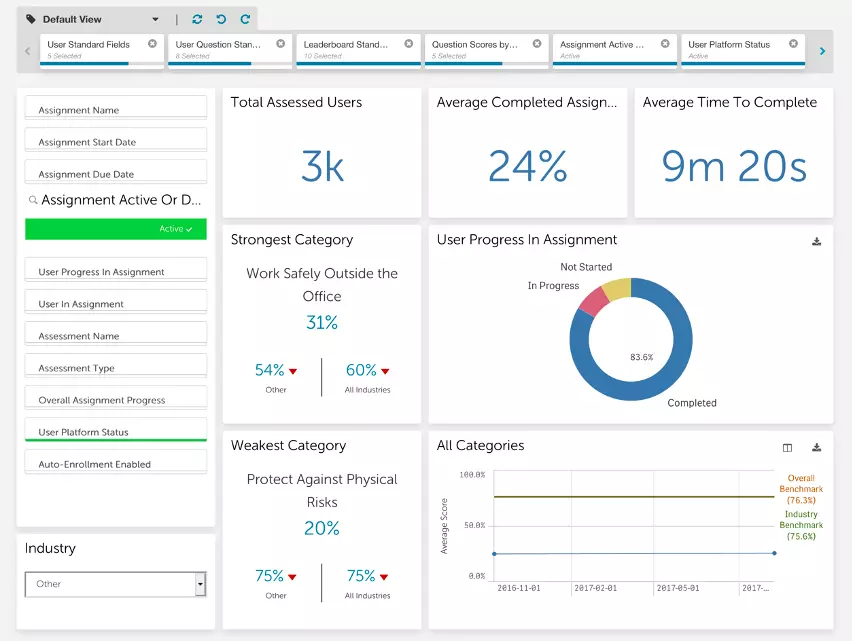
- Real-time analytics dashboard tracks user responses across every simulation type.
Customers consistently highlight fast deployment, with M365 and Google Workspace connections coming together in days rather than weeks. Support is responsive and ships frequent updates that keep simulation content current with evolving threats. Something to be aware of is that some users note reporting exports lack the flexibility needed for executive stakeholder presentations, and international functionality is limited for some non-US office locations.
We were impressed by the depth of multi-channel simulation capabilities. Adaptive moves faster than most vendors in this category, and the customization depth is real. If your organization needs to simulate AI-powered attacks across voice, video, SMS, and email from a single platform, this addresses those threat vectors more directly than any other option we reviewed.
Strengths
Cautions

Phished is a phishing simulation platform built around autonomous campaign scheduling and machine learning-driven personalization. The platform learns which phishing emails individual users are likely to click on and tailors simulations to each person’s unique patterns, which is a meaningful differentiator from platforms that send the same template to everyone. We think it’s a strong option for organizations that want effective, ongoing phishing testing with minimal admin overhead.
- Auto-generates simulation content and schedules campaigns on a custom cadence; the platform recommends every 15 days.
- Simulations cover BEC, insider threats, and spear-phishing, with an option to disable spear-phishing campaigns if needed.
- Users report suspected phishing via a button in their Microsoft 365 client or by forwarding the email; correct reports are congratulated, failures trigger training at the point of failure.
- Phished Academy delivers bite-sized micro-learning modules with articles and limited video content; admins can create quizzes.
- Reporting covers individual users and departments, including training completion, email reporting, simulation clicks, and credential submissions.
We were impressed by how much Phished delivers with how little ongoing effort. Configuring an automated campaign takes minutes, and once set up, simulations run on schedule without extra work. The personalization is the real strength; because every user receives simulations based on their own click history, testing is more accurate and realistic than platforms using a one-size-fits-all approach. Something to be aware of is that the Phished Academy doesn’t provide an extensive amount of training content, so if you need a full-spectrum awareness training library, you may need to supplement it. Simulation templates and training are available in nine languages, though Spanish content is limited and the most material is available in Dutch and English.
Strengths
Cautions


ESET
Best for gamified simulation and training
ESET is a cybersecurity provider that specializes in internet security and antivirus solutions, serving homes, businesses, and enterprises. ESET Cybersecurity Awareness Training is their security awareness and phishing simulation solution, with all training delivered via engaging videos in an easy-to-watch, bitesize format. We think the gamified approach, including a 90-minute RPG training module, sets ESET apart from more traditional awareness training providers on this list.
- Various courses, modules, and topics give employees a wide yet in-depth range of knowledge; content is constantly updated with advanced bonus training packs.
- 90-minute gamified RPG training module where employees play as an IT technician assisting a fictional team with security problems.
- Customizable phishing email simulations with no deployment limits; tracking available for users’ training progress with reports on simulation success.
- Users who fail can be automatically re-enrolled in more targeted training; persistent failures trigger detailed tracking and admin notification.
- Users rewarded with completion certificate and LinkedIn badge.
We think ESET Cybersecurity Awareness Training is a strong option for small to mid-sized enterprises looking for effective, easy-to-manage security awareness training and phishing simulation. The auto-enrollment for failed simulations means you’re building a feedback loop that improves behavior over time. It’s particularly well suited for organizations already utilizing ESET’s wider endpoint protection solution suite.
Strengths
Cautions

IRONSCALES is an API-based email security and security awareness training platform that sits at the mailbox level inside Microsoft 365 or Google Workspace. It provides inbound email protection against advanced email threats, spam, phishing attacks, and business email compromise, as well as a comprehensive phishing simulation and awareness training platform. This includes adaptive phishing simulations that use AI to mirror real-world attacks, and high-quality training content via partnerships with security awareness training content providers like Ninjio.
- Deep visibility into phishing threats from 17,000 email environments enables hyper-personalized phishing simulation campaigns tailored to each employee’s role, communication patterns, and risk profile.
- Phishing report button built into the email client creates a unified workflow for both real threats and simulations.
- Machine learning, AV engines, and URL scanning provide protection against malicious links and attachments; dynamic warning banners flag suspected content.
- Themis virtual SOC conducts investigation and remediation autonomously, providing admins context on email threats.
- Employee reports feed back into detection across the entire IRONSCALES customer base of over 17,000 organizations.
We are impressed by IRONSCALES. The phishing simulations are highly realistic and can be customized to mimic the attacks actually facing your organization. Reporting is detailed and makes it easy to track overall business performance. The training content itself is engaging and high-quality. The agentic AI capabilities, particularly the predictive red team agent, put IRONSCALES at the leading edge of proactive threat modeling in the email security space. IRONSCALES is best suited for teams or MSPs looking for a dedicated email security tool with built-in phishing simulations.
Strengths
Cautions
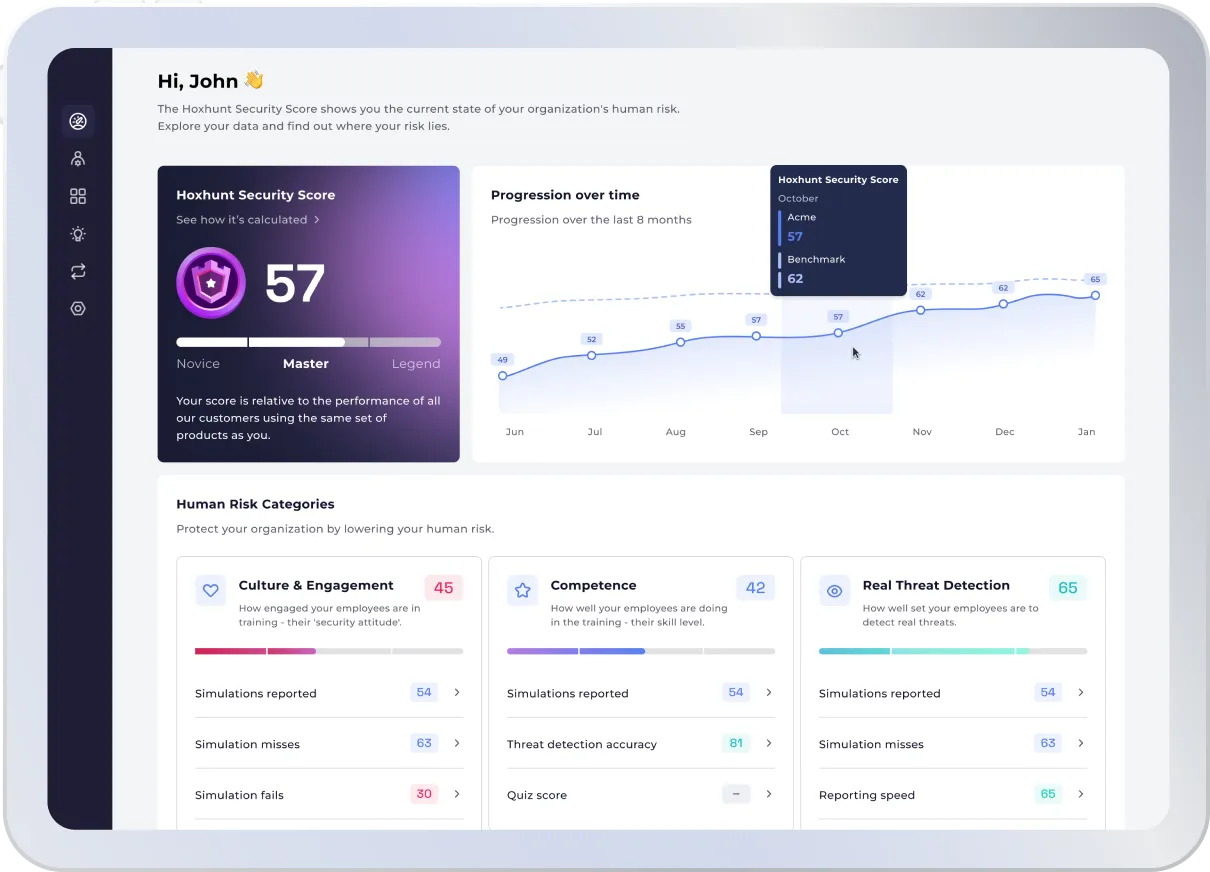

Hoxhunt is a fast-growing European company that specializes in teaching employees to identify and respond to phishing attacks in engaging ways. Their AI-driven platform personalizes training based on individual user weaknesses using gamification to reward users for correctly identifying and reporting simulated phishing emails. The solution is a fully managed service, including the full end-to-end automation of all phishing campaigns. We think it’s a strong fit for large global enterprises in high-risk industries that need simulation difficulty to scale with employee sophistication.
- AI identifies skill gaps and adjusts simulation difficulty accordingly; as users improve, simulations get harder.
- Phishing campaigns (“quests”) are deployed automatically and sent to users multiple times per month; simulations arrive randomly in real inboxes rather than on a set schedule.
- Quests are personalized and tailored toward each user’s skill level, role, and organization.
- Users report suspected phishing via a free plugin integrating with Microsoft 365, Outlook, and Gmail; correct reports are rewarded with stars redeemable for prizes.
- Real-time dashboard tracks success rates with top 10 leaderboard; supports 30+ languages with geolocation targeting.
We were impressed by the adaptive difficulty model and the way simulations land in real inboxes at random intervals. That approach creates more authentic testing than scheduled campaigns. The fully managed service means security teams can focus on training users and remediating threats rather than personalising and managing campaigns. Hoxhunt is well suited to enterprise teams running simulation programs across multiple regions from a single console.
Strengths
Cautions


Huntress is a managed cybersecurity platform designed for MSPs and IT teams, with fully managed phishing simulation and security awareness training built in. Huntress is completely managed, so you don’t need to spend your own time keeping on top of training services. We think the combination of managed phishing simulation backed by a 24/7 SOC makes Huntress unique on this list.
- Phishing simulations and training content built by experts, directly leveraging real-world threat telemetry from millions of endpoints and identities managed by the SOC.
- Training delivered in short, engaging 7-10 minute animated episodes designed to improve user retention.
- Fully managed service handles all ongoing administration of learning plans.
- Detailed, compliance-focused reporting and dashboards.
- Full platform provides SAT, Identity Threat Protection, EDR, and Managed Security Monitoring in a single suite.
We think Huntress is an excellent fit for MSPs that need a fully managed security solution to offer clients without increasing internal labor costs, or IT teams looking for a fully managed phishing simulation solution backed by a trusted 24/7 SOC. If you want phishing testing as part of a broader managed security stack rather than a standalone tool, Huntress is well worth considering.
Strengths
Cautions
Cofense PhishMe


Cofense
Best for threat intelligence-driven simulation
Cofense, formerly PhishMe, is an industry leader providing advanced phishing detection and defense solutions for organizations. Their phishing threat intelligence collects data from 26 million users across the globe to detect phishing attacks, providing actionable and accurate insights. Serving more than 2,000 enterprise businesses globally, Cofense PhishMe goes beyond standard phishing simulation by connecting employee reporting directly to active threat response. We think it’s the right call for organizations with dedicated security staff who want simulation results feeding real incident response rather than running as a standalone testing program.
- Reporter button lets employees flag suspicious emails with one click, feeding directly into Cofense Triage for analysis and Cofense Vision for inbox-level quarantine across the organization.
- Closed-loop approach means an employee reporting a live phishing attempt triggers remediation across every inbox the same email landed in.
- Over 1,500 templates in 36 languages with localized content; admins can automate campaigns over a 12-month period.
- Smart suggestions based on historical simulation results, active threats, and industry-specific patterns shape campaign planning.
- Reporter plugin integrates with Outlook, Microsoft 365, Gmail, and Lotus Notes; machine learning trained on reported threats improves detection over time.
Customers highlight the Reporter button as the feature that gets used most consistently, with minimal friction for end users. Users rate the platform highly and find it flexible and reliable. The simulation customization and reporting analytics draw positive feedback from security teams tracking program progress over time. Something to be aware of is that some customer reviews note the platform requires continuous maintenance and dedicated staff to administer effectively. Repetitive simulations can also cause user fatigue over extended deployments.
We were impressed by the closed-loop connection between phishing simulation, employee reporting, and active remediation. This is a platform built for organizations that want simulation results to drive real security outcomes, not just awareness metrics. A version of PhishMe is also available at no cost to small businesses with fewer than 500 employees. If your detection strategy includes employee reporting as a core component, Cofense PhishMe is well worth considering.
Strengths
Cautions
Infosec IQ


Infosec (Cengage Group)
Best for structured year-long simulation programs
Infosec is a cybersecurity education company that offers professional training and certification as well as security awareness training and phishing simulations. Now part of the Cengage Group, the platform currently serves 5 million learners in 185 countries. Infosec IQ delivers phishing simulation with instant feedback that redirects users to training the moment they click a simulated phishing link. We think it’s best suited for organizations building structured, year-long simulation and training programs.
- Instant redirect approach sends users who click a simulated phishing link to a training module immediately rather than waiting for a scheduled session.
- IQPhishSim tool offers customizable campaigns with weekly template updates; over 3,000 training resources across 34+ languages with 300+ international phishing templates.
- Multiple attack types with options to customize branding and create landing pages for flexibility across all levels and job types.
- PhishNotify plugin enables users to flag suspicious emails; flagged threats prioritized for analyst review.
- Three pricing levels (Standard, Enterprise, Infosec IQ + Skills) all include unlimited phishing simulations and user risk scoring.
Customers consistently highlight the depth of simulation options and the quality of account support, with dedicated contacts who actively assist program success. All subscriptions include 1:1 support for implementation as well as a client success manager and technical support. The content library earns praise for avoiding the AI-generated feel that makes employees tune out. Something to be aware of is that some customer reviews mention the reporting and campaign sections have a steep initial learning curve.
We were impressed by the instant feedback mechanism that turns every simulation failure into a teachable moment. With 70% of the Fortune 500 partnering with Infosec, the platform has proven scale. The solution is well suited to both SMBs and enterprises looking for a flexible and customizable phishing simulator with strong support. If you need a structured simulation program with consistent content delivery and immediate learning triggers, Infosec IQ is well worth considering.
Strengths
Cautions
KnowBe4


KnowBe4
Best for enterprise-scale simulation depth
KnowBe4 is an industry giant in security awareness training, dominating the market with their easy-to-deploy platform. Serving over 35,000 customers globally, the platform aims to keep the user at the forefront with engaging simulations across all skill levels. We think it’s the low-risk choice for organizations that want a proven simulation program with the content variety and reporting depth to sustain long-term engagement. KnowBe4’s SaaS solution is costed on a tiered basis, from silver to diamond, with more features becoming available in higher tiers.
- Unlimited phishing simulations with access to over 5,000 templates available in 34 languages; over 1,300 training resources across 35 languages.
- Organizational risk score aggregates individual phishing simulation results into a single metric for campaign targeting.
- AIDA system within the Diamond tier automates simulation assignments and generates custom phishing templates based on individual user risk scores.
- Smart Groups (Platinum tier and above) allows admins to group users based on behavior and attributes and tailor campaigns based on real-time data.
- Vishing (Gold tier+), smishing supported; Phish Alert button integrates with email clients; over 60 built-in reports with industry benchmarking.
Users describe the solution as easy to deploy and configure, great value for money, flexible, and effective at reducing the number of employees falling for emails. The constantly updated content library and dedicated success managers who stay engaged beyond onboarding draw consistent praise. The organisational risk score gives security teams a clear metric to track program effectiveness over time. Something to be aware of is that some users note campaign setup is time-consuming, with no managed service option to reduce the administrative workload. Some users also find the analytics and reporting tool lacking in customization and filtering options for specific results.
We were impressed by the organisational risk scoring and the data point that KnowBe4 reduces an organization’s phish-prone percentage from 30% to less than 5% after 12 months on average. The content depth and reporting capabilities are hard to match. KnowBe4’s solution is well suited for organizations of all sizes as it is flexible, built to scale, and easy to roll out to employees. For teams wanting a mature simulation platform with a track record, KnowBe4 earns its market position.
Strengths
Cautions
Proofpoint Security Awareness Training

Proofpoint
Best for Proofpoint ecosystem simulation
Proofpoint is an industry leader in securing businesses and their data against advanced threats and email compromises, serving over 4,000 organizations globally. Proofpoint Security Awareness Training was developed by Wombat Security Technologies, acquired by Proofpoint in March 2018. Their security awareness training can be licensed either as a standalone solution or as part of their Proofpoint Essentials stack for SMBs. We think it makes the most sense for large enterprises already invested in Proofpoint email security, where the integration depth and shared threat intelligence are real advantages.
- Over 700 customizable templates in 35+ languages, localized with relevant brands, character names, and currencies for each end user.
- Converts real-world neutralized phishing attempts into live simulation material for sharper testing than generic templates.
- Daily threat intelligence identifies high-risk accounts and shapes which simulations reach which users.
- ThreatSim tests users based on real-life phishing tactics; simulations cover phishing, smishing, and USB-based attack scenarios.
- PhishAlarm plugin integrates with Outlook and Gmail for one-click reporting; over 600 learning modules available.
Customers running regular phishing campaigns highlight the ease of monthly campaign management, with dedicated account managers helping teams select and schedule appropriate templates. Users find the platform easy to use and great at providing detailed reports. Monthly account manager meetings help align simulation campaigns with organisational needs. Something to be aware of is that some customer reviews mention sender email customization is limited, which can reduce simulation authenticity when users have seen similar content before. Some users experienced that implementation, as well as initially learning to use the platform, can take some time.
We were impressed by the ability to convert real neutralised threats into simulation content and the way daily threat intelligence shapes campaign targeting. Proofpoint’s global threat intelligence network collects data from over 100 million inboxes, which is used to inform their awareness training programs. For enterprise teams where Proofpoint is already the email security standard, this extends that investment into phishing testing effectively. The solution is well suited for SMBs and enterprises across all industries.
Strengths
Cautions
CyberSentriq Security Awareness Training


CyberSentriq
Best for MSP multi-tenant simulation
CyberSentriq Security Awareness Training combines automated phishing simulations with real-time awareness training across a multi-tenant management portal. We think it makes the most sense for MSPs standardizing phishing simulation programs across multiple client environments. The platform delivers strong automation at a competitive price point.
- Phishing simulation template library runs into the thousands with regular weekly updates; custom simulations can be built alongside built-in content.
- Once campaigns are scheduled, the platform runs itself with minimal ongoing attention.
- SCORM compliance allows LMS integration for organizations running custom training materials alongside CyberSentriq modules.
- Compliance coverage meets HIPAA, GDPR, ISO, ENISA, and Cyber Essentials standards.
- Single management portal handles campaigns, users, and reporting across all client tenants.
Customers running MSP operations consistently highlight the low ongoing admin overhead. Once campaigns are configured, the platform handles automation without requiring constant attention. Multi-tenant management through a single portal saves significant time across client environments. Something to be aware of is that some customer reviews note support response times can be inconsistent, with some tickets sitting unresolved for extended periods.
We were impressed by the template volume and automation depth at this price point. For MSPs managing phishing simulations across multiple client environments, the operational efficiency is hard to beat. Organizations running a single internal program will find the value proposition less obvious, and teams needing responsive support should factor in the inconsistency flagged in customer feedback.
Strengths
Cautions
Other Security Awareness Training Services
Beyond our top 11, these phishing simulation platforms are also worth considering.
An open-source phishing simulation tool for testing organizational susceptibility to phishing.
Offers highly engaging training content and adaptive phish simulations.
Integrates phishing simulations with security awareness training to educate users.
Provides phishing simulations and training to assess and improve employee awareness.
Security Awareness Training Pricing
Pricing for phishing simulation platforms varies by vendor, organization size, and contract terms. Many platforms are quote-based, particularly at enterprise scale. The table below reflects publicly available starting prices where we could verify them; contact vendors directly for tailored quotes.
| Product | Starting Price | Billing | Link |
|---|---|---|---|
|
Adaptive Security
|
Contact for quote
|
Annual
|
|
|
Phished
|
Contact for quote
|
Annual
|
|
|
ESET Cybersecurity Awareness Training
|
$250/10 users (Premium); free plan available
|
Annual
|
|
|
IRONSCALES
|
From $3.89/user/month (Protect tier)
|
Annual
|
|
|
Hoxhunt
|
Contact for quote
|
Annual
|
|
|
Huntress
|
Contact for quote
|
Annual
|
|
|
Cofense PhishMe
|
From $10/user/year; free version for <500 employees
|
Annual
|
|
|
Infosec IQ
|
From $15/user/year (100-499 learners)
|
Annual
|
|
|
KnowBe4
|
From $1.30/user/month (Silver tier)
|
Annual
|
|
|
Proofpoint Security Awareness Training
|
Contact for quote
|
Annual
|
|
|
CyberSentriq Security Awareness Training
|
Contact for quote
|
Annual
|
|
Security Awareness Training Checklist
These are the configuration and operational steps we recommend when deploying a phishing simulation and testing platform.
Measuring your organization's current click rate and reporting rate gives you a starting benchmark to track improvement against.
Infrequent simulations let employees forget what they learned; regular testing keeps phishing awareness active.
Training delivered at the point of failure is more effective than generic modules assigned weeks later.
Generic templates are easier to spot; simulations that mimic real vendor emails or internal communications test awareness more accurately.
Simulations blocked or flagged by your security gateway create false positives and distort click rate data.
Making it easy to report suspicious emails builds a reporting culture and provides continuous behavioral data.
Click rates show who falls for simulations; reporting rates show who is actively defending the organization.
Email-only simulations leave gaps if your users are also targeted through phone calls, text messages, or AI-generated content.
Connecting employee-reported phishing to your threat detection pipeline turns simulation programs into an active defense layer.
Demonstrating declining click rates and increasing reporting rates builds organizational support for ongoing investment.
The Bottom Line
The phishing simulation market has matured significantly, with platforms now offering AI-generated scenarios, adaptive difficulty, and direct integration with email security and SOC operations. The right choice depends on your team size, administrative capacity, and whether you want simulation running as a standalone awareness program or feeding directly into active threat response. For lean teams, managed services like Huntress and Hoxhunt remove the operational burden. For enterprises with dedicated security staff, platforms like Cofense and IRONSCALES create genuine closed-loop security value.
Everything You Need To Know About Phishing Simulation and Testing Solutions (FAQs)
Phishing is a type of cyberattack where malicious actors attempt to lure individuals into
- Clicking on a malicious link
- Downloading a malicious file
- Share sensitive information, like financial data or credentials
Traditionally, phishing attacks were sent by email and used a “scatter gun” approach; they would spam hundreds and thousands of accounts with the same attack, in the hope the one or two of the accounts would fall for it.
Today, phishing is more sophisticated; the malicious actor researches their victim and tried to manipulate them into thinking the message is from a trusted sender, so they’re more likely to interact with it. Plus, while email is still the most common medium for exploitation, bad actors today also use SMS, phone calls, and social media to carry out phishing attacks.
Aside from email phishing, here are some other common types of phishing attack to be aware of:
- Vishing: Voice phishing, or “vishing”, attacks are sent via phone calls or voice notes
- SMiShing: SMiShing attacks are sent via SMS
- Spear phishing: Spear phishing attacks identify a specific individual, rather than hundreds of accounts at once. They often impersonate real employees, and use spoofed domains and other fraudulent material to make the attack more realistic
- Whaling: Whaling is a type of spear phishing used to single out a senior individual within an organization, such as a CEO or board member. These attacks are highly specific and directed, and often involve impersonation
- Pharming: Pharming attacks redirect employees to fake websites, where they’re tricked into typing in sensitive information that is then sent directly to the malicious actor
Often delivered as part of a wider SAT platform, phishing simulation platform is deployed to simulate real world attacks, to better understand if employees respond correctly. Once the email is sent, the employee can assess if it is risky and decide if they want to interact with it, or ignore it. There are two main benefits to this:
- Employees can put their SAT to practice and identify risks in a secure, real-world way
- IT admins can identify their most vulnerable employees based on their responses to phishing tests, and assign further education or step-up enforcement where needed
Follow these recommendations to make sure your employees get the most out of your phishing simulation tool:
- Don’t use simulation in isolation. Most phishing simulation tools are designed to be used alongside a SAT platform, which educates your employees on how to identify and react to phishing attacks. If you deploy phishing simulations without giving your employees any education, you can still monitor their behavior, but you won’t be teaching them how to improve.
- Customize campaigns to your employees. Different employees within your organization may face different types of attack depending on their role, department, and seniority. Customize your campaigns so that they present each employee with attacks that they’re likely to experience in real life.
- Update your templates. To make the emails as accurate and effective as possible, you should ensure that the phishing tests are based on current, realistic attacks. Some platforms use threat intelligence feeds to create realistic emails for your automatically.
There are a few reasons why you might want to implement a phishing simulation tool:
- Prevent data leaks: Simulated phishing emails teach your employees how to spot a phishing attack so that they won’t fall victim to a real one. Phishing simulations can also enable admins to identify any individuals or employee groups that are more susceptible to attacks, so that you can assign further modules to them.
- Monitor your attack rate: Phishing simulation platforms collect data on the success rate of each campaign, such as how many employees opened the email, how many employees clicked on a link to a “compromised” website or downloaded an attachment, and how many employees flagged the email. You can use this data to monitor your employees’ learning and your organization’s resilience to phishing over time.
- Motivate your people: Testing employees at the end of their SAT program can also motivate them to really engage with the program so that they do well in the phishing test. Some platforms take this a step further by turning campaigns into a competition and displaying the results on a leader board.
- Cultivate a culture of skepticism: Continuous SAT and phishing testing ensures that cybersecurity is always at the forefront of your employees’ minds. Helping employees not only to become aware of the topic but also to actively engage with it will help to foster a culture of skepticism across your entire workforce.
- Ensure compliance: Many regulatory frameworks, including GDPR and PCI, require organizations to undertake SAT in order to become compliant. Testing is recommended as a part of this education in order to track progress and improvement over time.
- Minimize insurance premiums: SAT can reassure a cybersecurity insurer that you are taking proactive steps to reduce your human risk levels, which in turn can help reduce your insurance premium.
Security Awareness Training Resources
Further reading on security awareness training from Expert Insights — buyers' guides, comparison articles, and platform-specific shortlists.


 Written By
Alex is an experienced journalist and content editor, working alongside software experts to research, write, meticulously factcheck, and edit articles relating to B2B cybersecurity and technology solutions, focusing on topics such as DevSecOps, network security and firewalls, and cloud infrastructure security.
 Technical Review
Craig MacAlpine is CEO and Founder of Expert Insights. Before founding Expert Insights in August 2018, Craig spent 10 years as CEO of EPA Cloud, an email security provider that rebranded as VIPRE Email Security following its acquisition by Ziff Davis, formerly J2Global (NASDAQ: ZD) in 2013.
Craig is a passionate security innovator with over 20 years of experience helping organizations to stay secure with cutting-edge information security and cybersecurity solutions.
Using his extensive experience in the email security industry, he founded Expert Insights with the singular goal of helping IT professionals and CISOs to cut through the noise and find the right cybersecurity solutions they need to protect their organizations.